18 PS6500 Rack Mount Instructions
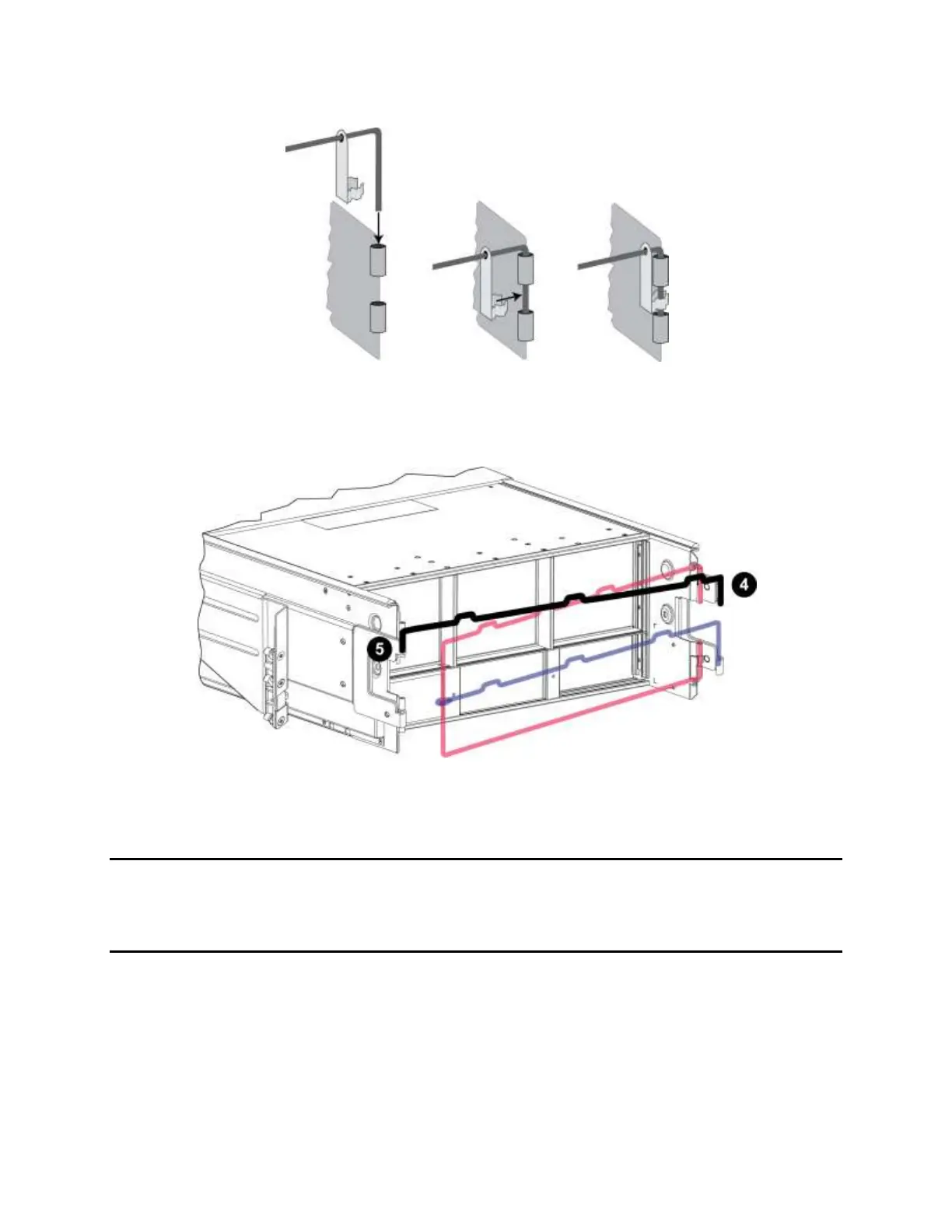
Figure 15 Connecting a Clamp
4. Orient the one-arm wire assembly as shown in Figure 16. Then, attach it to the top of the left and
right rails (callouts 4 and 5).
Figure 16 Array with Three-Arm and One-Arm Assemblies Attached
When you connect power and network cables to the array, as described in the PS Series Installation and
Setup manual, you will route the cables around the arms of the cable management system.
Where to Go Next
See the Installation and Setup manual for information about completing the array hardware installation.
Technical Support
Dell’s support service is available to answer your questions about PS Series arrays. If you have an
Express Service Code, have it ready when you call. The code helps Dell’s automated-support telephone
system direct your call more efficiently.


 To Next Page