PS6500 Rack Mount Instructions 9
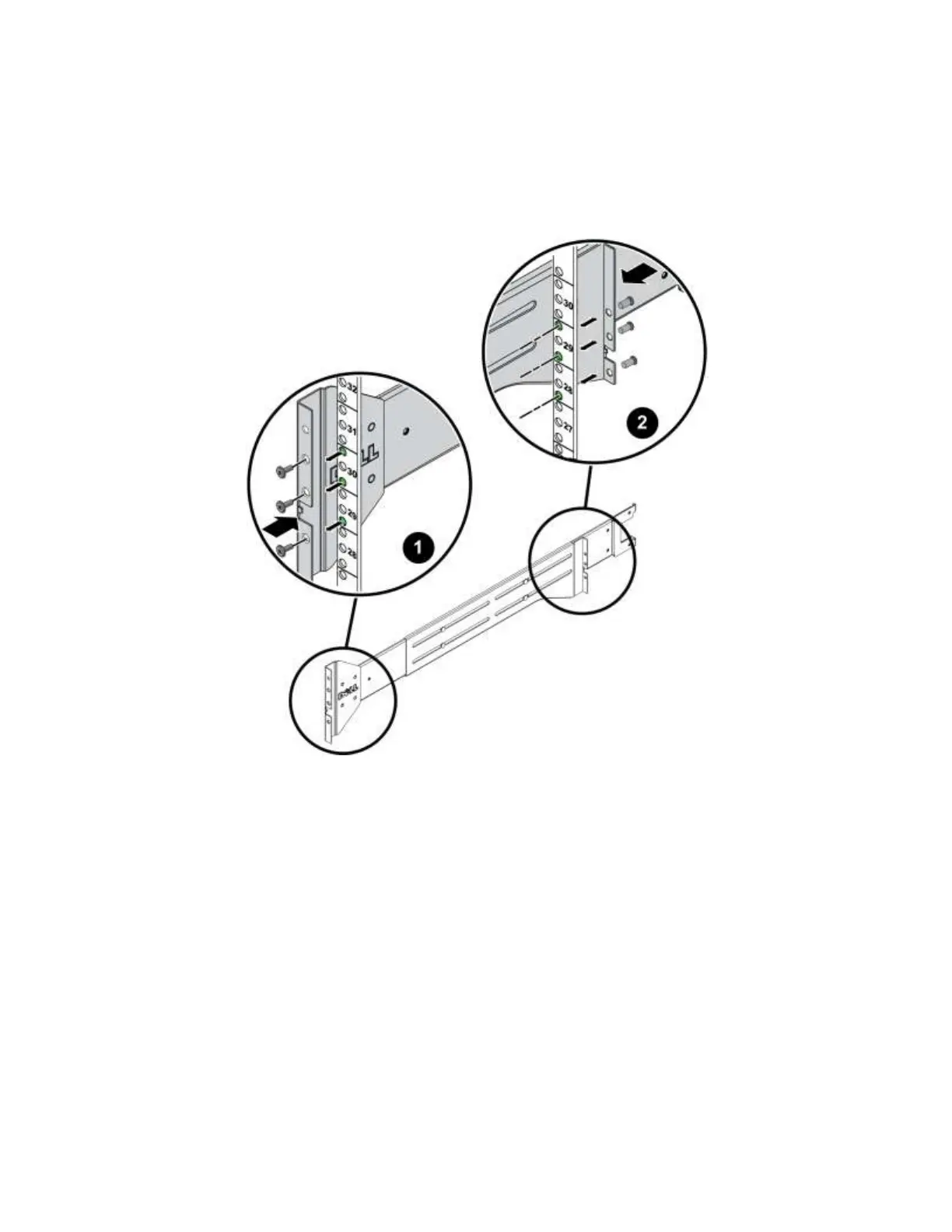
3. Secure each mounting rail to the front and rear rack posts using the supplied 10-32 screws (if
applicable) and a #2 Phillips driver, or the correct size and thread screws for your rack (not supplied).
Note: When correctly installed, the front screws will be one U higher than the rear screws. For
example, if the front screws are in U 29 and 30, the rear screws will be in U 28 and 29.
Figure 7 Attaching a Mounting Rail to Tapped-Hole Posts
Step 5: Slide the Chassis into the Rack
Be careful when lifting the chassis. If available, use a mechanical box lifter to move the chassis into
position. Otherwise, use two people to lift and position the chassis.
1. On both rail arms, pull the telescoping sections out to the end of their travel and make sure they click
into place.


 To Next Page