34
Care & maintenance
WARNING! Always switch the product off, disconnect the product from
the power supply and let the product cool down before performing
inspection, maintenance and cleaning work!
Only perform care and maintenance work according to these instructions!
All further works must be performed by a qualied specialist!
Clean
• Clean the product with a dry cloth. Use a brush for areas that are hard to reach.
• In particular clean the collet, switches and air vents after every use with a cloth and
brush.
• Remove stubborn dirt with high pressure air (max. 3 bar).
• Check for worn or damaged parts. Replace worn parts as necessary or contact an
authorised service centre for repair before using the product again.
Do not use chemical, alkaline, abrasive or other aggressive detergents
or disinfectants to clean this product as they might be harmful to its
surfaces.
Maintenance
Your power tool requires no additional lubrication or maintenance.
There are no user serviceable parts in your power tool.
Before and after each use, check the product and accessories (or attachments) for
wear and damage. If required, exchange them for new ones as described in this
instruction manual.
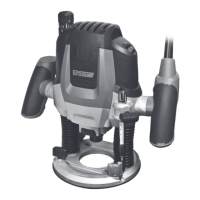
2100W router MNL_ER2100_TPS_GB_V02_20180608.indd 34 6/8/18 19:22


 To Next Page