Version: 03/02 E - 3 Operation Manual variobike 500
Art-No: 475.403
Operation Manual
variobike 500
Course of Ergometry
A. Automatic Control via PC-ECG or ECG Recorder
* Connect Variobike 500 with PC or ECG recorder
* By initiating the ergometry at the PC-ECG/ECG recorder, the ergometer automatically switches to
PC-mode.
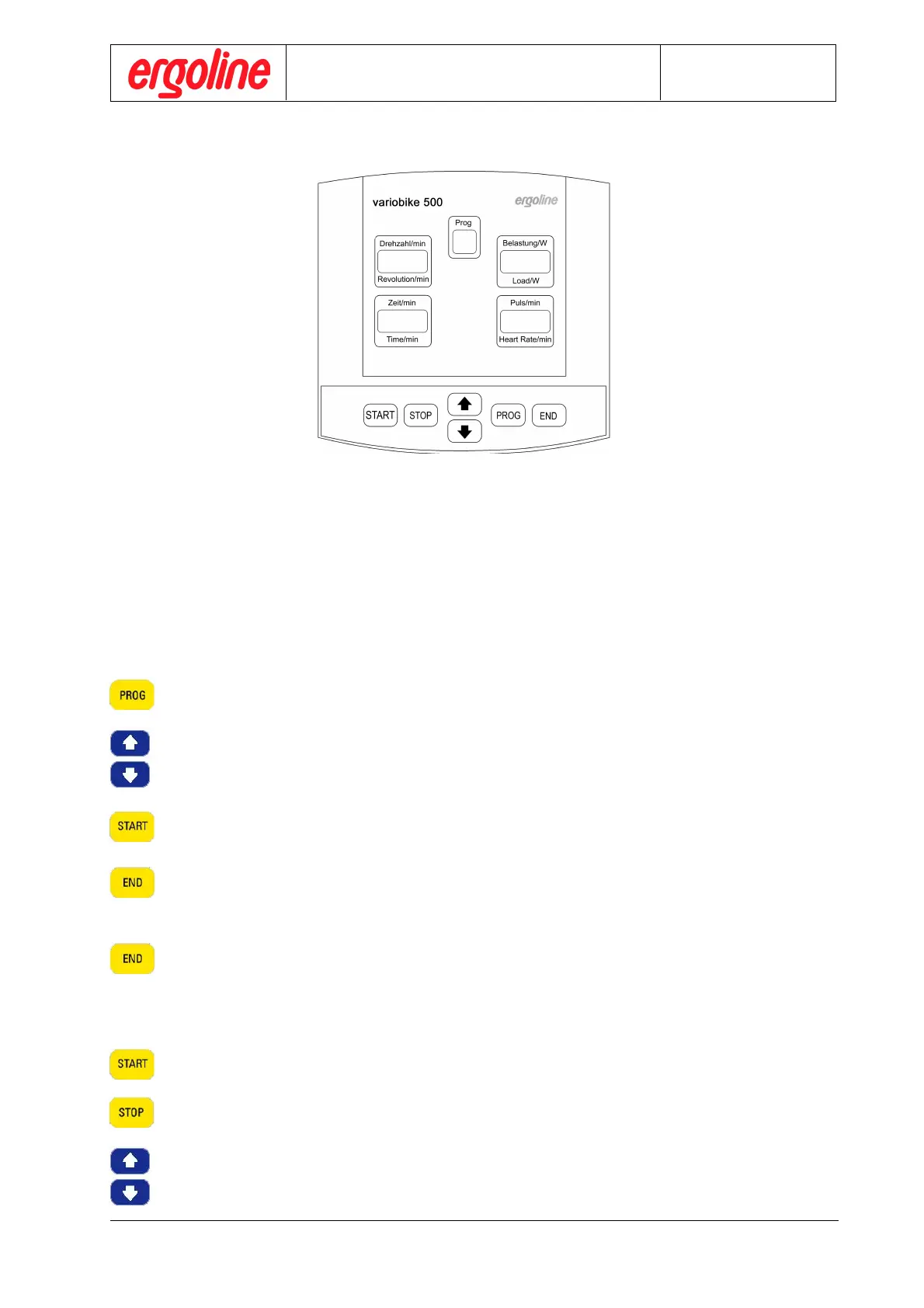
In PC -mode the pedal speed display „Revolution/min“ and the display „Load/W“ are active.
The load and load interval are under remote control. Manual control is not possible.
B. Automatic Course of Ergometry via the Internal Programs
Select program no. :
Press control button „PROG“
and select the requested program no. via the cursor control buttons.
Initial load Po, Load Step and Load Step Interval are determined by the program
(see: “Chap. 3.1 Ergometry Programming”).
Start ergometry :
Press control button „START“. The ergometry begins with initial load Po.
Terminate ergometry :
Press control button „END“ . The ergometry is terminated,
and the recovery period with recovery load 25 W and a recovery period of 2 min starts.
By pressing the control button „END“ once more during the recovery period,
the recovery period is terminated immediately.
C. Manual Ergometry Control
Start ergometry program :
Press control button „STOP“ (display “Load/W” is flashing ).
Adjust desired load with cursor control button (in 5 watt steps).
Course of Ergometry



 To Next Page