24
Push the FUNC push-button; the display will show:
By pushing s or t push-button, select the desired RTD type (e.g.
Pt100).
NOTE: when ITS-90 is selected, the RTD type Ni 100 is not
available so that the instrument will show this RTD with small
letters and it does not allow to select it.
Push the FUNC push-button; the display will show the following:
Depressing s or t push-button, select the desired engineering
unit (e.g. °C).
Depress the FUNC push-button; the display will show the following:
where:
MEAS shows that the instrument is performing a measurement
68 shows that the selected standard is the IPTS-68
Pt100 shows that the input sensor is an RTD Pt 100.
XXXXXXX it shows the measured value.
°C shows the selected engineering unit.
Pt100 Ni100
Ohm
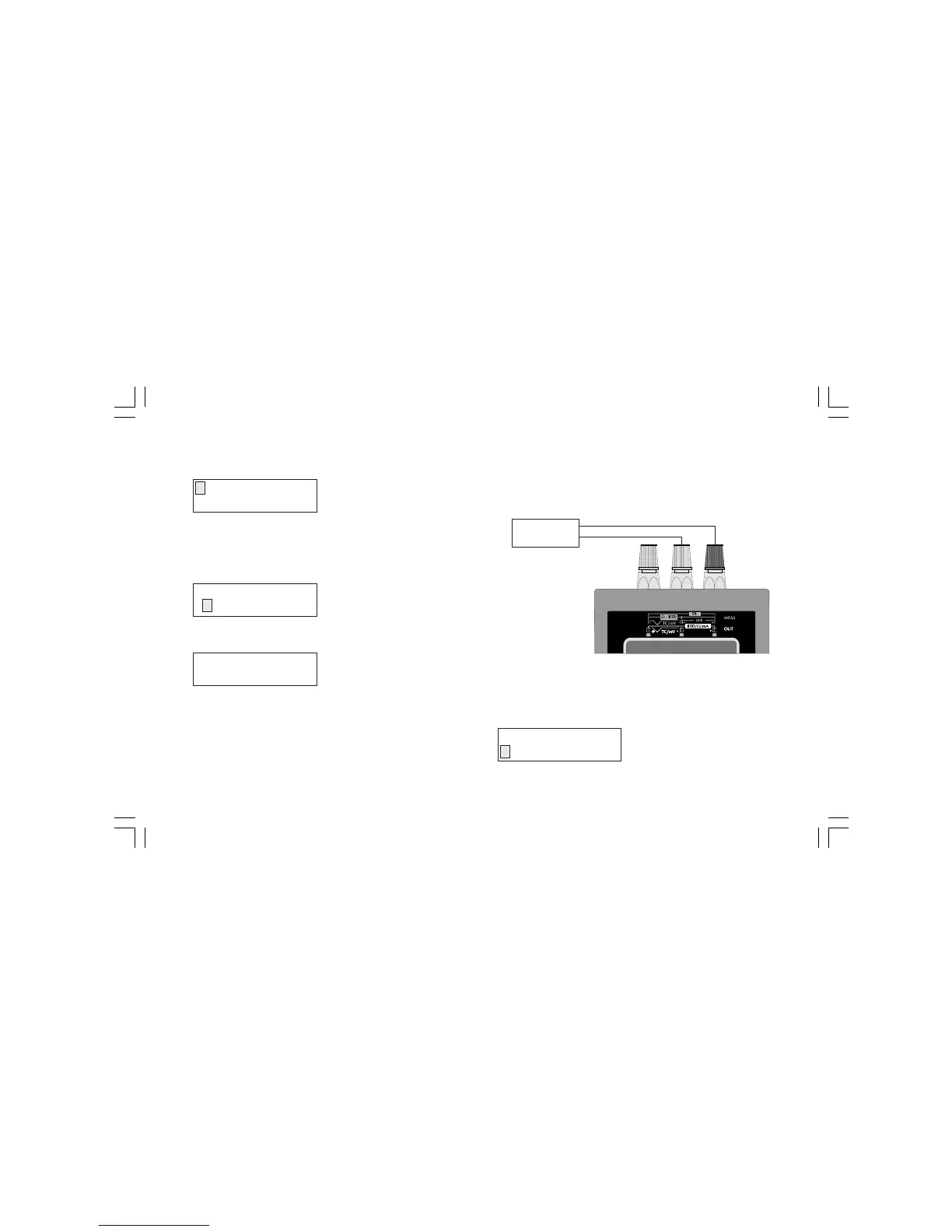
3.4 - mA MEASUREMENT.
CONNECTION FOR mA MEASUREMENTS WITHOUT AUXIL-
IARY POWER SUPPLY.
NOTE: The MEMOCAL 2000 Input impedance is equal to 10 W.
HOW TO MEASURE A mA SIGNAL
Push the MEAS push-button; the display will show:
MEAS
TC RTD mA mV TX
+
-
mA
GENERATOR
ENGINEERING UNIT
°C °F
MEAS 68 Pt100
XXXXXXX °C
M20-e-3.p65 7/9/01, 2:40 PM24



 To Next Page