-- 1 0 --
bh26d1e
7 MAINTENANCE
Regular maintenance is important for safe, reliable operation.
Note!
All guarantee undertakings from the supplier cease to apply if the customer himself
attempts any work in the product during the guarantee period in order to rectify any
faults.
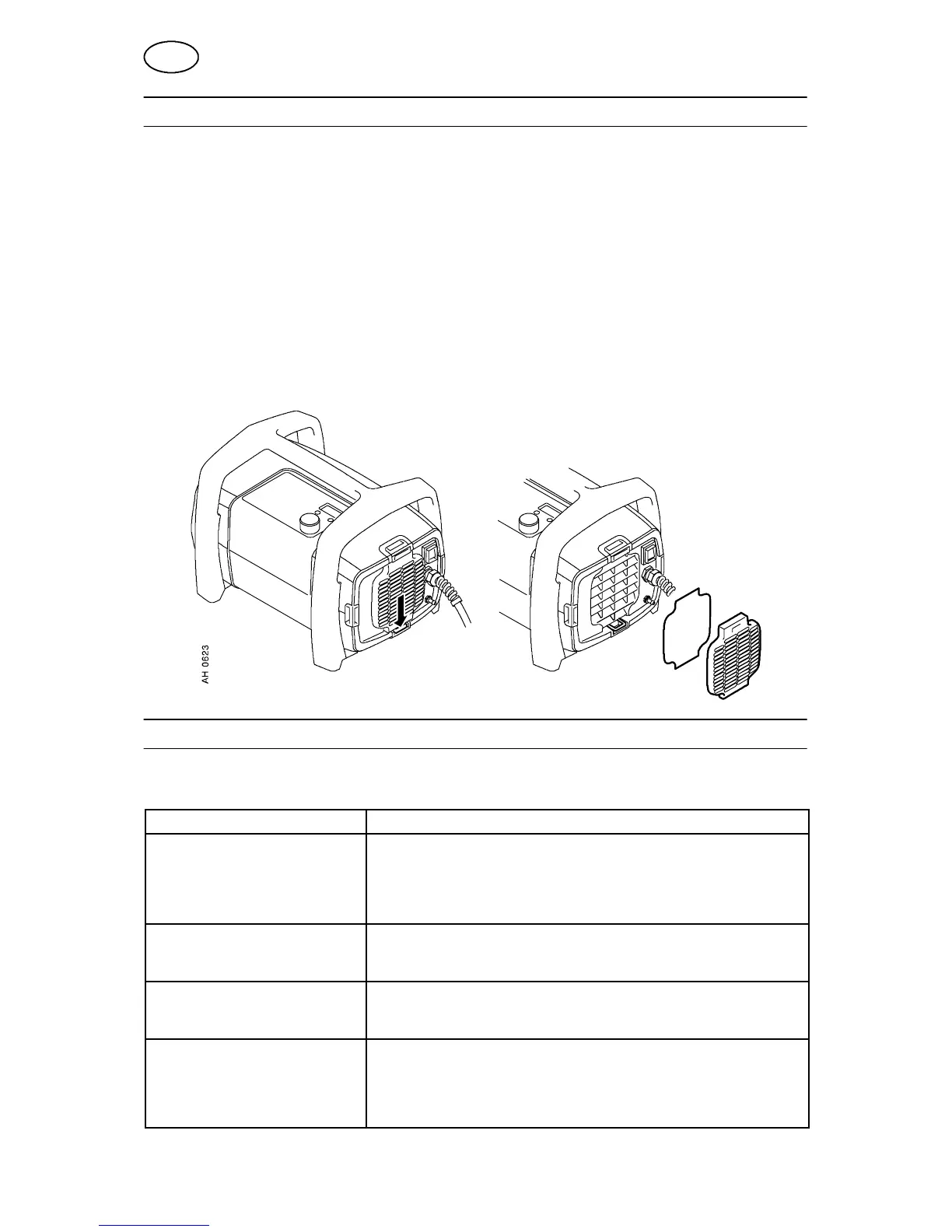
7.1 Cleaning the dust filter
S Remove the fan grille: see sketch.
S Release the dust filter
S Blow the filter clean with compressed air (reduced pressure).
S Ensure that the filter with the finest mesh is placed towards the grille.
S Replace the fan grille with the dust filter.
8 FAULT TRACING
Try these recommended checks and inspections before sending for an authorised
service technician.
Type of fault Action
No arc. S Check that the mains power supply switch is turned on.
S Check that the welding current supply and return cables are
correctly connected.
S Check that the correct current value is set.
S Check to see whether the MCB has tripped.
The thermal overload trips ope-
rate frequently.
S Check whether the thermal overload trips have operated
(indicated by the orange lamp on the front panel).
S Check the main power supply fuses.
The thermal overload trip opera-
tes frequently.
S Check to see whether the dust filter is clogged.
S Make sure that you are not exceeding the rated data for the
power source (i.e. that the unit is not being overloaded).
Poor welding performance. S Check that the welding current supply and return cables are
correctly connected.
S Check that the correct current value is set.
S Check that the correct electrodes are being used.
S Check the main power supply fuses.
GB




 To Next Page