25
SECTION 3 INSTALLATION
3.7.2 Output Connection Procedure
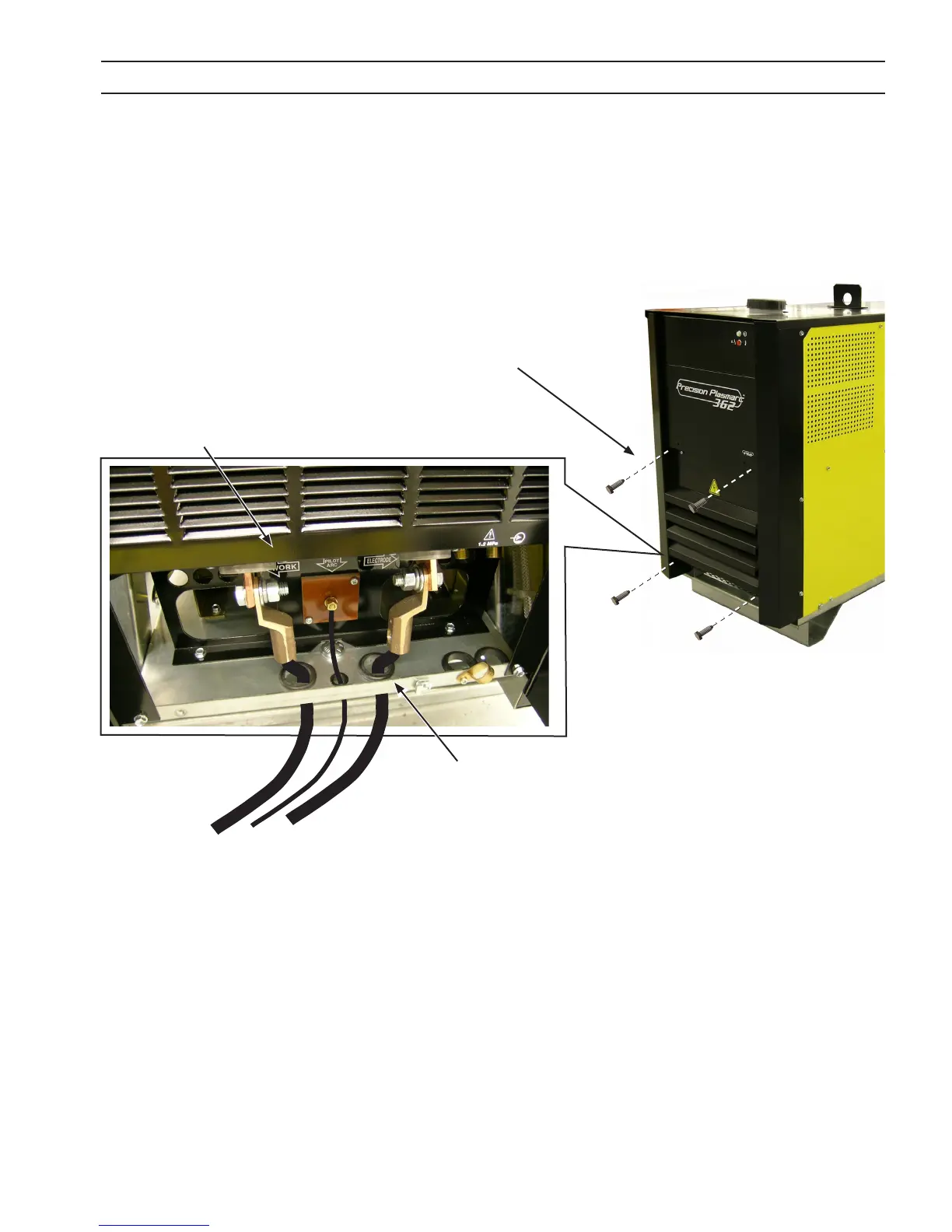
Front Access
Panel Opened
1. Open access panel on the lower front of the power source by removing four M6 screws.
2. Thread output cables through the openings at the bottom of the power source immediately behind the
front panel.
3. Connect cables to designated terminals mounted inside the power source using UL listed pressure wire
connectors.
4. Close front access panel.
Front Access
Panel Closed
Remove four M6
screws to open
Access Panel
The plasma unit does not have an ON/OFF switch. The main power is controlled through the line (wall) discon-
nect switch.
To ease connections,
thread cables/hoses
through these
3 access holes



 To Next Page