39
SECTION 4 OPERATION
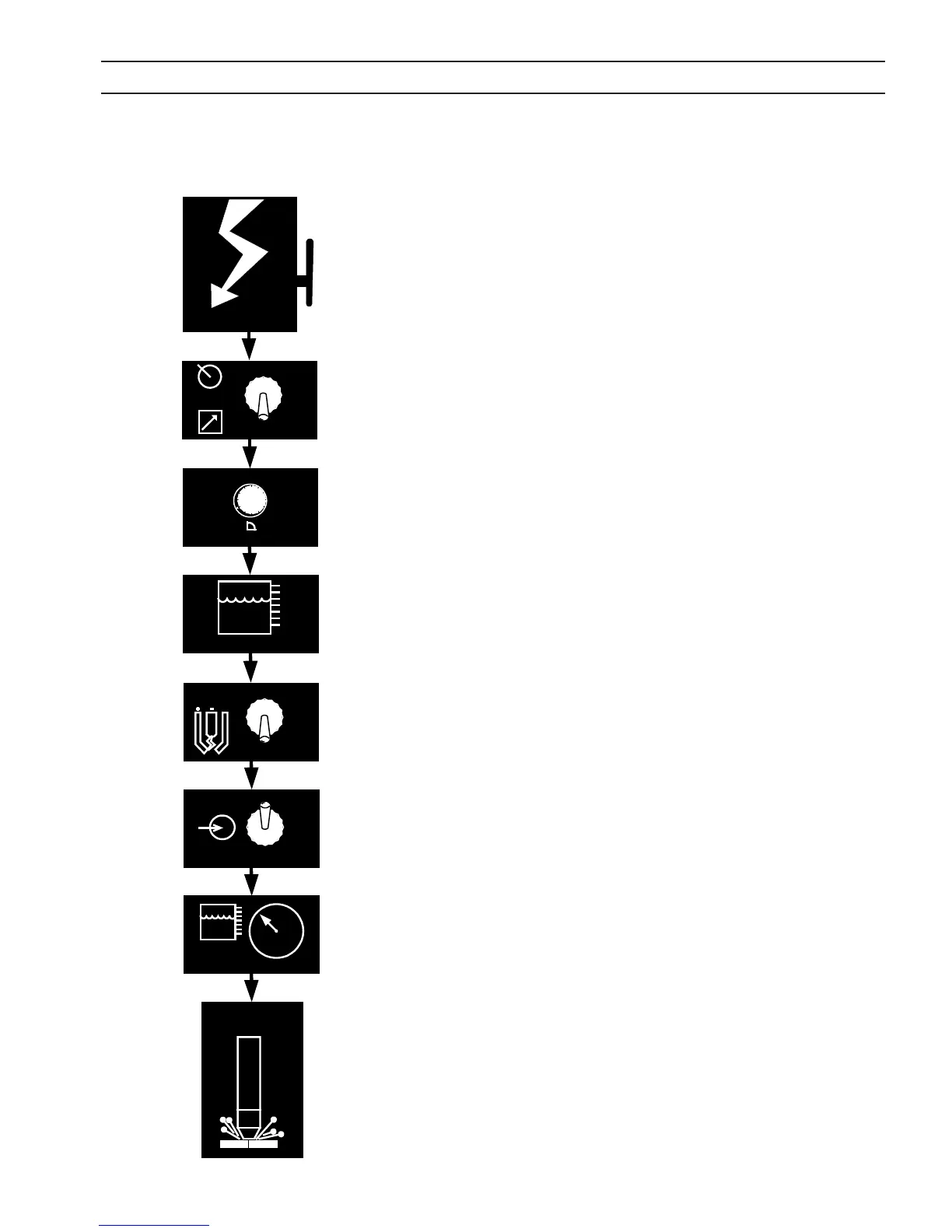
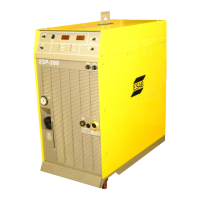
1. Apply power by closing the line (wall) switch. Main power light
will not illuminate until console power switch is turned ON. Fault
light should ash and go out.
2. Select the Panel/Remote setting. If current is controlled from
cutting machine CNC, place switch to Remote position. Consult
cutting machine instructions for current setting. If current is not
controlled by the CNC, select Panel and set current on output
current dial.
3. Check coolant level. Level must be checked with console main
power in OFF position. Coolant level must fall in the safe operat-
ing level.
4. Set pilot arc High/Low switch. (Refer to cutting process data of
the torch manual.)
5. Turn on console power by placing power switch in ON position.
White light to left of the switch will illuminate.
6. Check coolant pressure. The pressure is factory set between 80
to 90 PSI (5.5 –6.2 bars).
7. Begin plasma cutting operation. This may include manually set-
ting other options, depending on total plasma package.
If using panel mode, after cutting has begun, adjust current to de-
sired amount.
Check for a fault light. If a fault light illuminates, SHUT OFF POWER
IMMEDIATELY and refer to troubleshooting section.
4.3 Sequence of Operation
HIGH
LOW
PILOT
ARC
PANEL
REMOTE
Apply Power
OFF
0
1
2
3
4
5
6
7
8
9
10
CURRENT
Coolant Level
ON
V
POWER
OFF
PSI
Coolant
Begin Cutting


 To Next Page