EasyManua.ls Logo

ESAB ESP-200 - User Manual

ESAB ESP-200
102 pages
Print Icon
To Next Page IconTo Next Page
Loading...
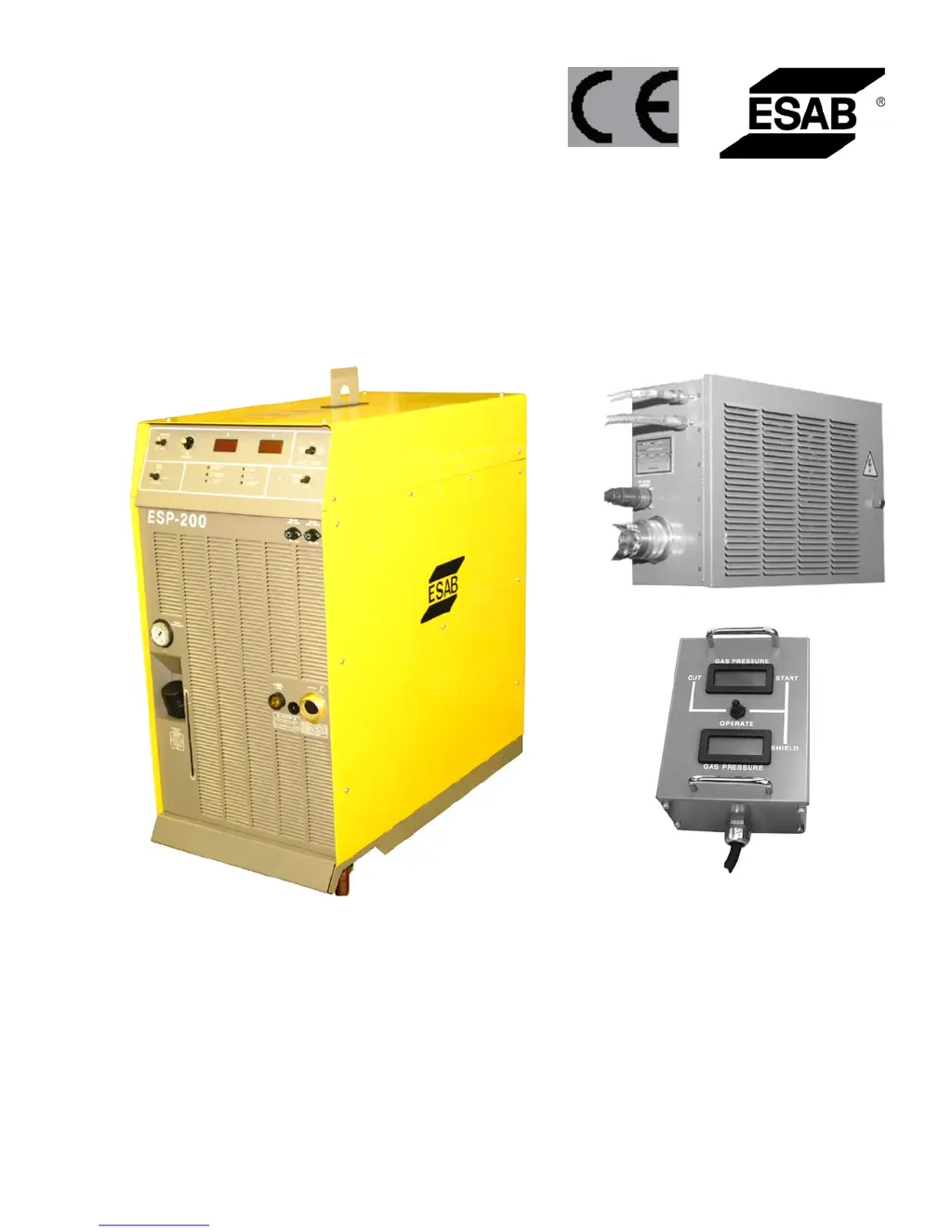
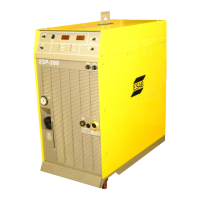
ESP-200
Plasmarc Cutting System
Instruction Manual
F15-462-C 02 / 2008

Questions and Answers

  • S
    Sabrina WeaverAug 17, 2025
    What to do if the Over/Under Voltage Fault indicator is ON in my ESAB Welding System?
    • M
      Megan FergusonAug 17, 2025
      If the Over/Under Voltage Fault indicator is illuminated, ensure the input voltage matches the selected console operating voltage. If not, adjust accordingly. If the issue persists, the problem might be with the PCB1, or the PCB1 or T1 in MOD1, and they may need replacement.
  • R
    Robert BellAug 19, 2025
    What to do if the Plasma gas fault indicator is ON in my ESAB ESP-200?
    • D
      Donna WilliamsAug 19, 2025
      If the Plasma gas fault indicator is ON, first check that the plasma gas pressure to the console is at least 40 psi and adjust it if needed for the torch and application. If the pressure is adequate, inspect the Pressure Switch; adjust it if it's adjustable, or replace it if necessary. Also, check the wiring between the Pressure Switch and PCB1, specifically P1-9 and P1-10.
  • E
    Elizabeth TaylorAug 22, 2025
    Why does the ESAB Welding System's arc not transfer to work, even with open circuit voltage between 315 and 355 and a pilot arc present?
    • L
      Luis WalkerAug 22, 2025
      If the arc doesn't transfer to the workpiece, even with the correct open circuit voltage and a pilot arc, it could be due to an open connection between the console's WORK connector and the workpiece. Check the continuity of the WORK cable and clamp, ensure the clamp is securely attached to the workpiece, and ground the work table to earth ground.
  • A
    Amanda ArroyoAug 26, 2025
    What to do if the ESAB Welding System's arc does not transfer to work, even with open circuit voltage between 315 and 355, and no pilot arc?
    • A
      andrew20Aug 26, 2025
      If the arc does not transfer to the work and there is no pilot arc, check the following: * Replace any open pilot arc Fuses F1 and/or F2. * Replace the pilot arc contactor. * Replace K3 or PCB1 in MOD2. * Check for shorts in the torch between the nozzle and electrode. * Replace the control PCB. * Ensure there's a preflow signal from CNC. * Readjust the current setting if it's too low, or the torch is too high above the workpiece. * Replace a contaminated or worn electrode.
  • B
    Brian BondAug 30, 2025
    Why is the Power Source Temperature Fault indicator ON in my ESAB ESP-200?
    • V
      vmooreAug 30, 2025
      If the Power Source Temperature Fault indicator is ON, first ensure there is adequate ventilation, with at least 2 feet of clearance on each side of the console. If ventilation isn't the issue, check each thermal switch with the power OFF; they should be closed below 194°F. Also, inspect the wiring between the temperature switches and PCB1, specifically P1-15 and P1-16.
  • M
    Misty ReevesSep 2, 2025
    What should I do if the meters M1 or M2 show no display on my ESAB ESP-200?
    • J
      Jennifer RodriguezSep 2, 2025
      If meters M1 or M2 are not displaying anything, the meter itself might be faulty, or there could be an issue with PCB1. Try replacing Meter M1 and/or M2. To verify that replacing the meter once resolves the issue, replace one meter to verify. If the meter replacement doesn't solve the problem, replace PCB1.
  • T
    Teresa LarsonSep 5, 2025
    What to do if the ESAB ESP-200 Welding System power switch is ON, but the Power LED, Fan, and Pump are all OFF?
    • D
      Danielle HarrisSep 5, 2025
      If the power switch is ON but the Power LED, fan, and pump are all OFF, check the following: * Check the continuity of the Power Switch. * Check Fuse F4 and its related wiring. * Check the Jumper and wiring of TB2.
  • A
    Anthony FordSep 8, 2025
    What to do if the ESAB ESP-200 Welding System power switch is ON, the Power LED is ON, the Fan is ON, but the Pump is OFF?
    • S
      Shannon WilsonSep 8, 2025
      If the power switch and LED are ON, the fan is running, but the pump is off, try the following: * Reset CB2. Check the wiring and ensure the pump fan can rotate freely. * If the issue persists, replace the pump motor.
  • J
    James BakerSep 12, 2025
    What to do if the Power LED is OFF, but the Pump and Fan are ON, and the LEDs in power modules are OFF in my ESAB ESP-200 Welding System?
    • M
      Melinda TaylorSep 12, 2025
      If the Power LED is OFF, but the pump and fan are running, and the LEDs in the power modules are OFF, reset CB1. If CB1 fails to reset, check the wiring, T1, or PCB1.
  • G
    gromanSep 13, 2025
    What to do if there's no pilot arc or main arc transfer when pressing the torch switch or sending a start signal on my ESAB ESP-200?
    • N
      Natasha ChangSep 13, 2025
      If there's no pilot arc or main arc transfer when you press the torch switch or send a start signal, check the following: * Ensure the Gas Test Switch is in the OPERATE position, not START / SHIELD or CUT. * Verify that the plasma gas pressure meets the torch and application requirements (above 40 psi). * Confirm the correct current command signal is present: in manual mode, the Panel Switch must be in PANEL and P5 in the J5 connector; in mechanized mode, the Panel Switch must be in REMOTE with a current signal above 0 volts, and P5 in the J6 connector.

Summary

SECTION 1 SAFETY PRECAUTIONS

1.0 Safety Precautions

General recommendations for safety precautions when operating plasma cutting equipment.

SECTION 2 DESCRIPTION

2.2 General Specifications

Detailed technical specifications for the ESP 200 Power Console.

SECTION 3 INSTALLATION

3.4 Input Connections to Console

Details on recommended input conductor and line fuse sizes for primary power.

3.4.2 Primary Power Hookup Procedure

Step-by-step guide for connecting primary electrical power.

3.4.3 Gas Input Connections

Instructions for connecting gas supply hoses and regulators.

3.5 Connecting PT-26 Plasma Hand Torch

Steps for connecting the PT-26 plasma hand torch.

3.5.2 PT-26 Torch Output Connection Procedure

Detailed procedure for connecting PT-26 torch outputs.

3.6 Connecting PT-19 XLS or PT-600 Plasma Torches to ESP-200 Console and Options

Details on cables, hoses, and adapters for PT-19XLS/PT-600.

3.6.3 Input connections to ESP-200 Plumbing Box

How to connect input cables to the ESP-200 plumbing box.

3.7 Coolant Installation

Procedure for installing the coolant system.

SECTION 4 OPERATION

4.1 Introduction - Operational Safety

Safety precautions for operating the plasma cutting system.

4.3 Sequence of Operation

Step-by-step guide for the plasma cutting operation sequence.

SECTION 5 MAINTENANCE

5.2 Inspection and Cleaning

Procedures for inspecting and cleaning the equipment.

5.5 Spark Gap

Instructions for setting and adjusting the spark gap.

SECTION 6 TROUBLESHOOTING

6.2 Procedure

General procedure for troubleshooting.

6.3 Front Panel Fault Lights

Explanation of front panel fault indicator lights.

6.4 Troubleshooting Guide

Guide with problems, causes, and corrective actions.

Torch and Cut Quality

Troubleshooting reduced electrode life and cut quality issues.

ESAB ESP-200 Specifications

General IconGeneral
Input Phase3
Input Frequency50/60 Hz
Efficiency85%
Power Factor0.93
Rated Output200A
Dimensions400 x 180 x 313 mm

Related product manuals