39
5.3.3 SOLENOID VALVE REPLACEMENT
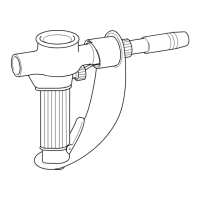
When replacing the gas solenoid valve, the inlet (with the
word IN) must face the rear of the Unit.
Many troubleshooting situations require that the power
remain On and that power terminals in the equipment
carry voltage. Exercise extreme caution when working
on “LIVE” equipment. Avoid contact with electrical
components, except when testing with an appropriate
instrument.
Do not make any repairs to equipment unless you are
fully qualied, as described in the maintenance sec-
tion.
TABLE II. TROUBLESHOOTING GUIDE
WELD CONDITION POSSIBLE CAUSE REMEDY
1. No weld or control power. a. Primary input power not available. a. Check for Voltage at primary input.
b. Faulty connection, primary input b. Repair or replace cable or switch
cable, or power switch (S3) (TGS1) as necessary.
c. Blown line fuse. c. Replace fuse. If it blows again,
contact ESAB representative.
2. No welding power. a. Thermostat has opened. a. Wait 15 minutes with fan running. If
still no power, contact ESAB repre-
sentative.
b. Shorted diode in main rectier. b. Check diodes and replace if req’d.
c. Open in wiring c. Check all wiring.
3. Fan does not run. a. See Weld Condition 1. a. Repair or replace cable or switch
as necessary.
b. Malfunctioning fan motor (M1) b. Replace fan motor (M1).
4. Erratic welding current. a. Poor workpiece connection. a. Check workpiece grounding
connection.
b. Loose welding connections. b. Check all connections.
c. Wrong polarity. c. Check for correct polarity.
5. Welding output Voltage a. Low line Voltage. a. Use correct Voltage.
and/or current too low. b. Welding cables too long or too b. Use correct cable size.
small.
SECTION 5 SERVICE




 To Next Page