-- 2 6 --
doce
7MAINMENU
In the main menu you choose the welding current, arc voltage and travel speed you
want to use for welding. During welding you can adjust the welding parameters or
choose a complete new set of parameters.
Switch on the power source .
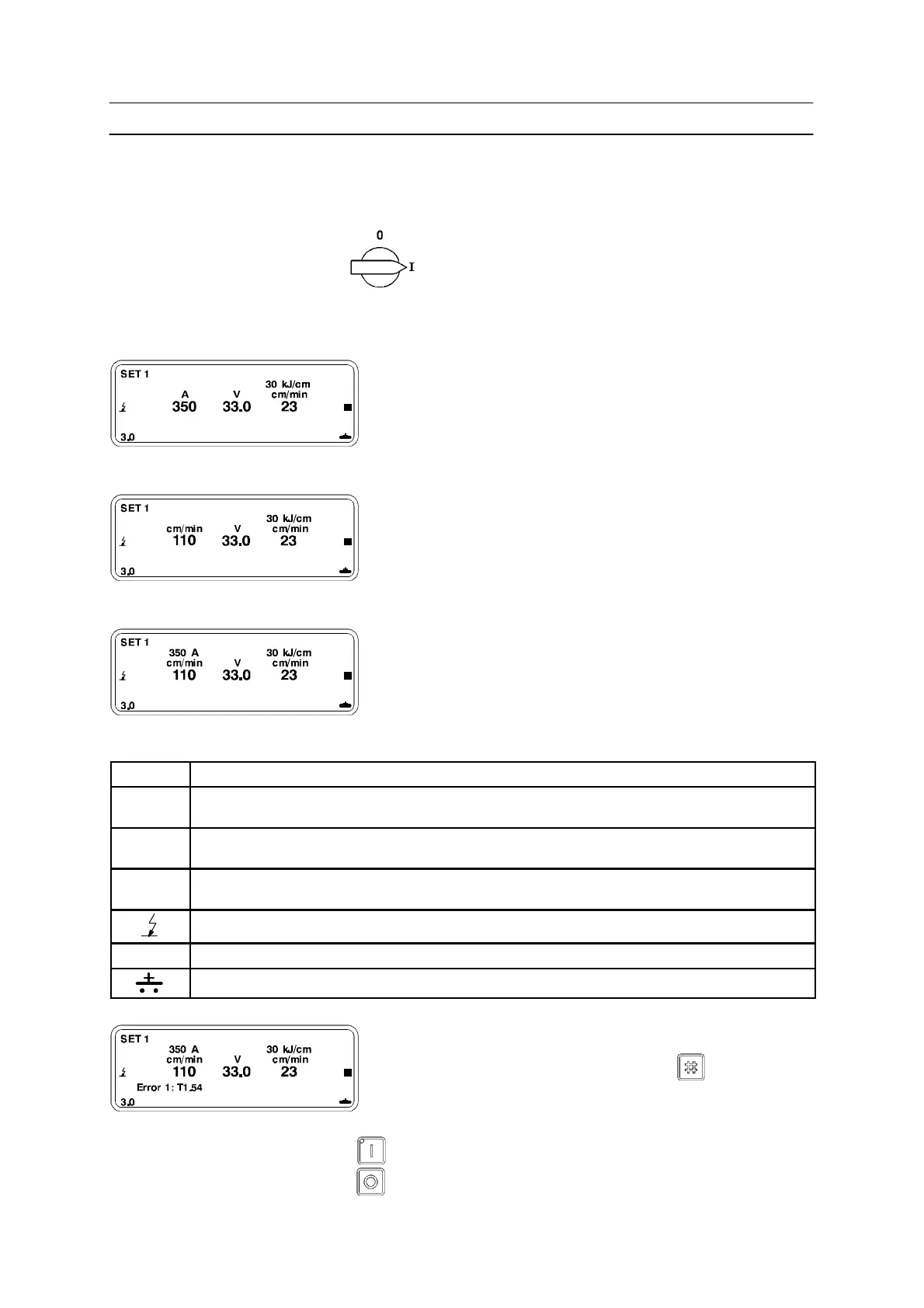
The main menu will appear as follows:
Example of display if constant current (CA) has been chosen.
A
350
Chosen welding current in amperes.
Example of display if welding with constant wire feed speed (CW) is chosen.
cm/min
110
Indicates chosen wire feed speed.
Example of display during welding at constant wire feed speed (CW).
350 A
Resulting welding current after the
welding start.
For the selection of ( CA) or (CW), see the menu WELDING SETUP on page 29.
SET 1 Indicates that parameter set 1 of 10 available has been selected (can be hidden).
30 kJ/cm Indicates the heat input in kJ/cm that will result from the chosen values of welding cur-
rent, arc voltage and travel speed (can be hidden).
V
33.0
Chosen arc voltage in volts.
cm/min
23
Chosen travel speed in centimetres per minute.
Indicates the type of start
J Indicates the travel direction
Indicates if the valve output is open or closed.
Example of display in the event of a fault.
Error code appears in bottom left section of display.
Error message is cancelled by
pressing
Max. 20 messages saved in chronological order.
S Start welding by pressing . The LED in the key lights up.
S Stop welding by pressing



 To Next Page