-- 3 0 --
doce
S Return to the previous row by pressing
+
.
This combination will also take you straight to r ow 6 from row 1
Explanations of terms:
When is indicated in combination with another key you should press first and
hold it down while pressing the second key.
8.2 Available settings
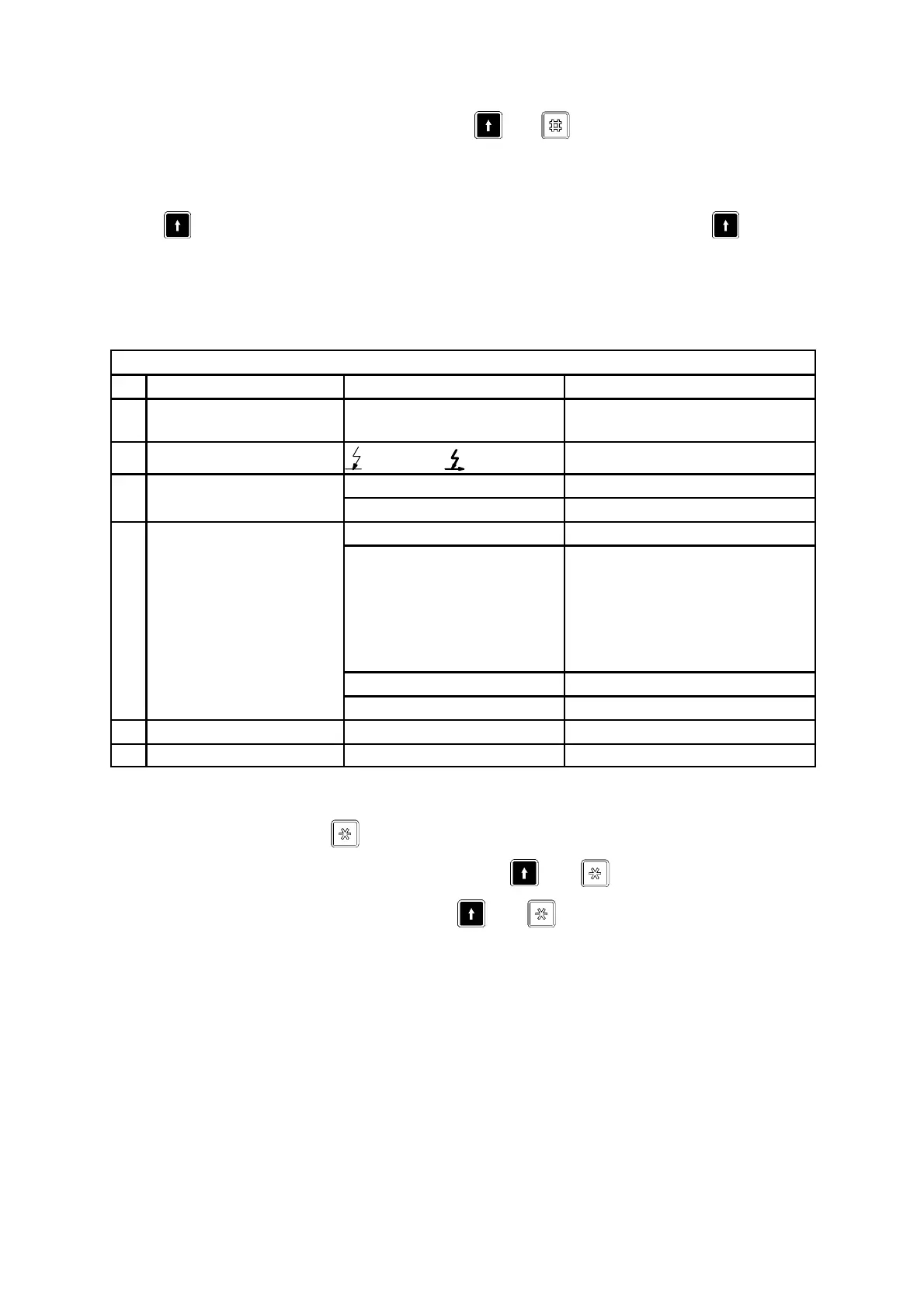
WELDING SETUP
A B C
1 Direction
Y
(TRIANGLE),
J
(SQUARE)
2 Start
ScratchDirect
Crater fill (ms) 10--3000
3 STOP WELDING
Burnback time (ms) 10--3000
Wire type Solid wire, Flux cored, Strip
4 WIRE DATA
Wire diameter
if “Solid wire” is chosen
if “Flux cored” is chosen
if “Strip” is chosen
0.8 1.0 1.2 1.6 2.0 2.4 3.0 3.2
4.0 5.0 6.0
0.8 1.0 1.2 1.6 2.0 2.4 3.0 3.2
4.0
30 x 0.5 60 x 0.5 100 x 0.5
Wire material Fe, Al, SS
Number of wires 1, 2
5 Regulation CA, CW
6 PRESET SYSTEM MENU
Switches to sub--menus in rows 3 and 4:
S Mark menu and press .
S Return to “WELDING SETUP” by pressing
+
.
S Return to “ MAIN MENU” b y p ressing
+
.



 To Next Page