-- 2 8 --
doce
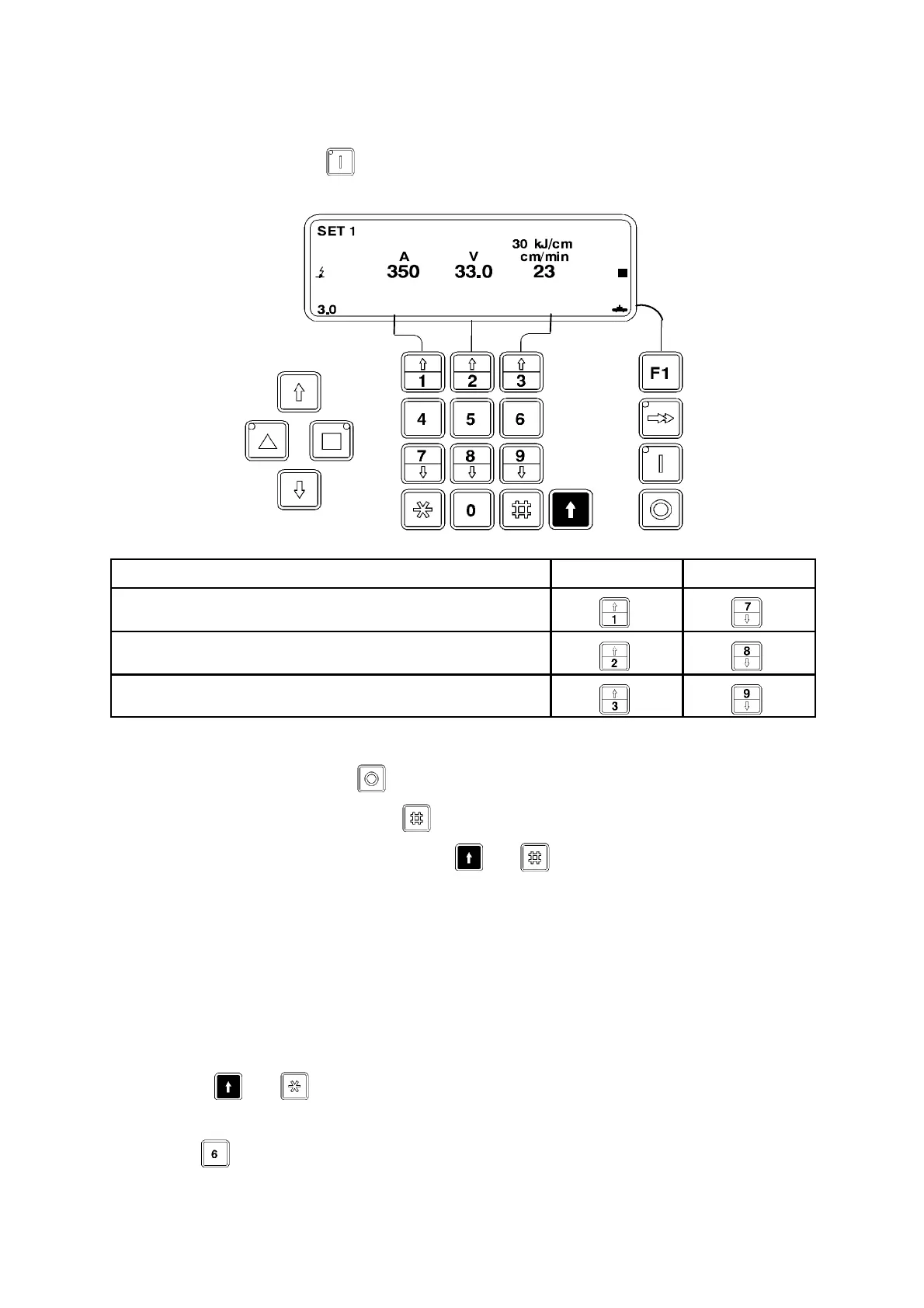
7.2 Adjusting parameter values (during welding)
Once welding has started the welding parameters can be fine--tuned using the
arrowed numerical keys.
Increase Decrease
Welding current or wire feed speed
Arc voltage
T ravel speed
Save the values as follows:
S Stop welding with
......
S Save the changed values with .
S To revert to the original values, press
+
.
7.3 Choosing a new set of parameters during welding
(Only possible when you have chosen to work with several sets of parameters by
programming the “ Display” menu)
Immediate selectio n
Suppose that while welding with parameter set 1 (“SET 1”) you decide to change to
parameter set 6 (“SET 6”) without checking the parameters first.
S Press
+
.
The field “SET 1” is marked and parameter set 1 is active
S Press .
The field “SET 6” flashes.



 To Next Page