User’s Guide Introduction
A.2
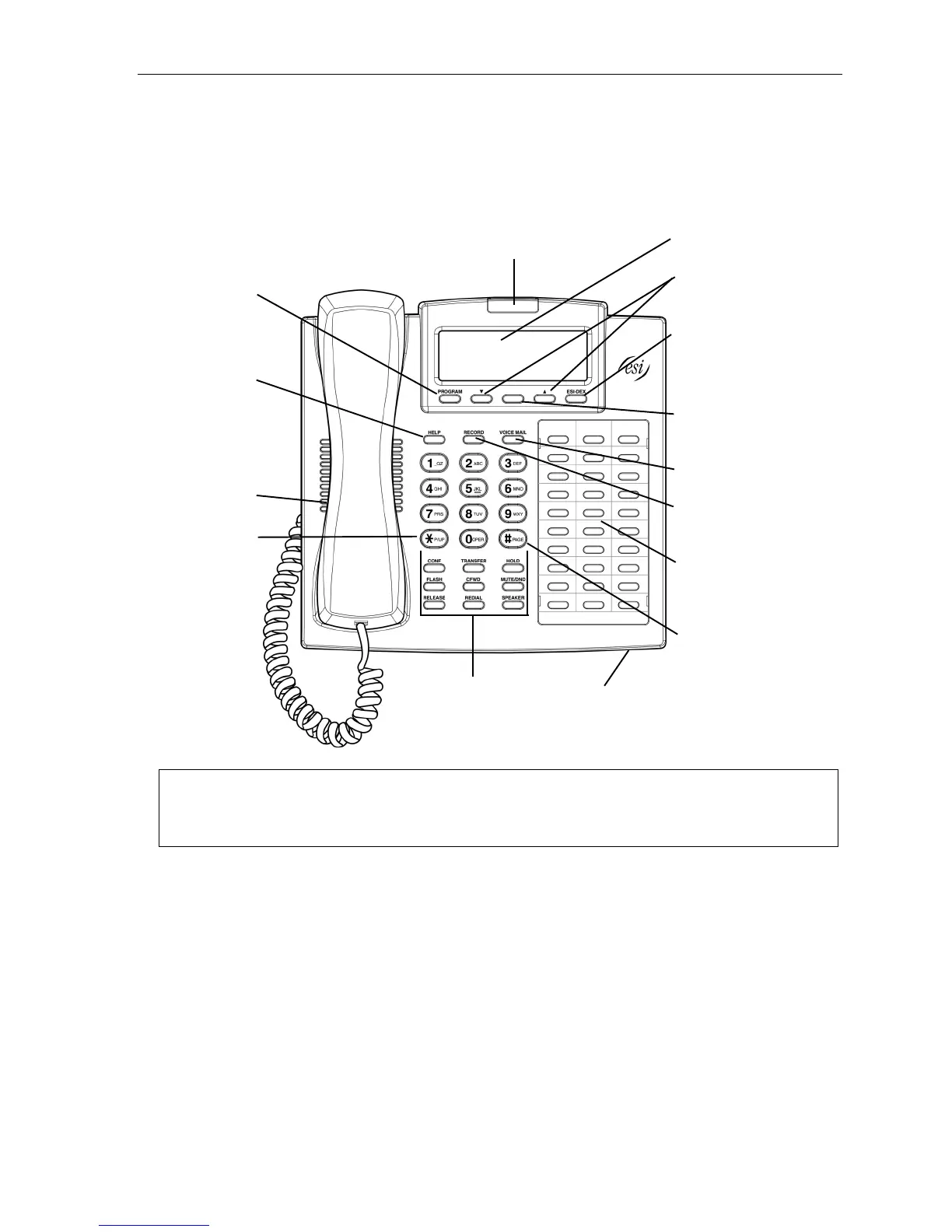
48-Key Feature Phone
The 48-Key Feature Phone has a variety of programmable and built-in features. It comes in two versions: 48-Key
Digital Feature Phone and 48-Key IP Feature Phone II. Additionally, it supports up to two optional Expansion Consoles
(see next page). All versions of the 48-Key Feature Phone offer the same basic features which are described throughout
this User’s Guide. The 48-Key Feature Phone’s built-in voice mail features and voice prompts make it easy to program
and use.
Status indicator
lamp (pg. D.9)
3-line, 56-character display
(optionally backlit)
Volume/scroll keys
PROGRAM
soft feature key
(pg. C.2)
ESI-DEX
soft feature key
(pg. F.2)
HELP key fo
access to Verba
User Guide
and tutoria
(pg. B.1)
Context-specific
key to select
displayed options
VOICE MAIL
key (pg. D.1)
Speaker
RECORD key
(pg. D.7)
P/UP (pickup) key
(pg. E.15)
30 programmable
feature keys
(pg. C.2)
PAGE key
(pg. E.15)
Fixed feature keys
(pg. E.2)
Microphone for
built-in speakerphone
Hint: On any of these ESI phone varieties (including the Expansion Consoles), you can perform direct
programming by holding down a programmable feature key for at least two seconds (similar to how you
might program a car radio button). This isn’t applicable to the fixed-feature keys which, as their name
implies, are already programmed.



 To Next Page