13
Note:
If you forgot the PIN code, please delete and reinstall the app.
(iOS)
(Android)
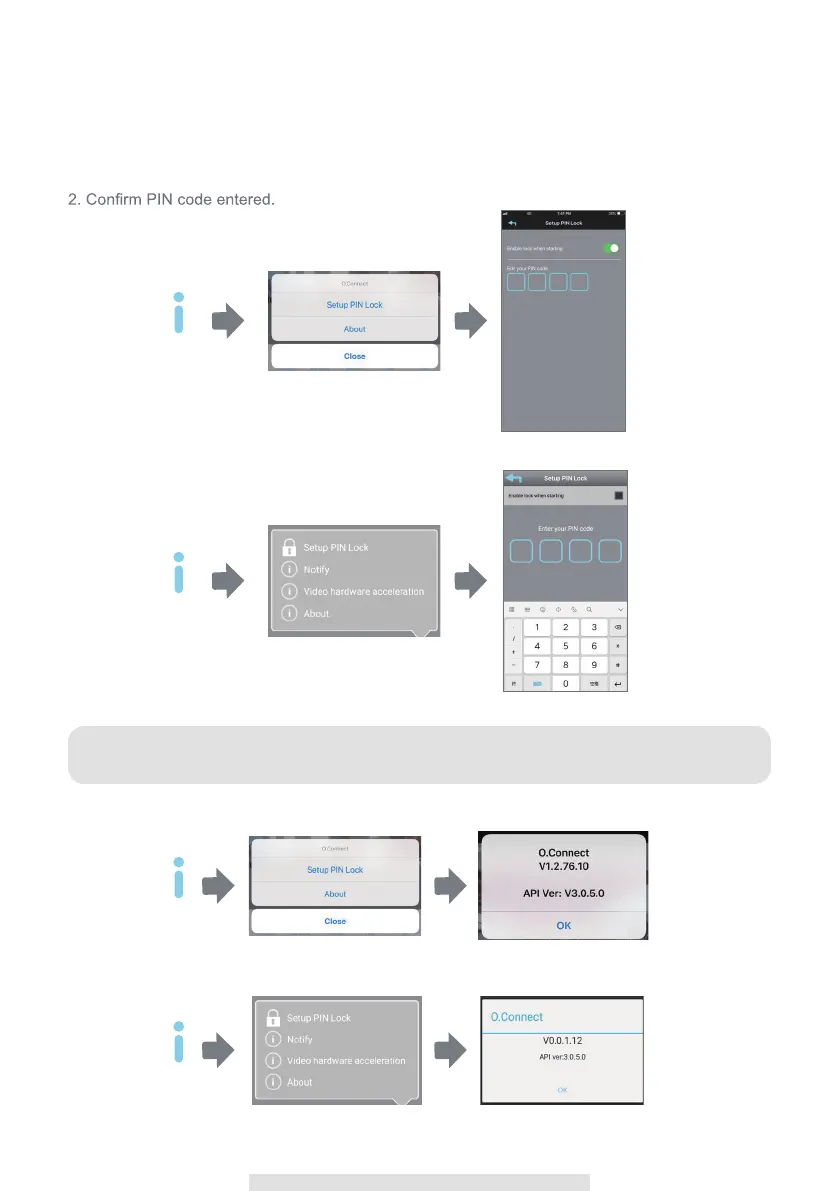
MUST enter PIN code when you have enable PIN lock function with launching the APP.
1. Enable "Enable lock when starting" and enter your PIN code.
SETUP PIN LOCK
Info
Info
(iOS)
(Android)
ABOUT APP/API VERSION INFO
Tap the ABOUT icon to check the APP Version when necessary.
Info
Info



 To Next Page