34
SETUP THE RVDP
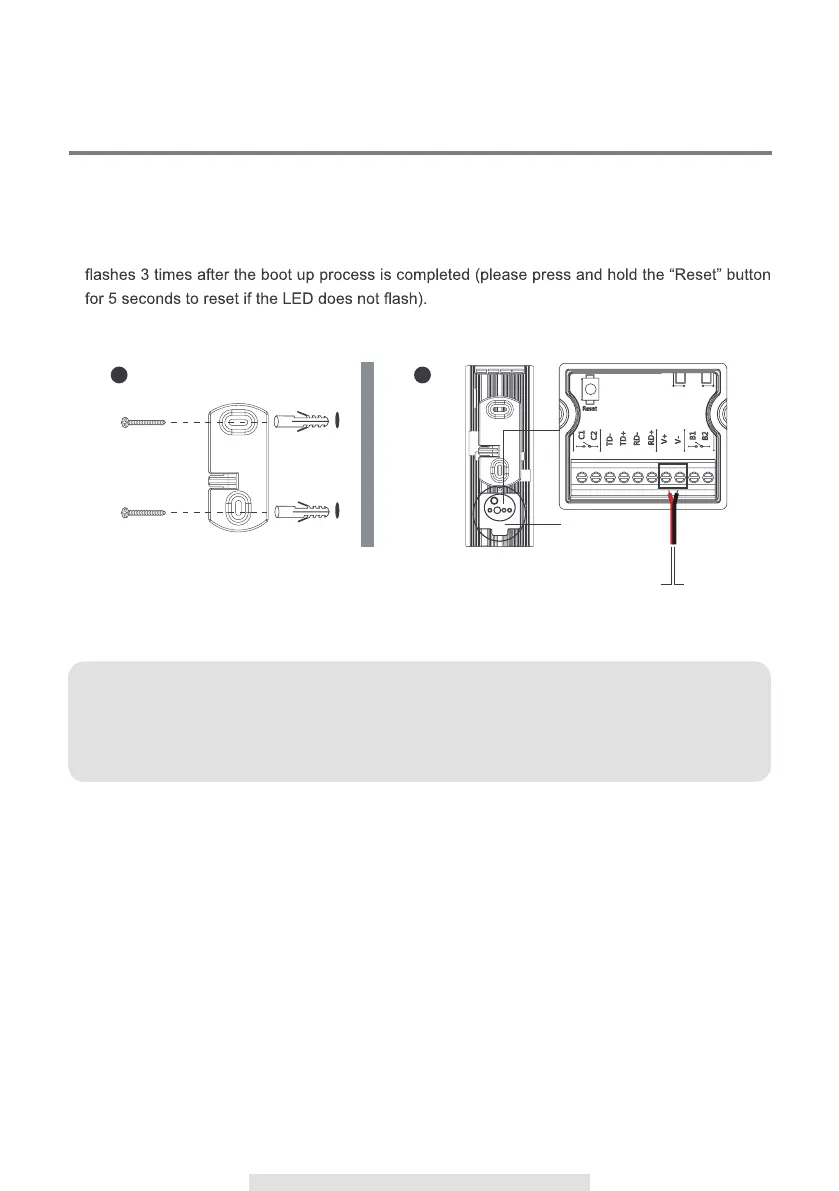
1. Fasten the wall-mount bracket to the wall by using 2pcs screws provided.
2. Connect power cable to the power input I/O pins by through the water-resistant cover.
3. Place the device on the wall-mount bracket.
4. After supplying power, the boot up process will begin (> 2 minutes), the circle LED will repeatedly
Note:
For how to connect RVDP with existing doorbell wires, electronic lock/gate, please refer to
"Additional Wiring Diagrams" section.
Water-resistant
cover
1
2



 To Next Page