Chapter 3 Commands
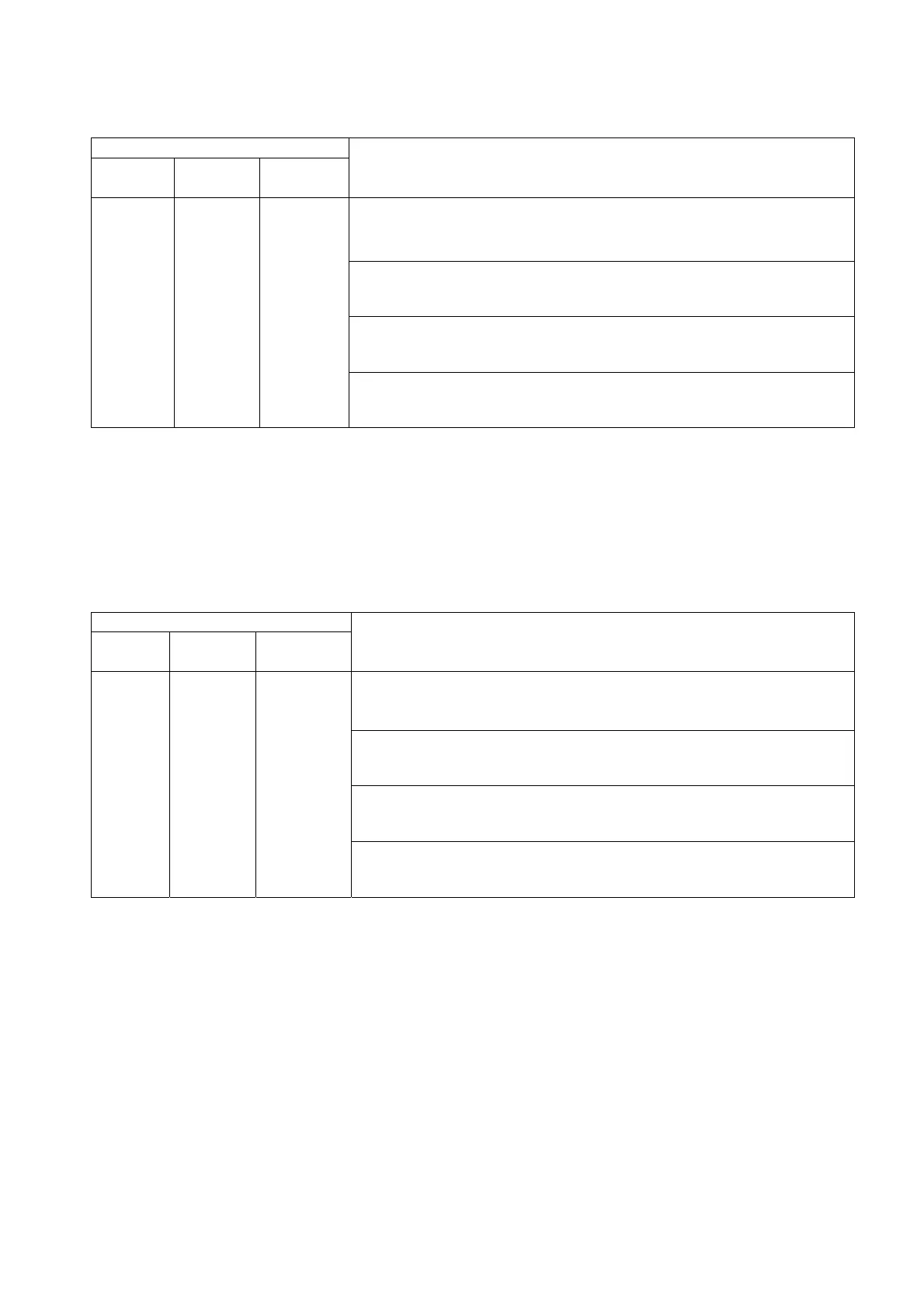
■To Monitor Program Mode Pattern Total Time
Table 3.17 Program mode pattern total time monitor command
Monitor command
Address
Main
command
Optional
parameter
Description/Example command/Response format/Example
response
<
Description
>
This command requests the chamber to return the total amount of
time required to run the current program mode pattern.
<
Example command
>
“1,PCHK?”
<
Response format
>
“program mode pattern total time”
1 to 16 PCHK?
−
<
Example response
>
“100.0”
* It can take time to calculate the total time required to run patterns that have multiple loops and steps.
If these calculations take 0.1 sec or more, a time-out error occurs. Time-outs should not occur with
most applicable patterns, therefore, if a time-out error occurs with the PCHK? command, check the
pattern from the operating panel and make changes as necessary.
■To Monitor Program Mode Total Time Information
Table 3.18 Program mode total time information monitor command
Monitor command
Address
Main
command
Optional
parameter
Description/Example command/Response format/Example
response
<
Description
>
This command requests the chamber to return the total time set for
the program mode pattern and the time remaining till pattern end.
<
Example command
>
“1,PTIME?”
<
Response format
>
“total time (target time),remaining time”
1 to 16 PTIME?
−
<
Example response
>
“100.0,100.0”
*1: If the pattern has yet to start, “0” is returned for the remaining time.
*2: If the program mode pattern total time monitor command is sent prior to issuing this command, the
result of that calculation is returned.
28



 To Next Page