Chapter 4 Example Applications
4.2 To Edit Test Setup from Computer
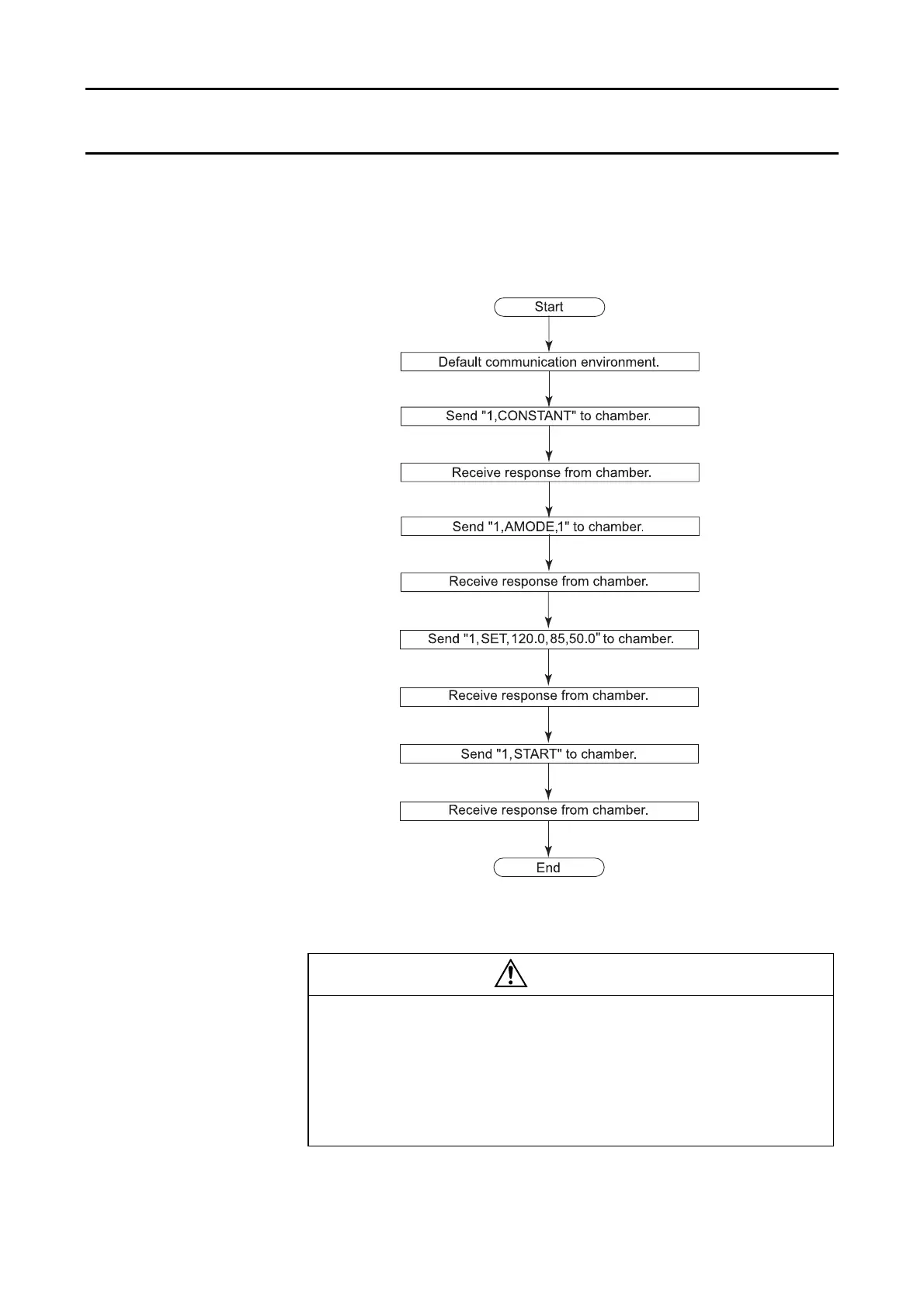
Test setup can be changed from a computer using the setting commands (see
"3.3 Setting Commands").
The below flowchart shows how to set target temperature to 120°C, target
humidity to 85%, time to 50 h in the constant mode.
Fig. 4.2 Sample program 2
DANGER
Before starting operation from remote, check the
situation around the chamber is completely safe. In
particular, check the following.
・
That the door is closed and locked.
・
That water in the drainage tank is higher than the low water level
but not completely full.
43



 To Next Page