SPECIAL FEATURES
Essence|VT Easy Start
104
Change the Speaker Volume
From the Toolbox, you can quickly change the speaker volume on your
device.
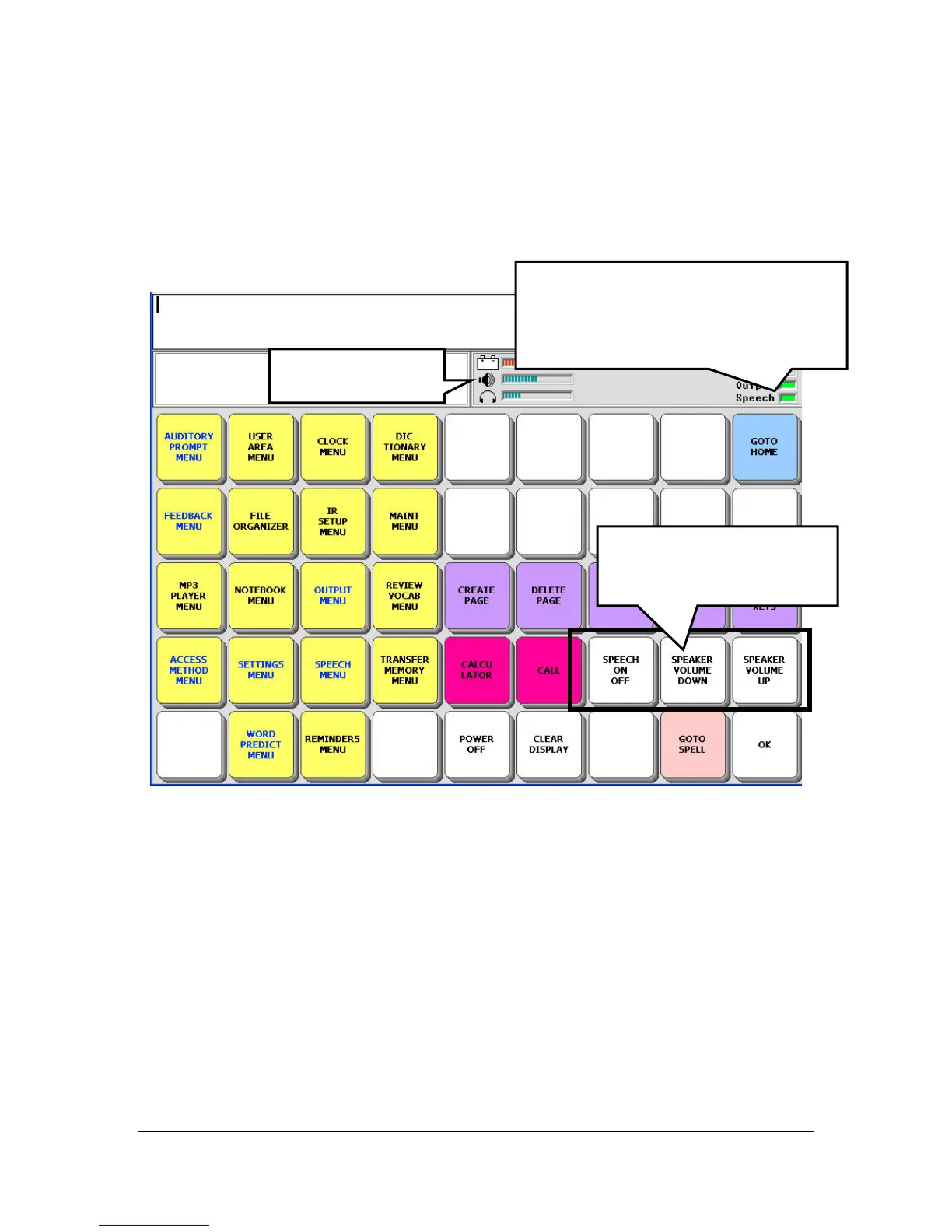
Press the SPEAKER VOLUME DOWN key. Look at the Status Display
Area. As you press the SPEAKER VOLUME DOWN key, the lines on the
graph next to the picture of a speaker disappear. The fewer lines there are in
the graph, the lower the volume of the speaker.
Now press SPEAKER VOLUME UP. The lines return to fill up the graph.
You can test the volume by pressing on the Text Display Area. Your device
will speak any text that is in the Text Display Area and you can adjust the
volume to your preference.
Speaker Volume
SPEECH ON/OFF and
SPEAKER VOLUME
keys.
The green light shows that Speech is
ON. If there is no green light, press
the SPEECH ON/OFF key to turn
speech ON.



 To Next Page