CUSTOMIZING ESSENCE
Essence|VT Easy Start
50
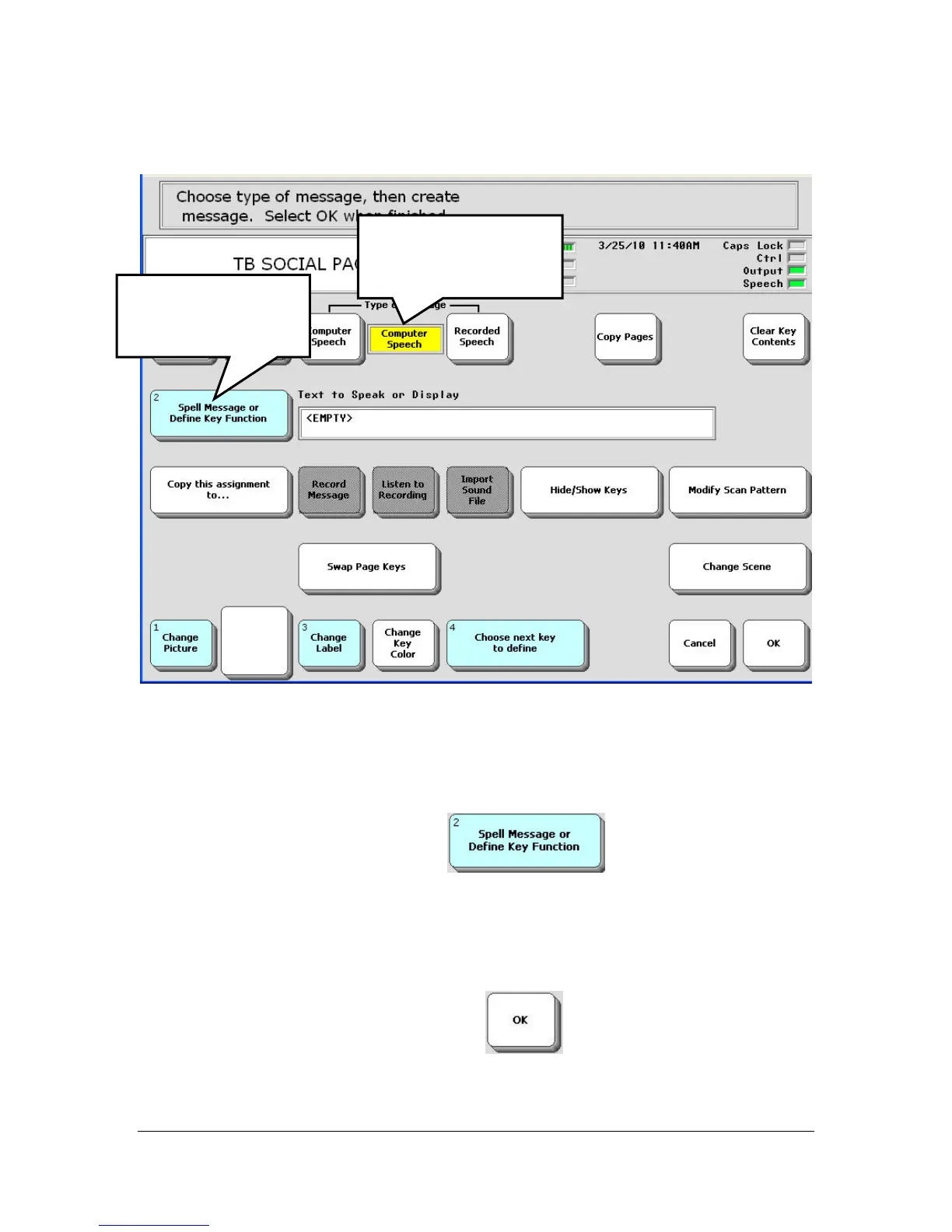
You see:
Let's add the message, "Today had been pretty good."
Make sure that Computer Speech is selected in the Type of Message
option.
Select the Spell Message…key
You see a spelling page.
Spell "Today has been pretty good."
When you have finished, select OK
on the spelling page.
Select the Spell
Message…
Key.
Computer Speech
should be visible in
the box.



 To Next Page