ES441.1 - User’s Guide40
Functional Description ETAS
5.6 Measuring Signal State
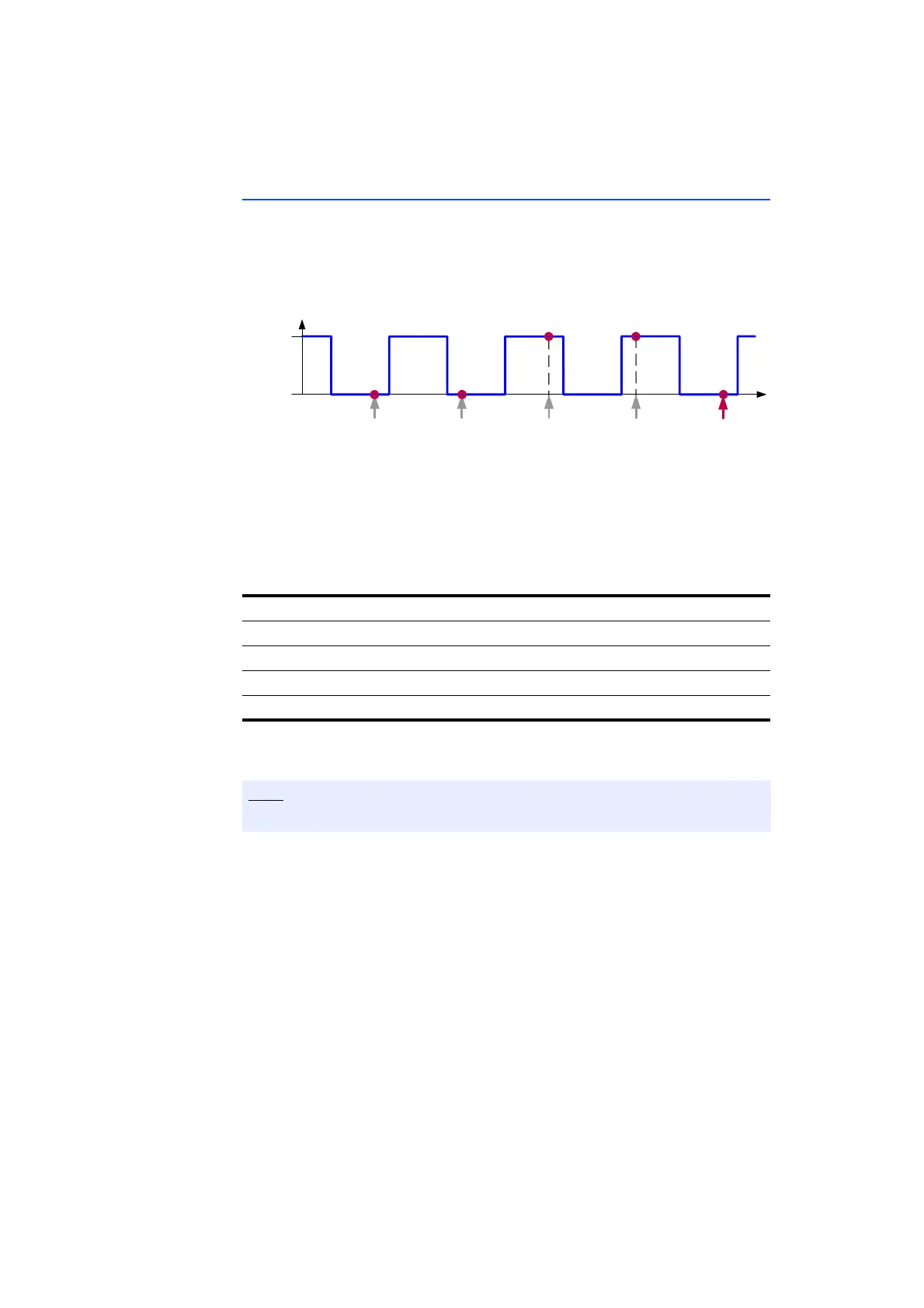
The active and inactive state of the input signal is determined at every sampling
point. The active state is shown by the value 1 or HIGH, the inactive state by the
value 0 or LOW.
Fig. 5-8 Measuring the Active and Inactive State (Fixed Measure Rate)
Which input channels of the ES441.1 state should be measured on can be spec-
ified in the calibration software.
In the additional signal "stateCombined", the state of the four input channels at
any one time is shown together in one byte. One bit of the signal represents the
state of the signal of a specifically assigned input channel (see table).
In the calibration software, you can also configure which of the four input chan-
nels should be used to generate the additional signal “stateCombined”.
Input Channel Bit Position in “stateCombined”
12
0
22
1
32
2
42
3
The state of an input channel which has not been selected is set to 0.
Time
Input
Si g n a l
Active
Inact ive
Active
St a t u s
Inactive
St a t u s
Active
St a t u s
Inactive
St a t u s
Inact ive
St a t u s



 To Next Page