ES441.1 - User’s Guide 45
ETAS Functional Description
In the calibration software, the type of counter resetting can be selected for this
counter mode:
• Resetting the counter after every sampling point or
• Resetting the counter with the inactive-active edge of the signal at the
qualifying channel or resetting the counter with the active-inactive edge
of the signal at the qualifying channel.
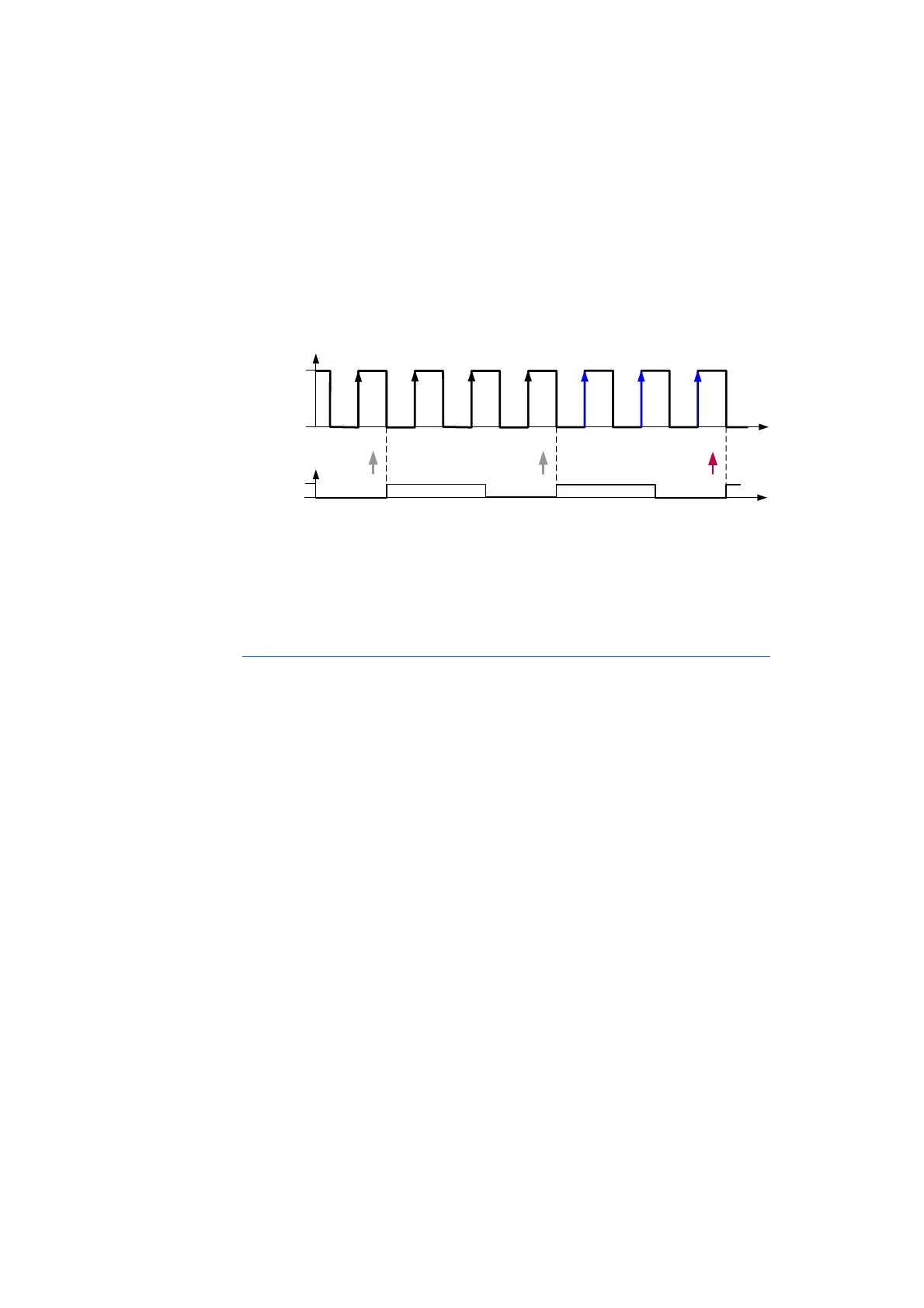
Fig. 5-13 Counting the Inactive-Active Edges with Resetting with the Inactive-
Active Edge of the Qualifying Channel
In the example shown in Fig. 5-13 on page 45 a configurable edge of the
assigned qualified signal resets the counter. The signal at the measurement chan-
nel is counted with the inactive-active edge of the qualifying signal.
Counting During a Defined State of the Qualifying Signal
Counting the edges selected in the calibration software at the measurement
channel is controlled by evaluating the state of the signal at the qualifying chan-
nel (trigger channel):
• “Gate1”: The edges at the measurement channel are only counted when
the qualifying channel is active or
• “Gate2”: The edges at the measurement channel are only counted when
the qualifying channel is inactive.
In the calibration software, the type of counter resetting can be selected for this
counter mode:
• Resetting the counter after every sampling point or
• Resetting the counter with the edge of the qualifying channel selected in
the calibration software or
• Counter in Free Running Mode (no resetting).
Time
Input
Si g n a l
Active
Inact ive
1 2 3
1 2
Time
Active
Inact ive
Qualifying
Signal
3
n



 To Next Page