Handheld Touchscreen and Wireless Accessories User Manual 19
About
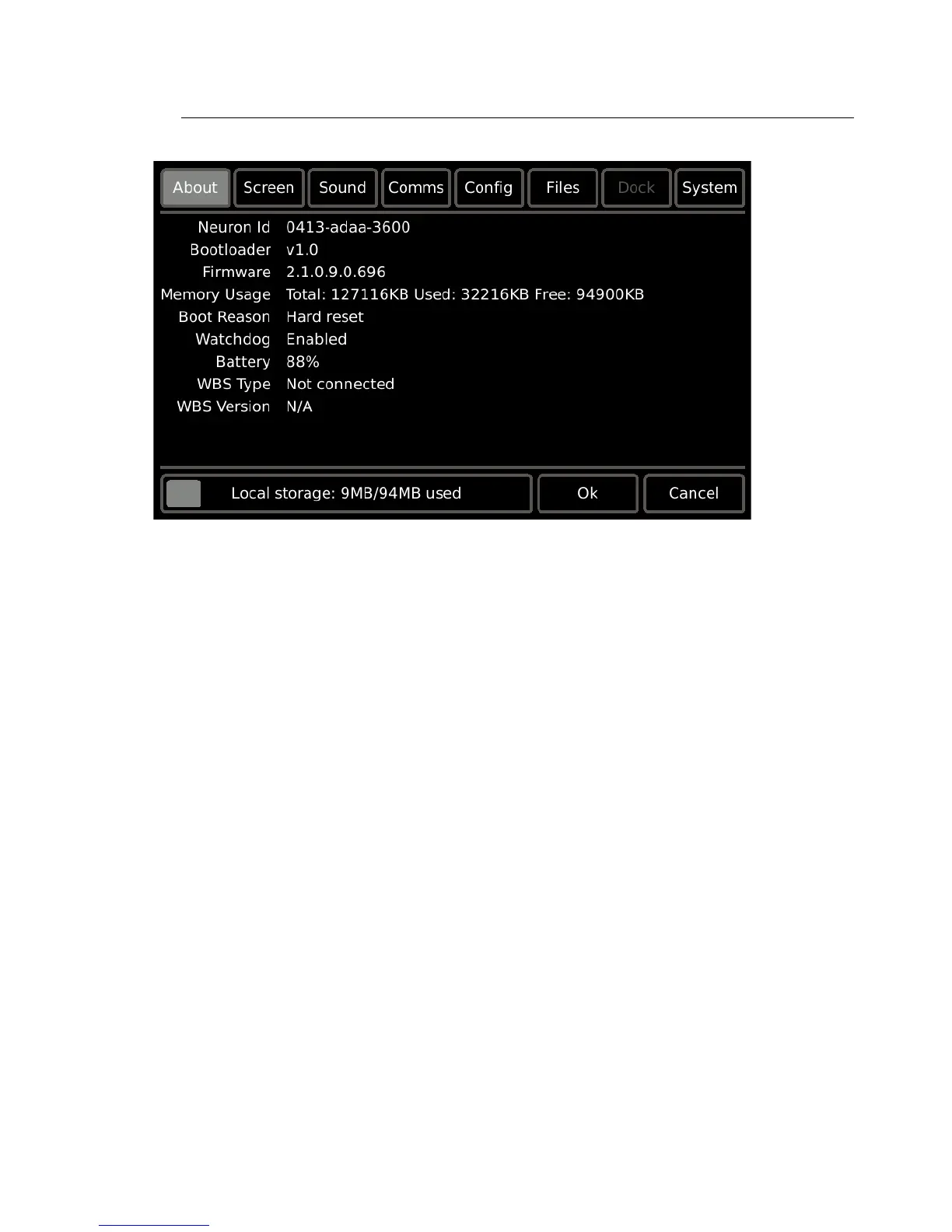
The About tab displays read-only information pertaining to the Handheld Touchscreen
including;
• Neuron Id: a station specific unique hardware address that is permanent to the
Touchscreen. This ID is used by the Paradigm Architectural Control Processor to bind/
associate (bind) stations within the LightDesigner configuration.
• Bootloader: the bootloader software version.
• Firmware: the application firmware version loaded onto the Touchscreen. Firmware
can be updated, reference System on page 34 for instructions.
• Memory Usage Total: a Paradigm Touchscreen has 128 megabytes (Mb) of memory
available for configuration storage. The “Memory Usage” section displays the “Total”
memory available, the memory “Used” and the available memory that is “Free” for use.
• Boot Reason: the last action that caused the Touchscreen to boot. Reasons for reboot
could be due to a [Reset] button press on the Touchscreen I/O panel, power loss, etc.
• Watchdog: the status of the Watchdog tool.
• Battery: the level of current battery charge (0-100%)
• WBS Type: the wireless base station device type that the Handheld is currently
connected. If the Handheld is not currently connected to a wireless device, “Not
Connected” will display.
• WBS Version: the version of software running on the wireless base station device that
the Handheld is currently connected to. If the Handheld is not connected to a wireless
device, N/A will display.
• Local storage: displays the internal memory in use and in relation to the capacity in the
device.



 To Next Page