22 Configuration and User Manual
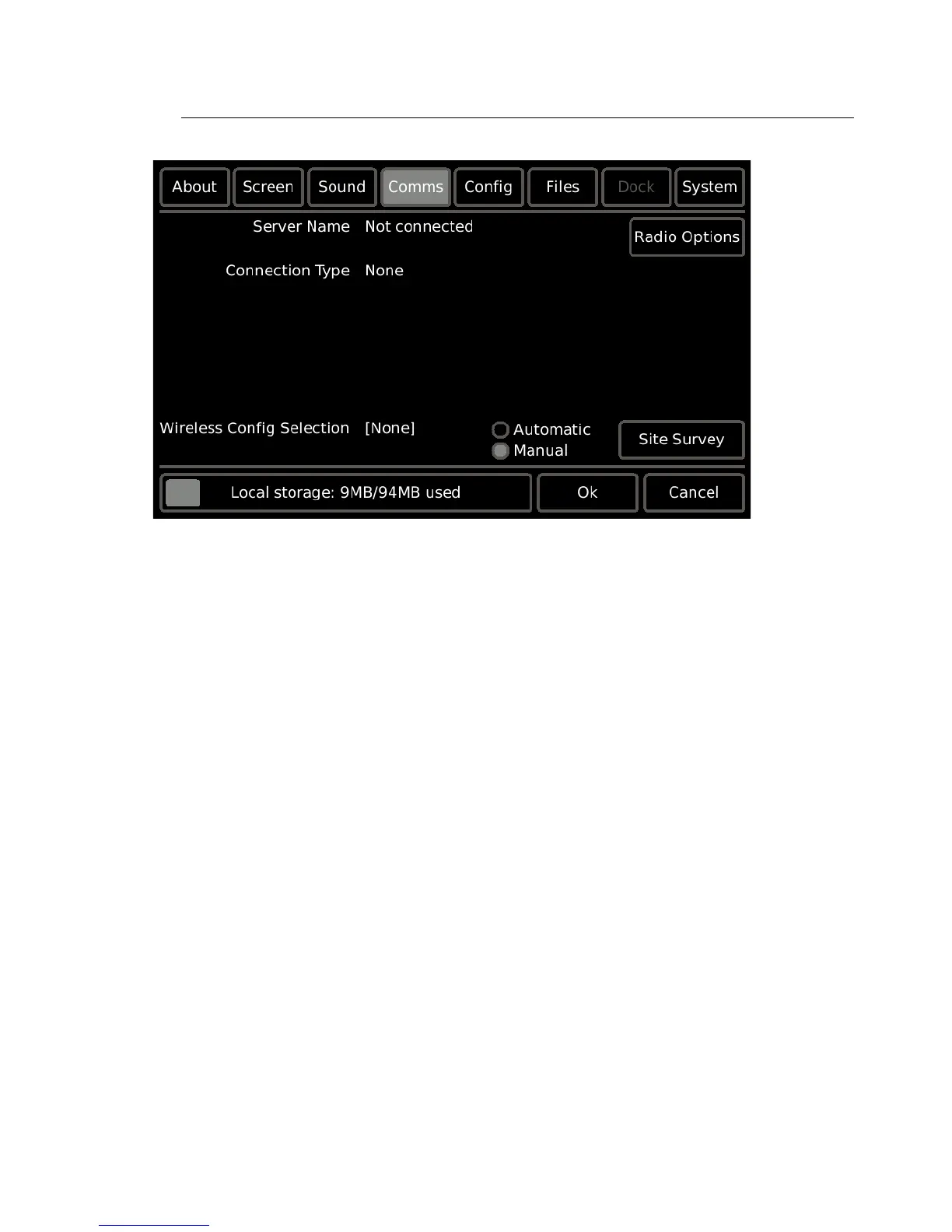
Comms
The Comms tab provides communication settings and information including which
Paradigm Architectural Control Processor (P-ACP) the Touchscreen is connected to, and
provides access to the wireless connectivity features.
• Server Name: this is the name of the Paradigm Architectural Control Processor that the
Touchscreen is connected to (P-ACP).
• Connection Type: this is the type of connection that is made to the P-ACP. Connection
types include Wireless, High Speed Serial Dock (+Wireless), or LinkConnect (Lon), or
None.
• Wireless Config Selection: this allows selection of either Automatic or Manual
configuration mode and identifies the active configuration, if any. Reference Wireless
Config Selection, page 25.
• Local Storage: displays the internal memory in use and in relation to the capacity in the
device.



 To Next Page