ETC Source Four LED Quick Guide
Install
Source Four LED Profile Page 2 of 8 Electronic Theatre Controls, Inc.
Install
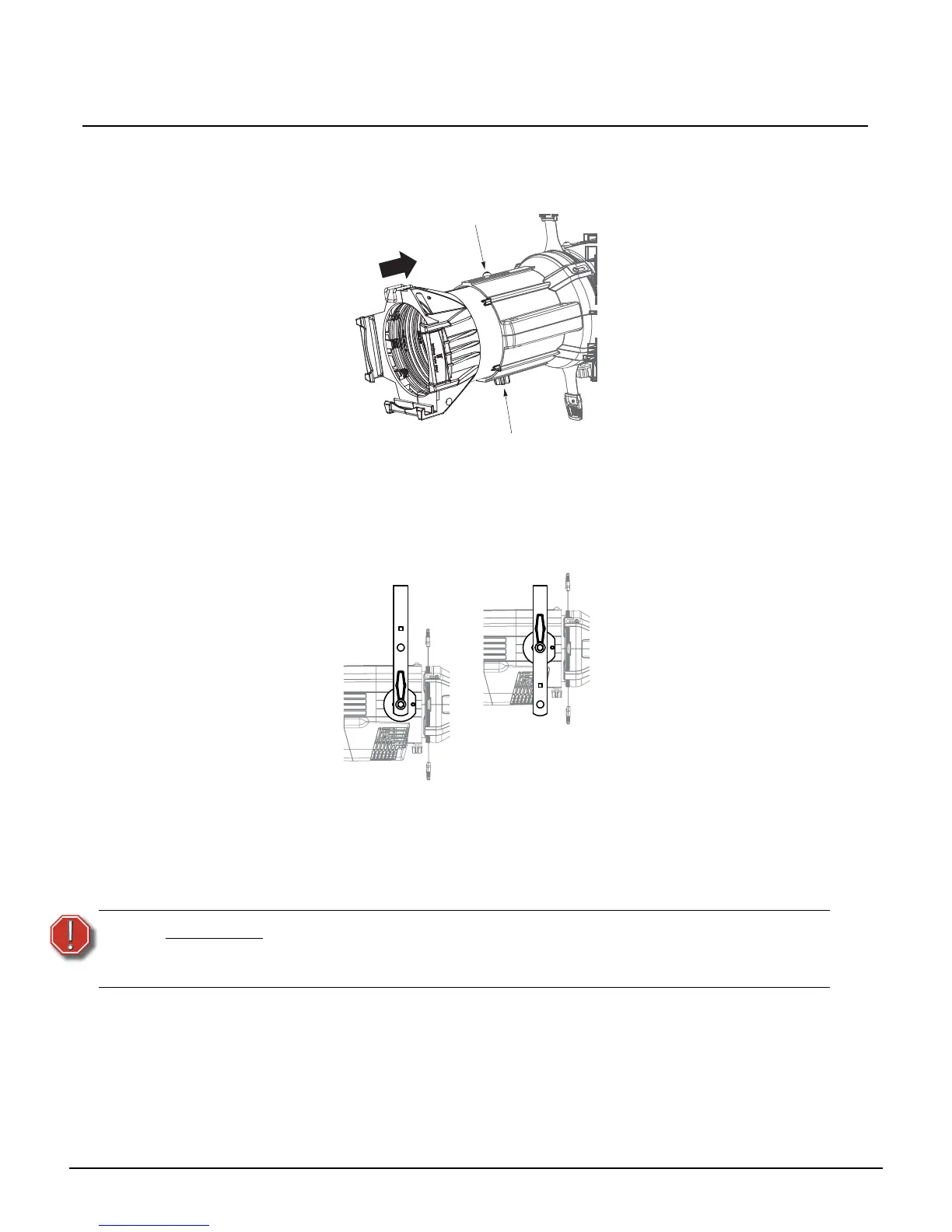
Lens Tube
Step 1: Slide the lens tube into the shutter barrel.
Step 2: Tighten the lens zoom knob.
Step 3: Tighten the Phillips screw at the top of the lens barrel.
Install Fixture
Step 1: Hang or mount the fixture.
Step 2: Attach a safety cable.
Step 3: Insert additional accessories such as a top hat, etc.
WARNING:
Use only hardware rated for total weight of fixture and accessories.
A safety cable (or other approved safety device) must be securely attached
to the safety cable loop before loosening the clamp.




 To Next Page