5
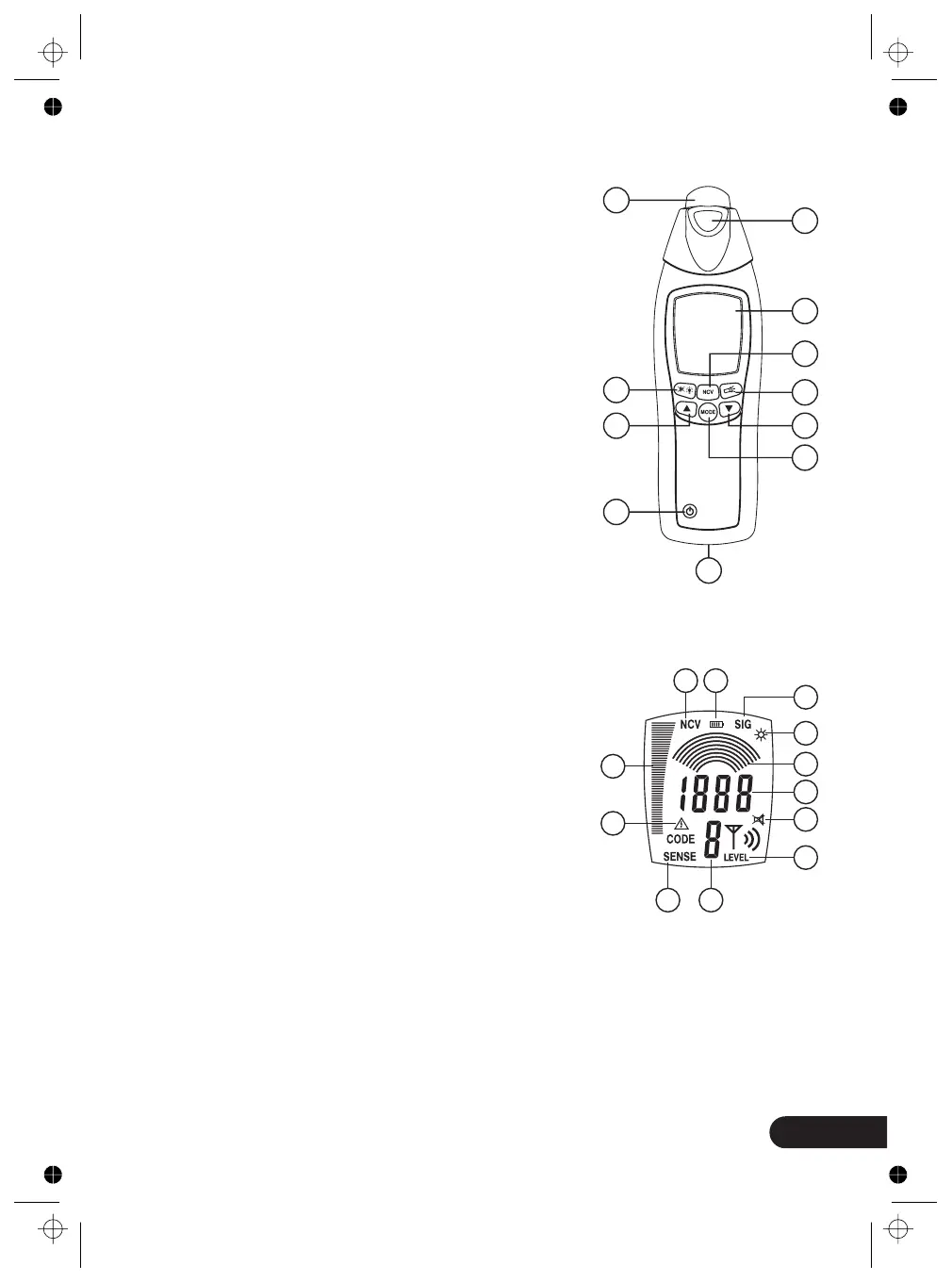
Receiver
1: Sensor head
2: Flashlight
3: LCD display
4: NCV button (Non-contact voltage detection)
to select between cable locator mode and
mains voltage detection mode
5: Flashlight button
6: Downward selection
Toggle button for manual selection of the
sensitivity
7: Mode button to selective automatic or
manual mode
8: Backlight/Beeper button
9: Upward selection
Toggle button for manual selection of the
sensitivity
10: Power ON/OFF button
11: Battery case
ON/OFF
a: The indication of the acoustic display switched off
b: The active LCD illumination indicator
c: Information transmitted by the transmitter
(transmission code and battery charge condition)
d: The indication of the automatic mode switched on
e: The signal intensity indicator with bargraph
f: Low battery indication
g: Manual mode: additional graphic display to
show the selected sensitivity Display of the
sen-sitivity within the selective mode.
Large magnifying glass => high sensitivity,
Small magnifying glass => low sensitivity
h: The manual mode active indicator
i: Mains voltage display
j: Automatic mode; digital display for signal intensity / manual mode.
k: Transmission level transmitted by the transmitter (LEVEL I, II, or III)
L: The indication of the mains voltage detection switched on
Receiver - Display
2
3
4
5
6
7
1
8
9
10
11
a
b
c
d
e
f
g
h
i
j
k
L



 To Next Page