EVAstream Electrical connections - PCB Settings EVAstream Electrical connections - PCB Settingswww.evaoptic.com12 13
4.3 Finishing the installation of the Motor Control Unit
Electrical shock hazard. Fatal injury will occur. Switch off all electricity near the pool before
performing the electrical installation.
6
WARNING
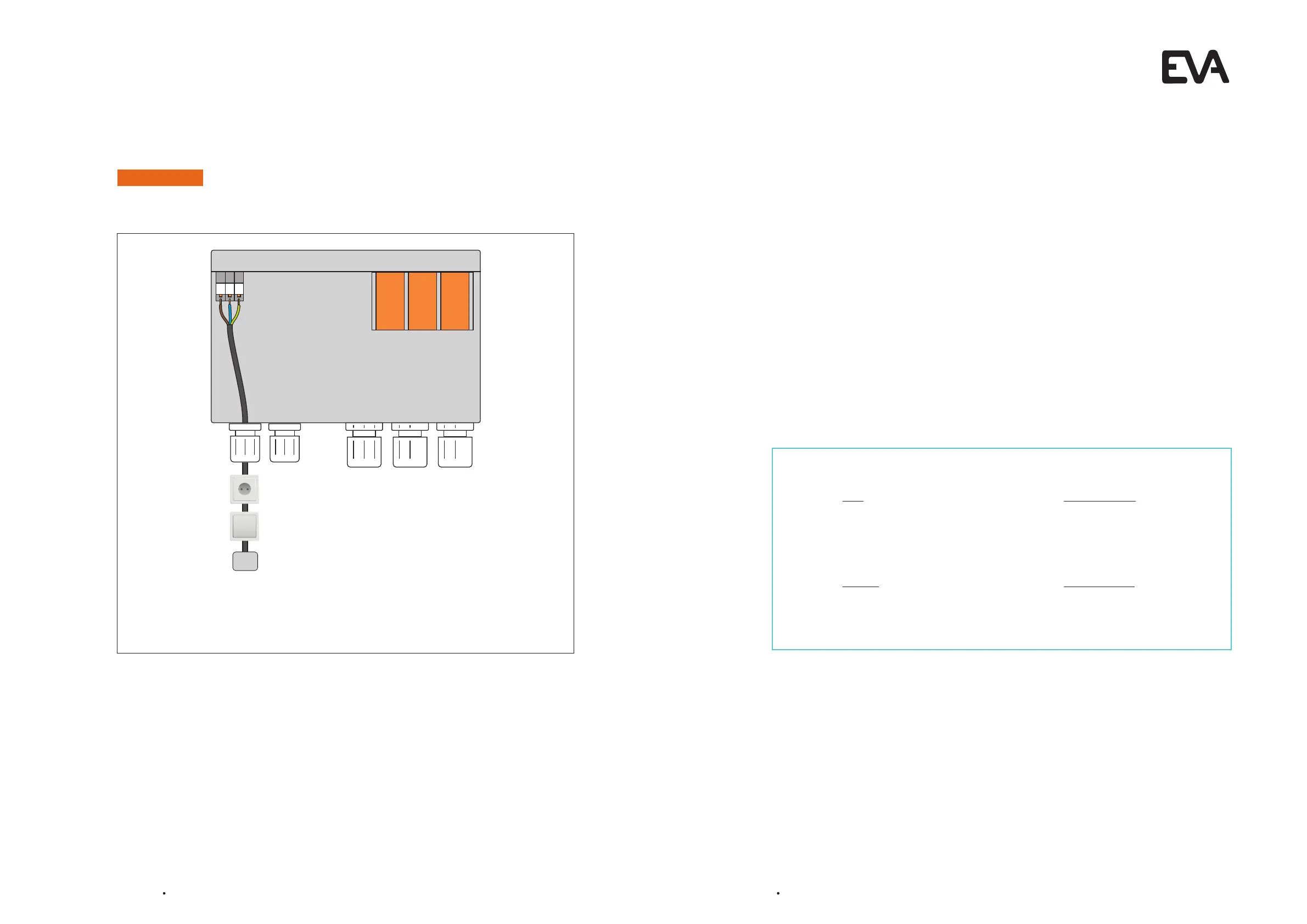
Connect the Motor Control Unit to the mains (230 VAC; 16 A)
l Connect the 3 wired cable (230 VAC; 16 A) to the Motor Control Unit on the
indicated L. N. and PE.
l Connect an on/off button (power switch) to the socket and install near to the pool.
L PEN
230 VAC;
16 A
5 PCB Settings - General information
5.1 Preparation
Check if the electrical connections are installed correctly
5.2 EVAstream LEDs
Orange:
DMX is connected or PCB set as master
Green flashing with high sequence:
Starting software on PCB
Green flashing with sequence of 1 sec:
PCB is ready
How do you want to use your EVAstream?
Controlling with EVA Experience web app Go to chapter 6
Options:
l EVAstream + EVA LED underwaterlighting + EVA Piezo
l EVAstream + EVA LED underwaterlighting
l Only EVAstream
Controlling without EVA Experience web app Go to chapter 7
Options:
l EVAstream controlled by EVA Piezo
l EVAstream controlled by EVA AA-77-SL (DMX)


 To Next Page