EVAstream Electrical connections - PCB Settings EVAstream Electrical connections - PCB Settingswww.evaoptic.com16 17
When the rotary switches of the Printed Circuit Board (EVA SP-ECA-PRO) are set to 000, the
EVA Piezo has the following functions:
EVA Piezo control options:
Button 1: On / stand-by (pause)
Button 2: Slowdown (in 5% increments)
In stand-by start on 30%
Button 3: Speed up (in 5% increments)
In stand-by start on 100%
Button 2+3: Child lock
Button 4: On / Off
6.4 New network configuration (AP mode)
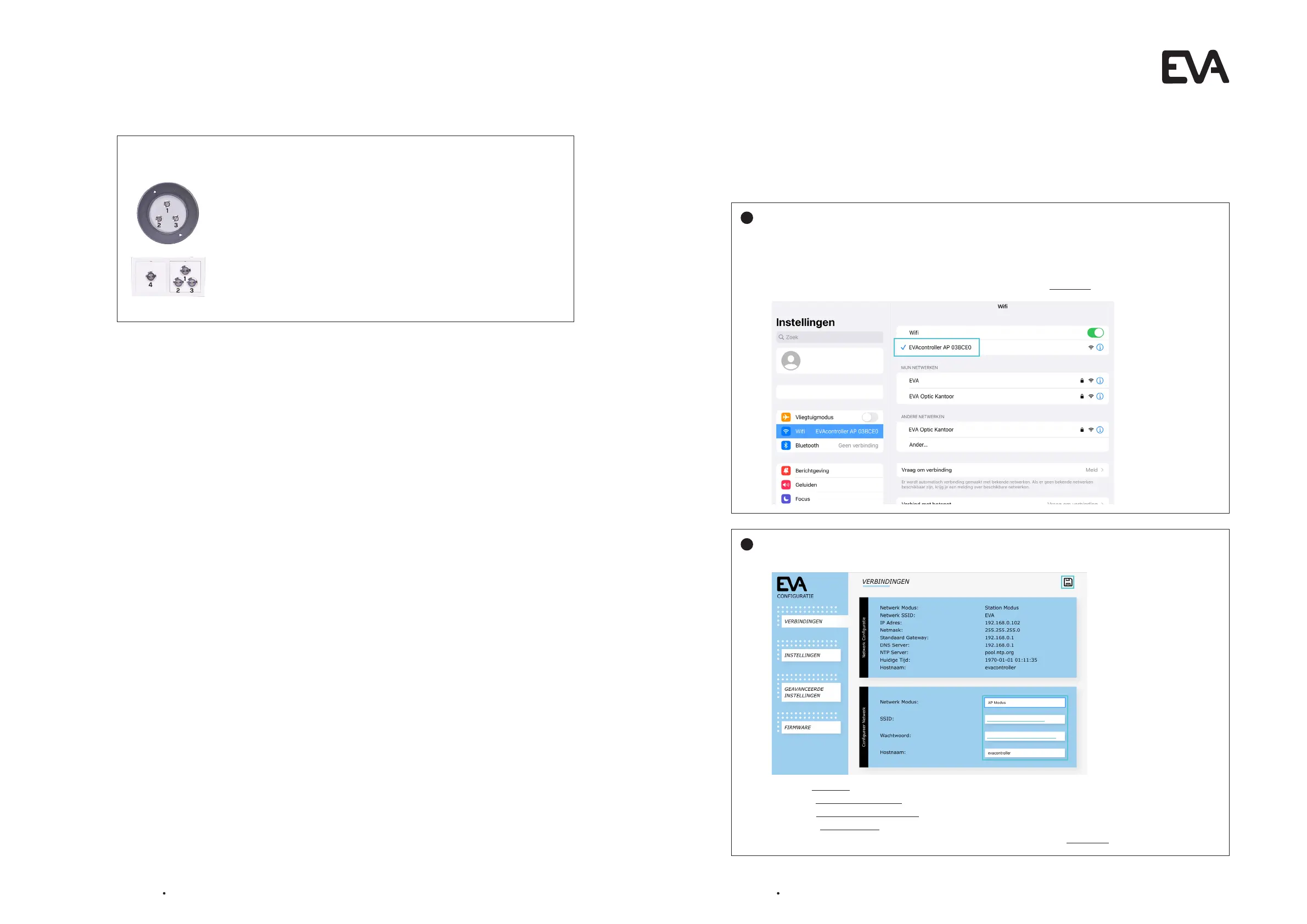
Create a new WiFi network with the Printed Circuit Board (PCB) and connect the tablet to this network.
This option is suitable if the home network does not provide sufficient coverage around the pool.
Connect tablet to Printed Circuit Board (PCB):
Open the screen on the tablet with WiFi connections, and connect to the network:
EVAcontroller AP ###### (or via IP 192.168.4.1)
A screen with the EVA logo will automatically appear. Click on Continue under the logo.
Connect Printed Circuit Board (PCB) to new network:
The following setup screen opens automatically:
1. Select AP Mode next to Network Mode.
2. Enter a self choosen Name for the new network next to Network SSID (only letters and numbers).
3. Enter a self chossen Password next to Password. Minimum 8 characters!
4. Check if evacontroller is filled in next to Hostname.
5. The other settings usually do not need to be changed. Click the save icon at the top right.
1
2
Self choosen Name
Self choosen Password


 To Next Page