EVAstream Electrical connections - PCB Settings EVAstream Electrical connections - PCB Settingswww.evaoptic.com26 27
7 Controlling with EVA Piezo
(without Experience web app)
Use the following settings when the EVAstream is only controlled by EVA Piezo inside or outside
the pool.
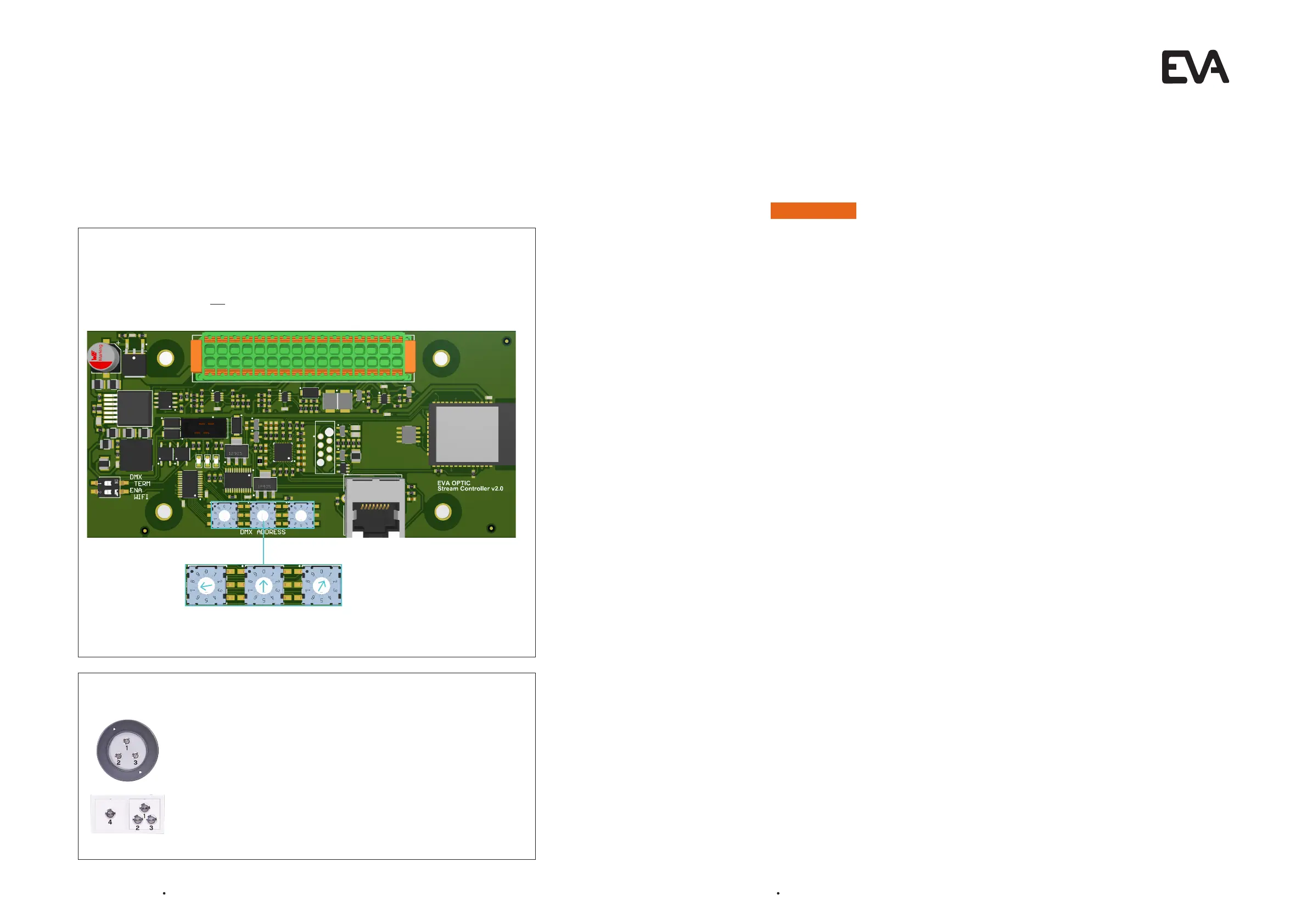
Setting the Printed Circuit Board (PCB):
Go to the green Printed Circuit Board. This is located in the Motor Control Unit of the EVAstream.
Set the Rotary switches at 701
Rotary
switch 1
7
Rotary
switch 2
0
Rotary
switch 3
1
When the rotary switches of the Printed Circuit Board (EVA SP-ECA-PRO) are set to 701, the
EVA Piezo has the following functions:
EVA Piezo control options:
Button 1: On / stand-by (pause)
Button 2: Slowdown (in 10% increments)
In stand-by start on 30%
Button 3: Speed up (in 10% increments)
In stand-by start on 100%
Button 4: On / Off
8 Disposal
8.1 Decommissioning
Electrical shock hazard. Risk of electric shock and injury. Make sure to disconnect the product from
the mains cable before decommissioning.
1. Switch off the power.
2. Switch off the power around the swimming pool.
3. Disconnect the mains cable.
4. Disconnect all other cables.
8.2 Disposal
Before disposing of the different materials, separate them into recyclables, normal waste and special
waste. Comply with local legal regulations and provisions when disposing the product and the
individual components. A product marked with the WEEE symbol must be sent for separate collection
of electrical and electronic devices. Contact your supplier for more information.
6
WARNING


 To Next Page