EVCO S.p.A. EVDRIVE03 | User manual ver. 3.6 | Code 144EPDE364
page 65 of 76
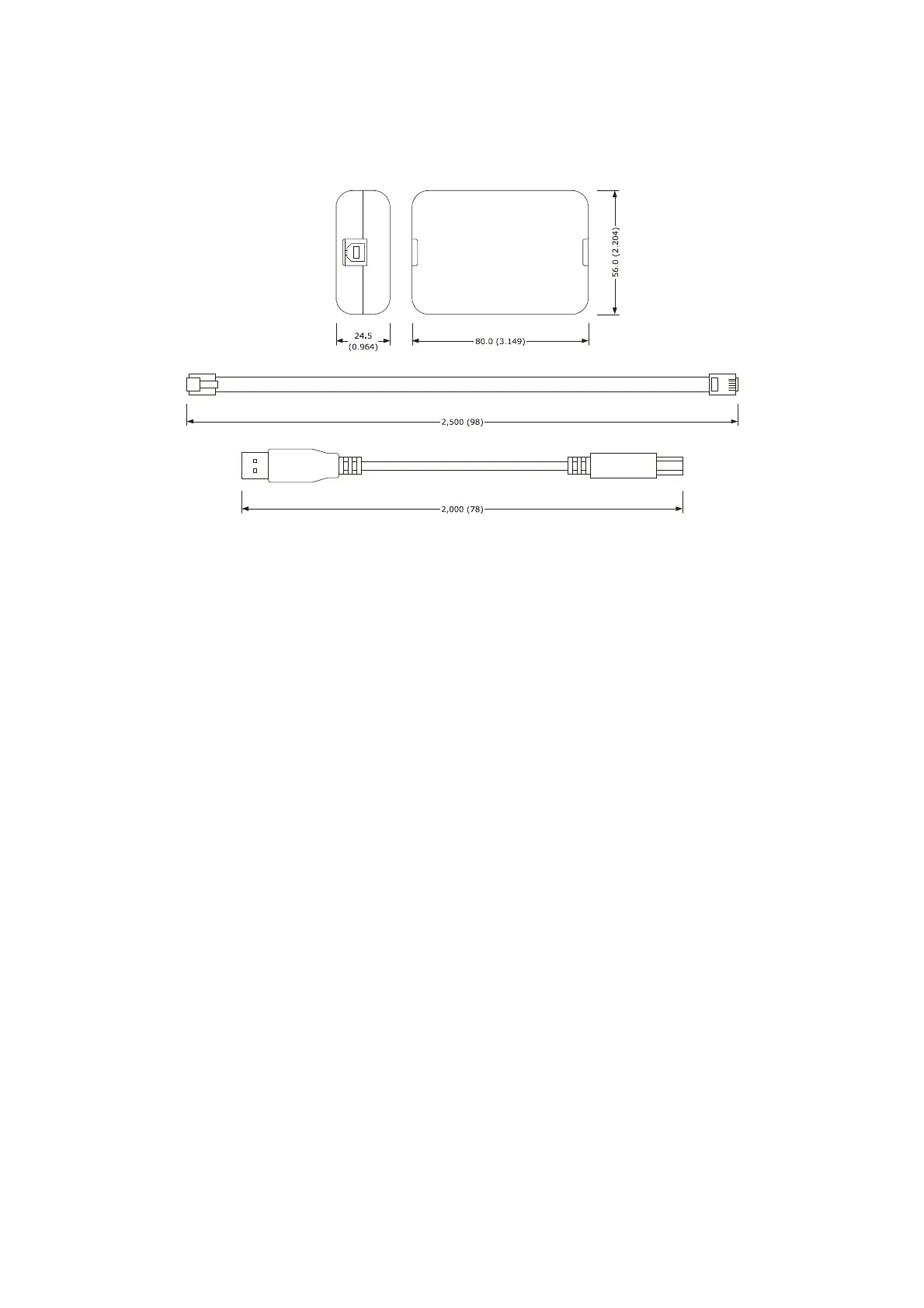
10.3.3 Size
Size is in mm (in).
10.3.4 Connection to the Personal Computer
Operate as follows:
1. Connect the RS-485 port on screw terminal block of the interface to the RS-485 port of the device using three
wires and operating as follows:
- terminal 1 of the interface must be connected to terminal RS485+ of the device
- terminal 2 of the interface must be connected to terminal RS485- of the device
- terminal 3 of the interface must be connected to terminal GND of the device.
2. Plug in and end of the USB cable into the USB port of the serial interface.
3. Plug in the other end of the USB cable into an USB port of the Personal Computer.
For further information consult the User manual of Parameters Manager.



 To Next Page