Rampmaster Operating Manual
Heat Treat ver. RM3 – Feb 2017
Page 18 of 25
Use your Smart-phone to scan this QR code to watch Rampmaster how-to Programming Videos!
SYST—System
System tools involve preferences. Listed below are your options for the System Menu.
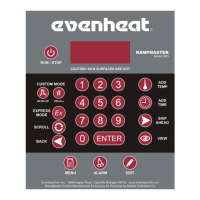
Use the SCROLL key to display the System menu choices. Once you get to the menu item you would like to modify press the ENTER key, key in the change
and press the ENTER key.
CHG° - Temperature Scale °F or °C — The Rampmaster allows for temperature display using either the Fahrenheit (°F) or Celsius (°C)
temperature scales. Your Choices are F or C. Use the Scroll key to toggle between °F or °C, then press the Enter key.
VIEW—Viewing Options —The Rampmaster gives you the choice of minimizing or maximizing the amount of data displayed when the View key
is used when running a program.
Use the Scroll key to toggle between MIN and MAX, then press the Enter key.
When MIN (minimum) is chosen the following information is displayed when the View key is pressed while running a program: Rate
or Hold value at the currently running segment, current travelling set point temperature (SETP) and electronics board temperature
(bd T).
When MAX (maximum) is chosen the following information is displayed when the View key is pressed while running a program: Rate
or Hold value at the currently running segment, current travelling set point temperature (SETP) and electronics board temperature
(bd T), user program number (USER), number of segments in program (SEGS), all programmed rates, set point temperatures and
hold times in all segments, programmed delay time (dELA), programmed alarm setting (ALRM) and whether error codes are on or
off (ERCD).
ERCD—Error Codes — The Rampmaster uses many parameters to determine if all is going well during use. Under normal conditions exceeding
these parameters indicates a problem. When this happens the Rampmaster stops the program and displays an error code describing the
problem (see page 21 for a detailed listing of all error codes). However, there are times with heat treating that you can create circumstances
that appear as though the oven is malfunctioning when it’s not. Opening the door to pull your work is one example that tends to violate the
“rules”. With this in mind, the Rampmaster allows you to turn off (disable) a select group of error code functions. The Rampmaster is factory set
with the Error Codes on (full protection).
Use the Scroll key to toggle between ON and OFF, then press the Enter key.
Error codes which are disabled when error codes are chosen to be disabled.
Error 1—Chamber temperature rising too slowly (<12°F /hr)
Error 2—Chamber temperature too far above hold temperature (>50°F above hold temperature)
Error 3—Chamber temperature too far below hold temperature (>50°F below hold temperature)
Error 4—Chamber temperature too far above previous hold temperature when ramping down (>50°F above hold temperature)
Error 5—Chamber temperature too far below travelling set point when ramping down (>50°F below travelling set point)
Error D—Chamber temperature too far above travelling set point (>50°F above travelling set point)
Traveling set point is the calculated temperature that the oven chamber should be at any given point in the program.
ID—PC Identification—The Rampmaster is capable of connecting directly to your PC using our optional KISS software/hardware package. This
system allows up to 50 ovens to be operated and monitored at one time. In order for your PC to distinguish between the connected ovens they
are given an ID or identification number. This setting allows you to give the oven this ID number. Your choices are 1 thru 50.
Use the numerical keys to choose and then press the Enter key.
2KEY—Two Key Start —The Rampmaster has a special feature (factory default to ON) that requires the user to press two keys in order to run
the heat treat program. With the Two Key feature enabled the user must first press the RUN/STOP key then press the ENTER key to run the
program. You may disable this feature to allow for a single key start, in which case the setting would be OFF. With the Two Key feature disabled
simply pressing the RUN/STOP key runs the heat treat program. Your Choices are ON or OFF.
Use the Scroll key to choose and then press the Enter key.


 To Next Page