Rampmaster Operating Manual
Heat Treat ver. RM3 – Feb 2017
Page 9 of 25
Use your Smart-phone to scan this QR code to watch Rampmaster how-to Programming Videos!
Programming & Use Features Continued from Previous Page
Recalling a Custom Mode Program
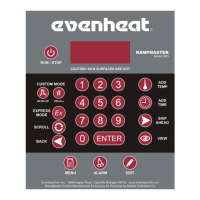
You may choose to run a previously stored Custom Mode program. With the display reading STbY simply press the RECALL key one time. The display will
read PROG and some number. Use the numerical keys to choose the correct program number and press the Enter key. The display will then go back to
STbY (Standby). The program data in the chosen program is now selected to run when you start the heat treating process.
Writing Over Data
You will want to change the data in your heat treat programs at some point. We expect this as you try new techniques and fine tune your skills. When you
do, you’ll see the old data as you’re programming in the new data. Simply key in the new data as though the old never existed.
Degrees per Hour
All rates are programmed in degrees per hour. Most heat treating programs call for increasing the heat As Fast As Possible. To go As Fast As Possible
simply key in 9999 for your rate.
Initialization (Boot-Up)
When the Rampmaster is powered up it goes through an initialization process. WAIT appears on the display until the initialization is complete.
Programming a Time Value
The Rampmaster accepts time as Hours and Minutes. When programming a time value, a red dot will illuminate in the middle of the four display digits.
Numbers to the left of the dot indicate hours and numbers to the right of the dot indicate minutes.
Reviewing Your Program Before Running
It’s always a good idea to see what the oven’s programmed to do before it does it. The Rampmaster has a Review Program feature just for this purpose.
The Review Program feature automatically displays the program settings for your review. This feature does not start the program, it simply allows you to
see what’s programmed to run when you do. You should use this feature before every use.
To Review the currently loaded program press the VIEW key while the display is reading STbY. The Rampmaster will display all programmed data and
return to the Standby position (STbY). If it all looks good, go ahead and run the program. If not, you have the opportunity to reprogram with the correct
data!
Standby (STbY)
Standby simply means the Rampmaster is not running any programs at the moment.
Two Key Run
The Rampmaster is set at the factory to run the heat treat process after two separate keys are pushed. This “Two Key Run” adds a level of security against
inadvertent starting from curious fingers.
To run the program: with the display reading STbY, press the Run key one time. The display will show four horizontal dashes. Press the Enter key one time.
The display will briefly read –ON– and a series of audible clicks will be heard. The Rampmaster is now running the program. You do have the option of
changing to a single key run if you would like, see page 18 for more information.
12 User Programs in Custom Mode
The Rampmaster allows you to save up to 12 Custom Mode programs in memory. Your programs remain in these 12 locations indefinitely and can be
recalled for use or changed as you desire.
Number of Segments per Custom Mode Program
Most heat treat programs use 1 segment to accomplish the heat treat process. While heat treating operations using more than 1 segment are rare, they
are possible with the Rampmaster. The Rampmaster allows you to use up to 32 segments for each Custom Mode program. It’s a ridiculous amount of
segments for any type of firing, let alone heat treating! Just know that if you need more than 1 you have it.


 To Next Page