Rampmaster Operating Manual
Heat Treat ver. RM3 – Feb 2017
Page 19 of 25
Use your Smart-phone to scan this QR code to watch Rampmaster how-to Programming Videos!
dIAG—Diagnostic
The Diagnostic tools contain a group of power service and oven performance information. This information can be helpful in determining possible causes
of performance problems. While this information gives the informed user plenty of data to work from you’ll want to contact Evenheat technicians for
evaluation and technical advice.
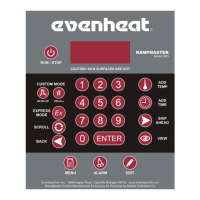
Use the SCROLL key to display the Diagnostic menu choices.
ERTF—Error Temperature & Time of Last Error — When a problem does arise it’s always nice to know at what temperature and how far into
the process the fault occurred. The ERTF feature displays the following: Temperature at which error occurred, elapsed time into the process at
which the error occurred, rate of rise (ROR) for the ramp and the specific error that occurred. Press the Enter key while ERTF is displayed to
display the information.
OUTS— Output Test—Allows each output (signal to relays to turn heating elements On and Off) to be manually operated. Performing this test
causes the relay associated with the given output to turn on and off. A noticeable, audible “click” will be heard as the relay turns on and off.
These “clicks” confirm that the output from the Rampmaster is being sent to the relay and that the relay is responding correctly.
The Rampmaster control contains multiple outputs. Current heat treat oven production utilizes Output 2 only. Outputs 1, 3 & 4 are not
currently used.
Caution: This test should be performed with all oven control panels in place and door in the closed position. Power to the heating elements
will be applied during this test and represents an electrical shock hazard.
Use the Scroll key to make the display read OUTS. Press the Enter key. OUT1 is displayed and no audible click will be heard. Press the Enter key. The
display reads OUT2 and an audible click should be heard as the relay turns on. Press the Enter key. An audible click is heard as OUT2 relay turns off. OUT3
is displayed and no audible click will be heard. Press the Enter key. The display reads OUT4 and no audible click will be heard. Press the Enter key. Display
returns to STbY.
SW V—Software Version — Displays the software version used in your Rampmaster.
bd T—Rampmaster Board Temperature — Displays the temperature of the actual electronics. The Rampmaster control board is designed to work
properly if its temperature is kept below 160°F. This feature simply displays the actual temperature of the electronics.
LEdS—LED Test—This test simply makes all the display LED’s illuminate. If a particular LED is not functioning this test will identify it.
VOLT—Voltage Test — The Volt Test directly measures the voltage supply to your oven. Voltage likes to drop a little when the oven turns on, therefore,
there are two voltage readings that will be taken during this test: No Load Voltage & Full Load Voltage. Make note of the voltage readings as you perform
this test.
Caution: This test should be performed with all oven control panels in place and door in the closed position. Power to the heating elements
will be applied during this test and represents a electrical shock hazard.
Use the Scroll key to make the display read VOLT and then press the Enter key. NOLd is displayed along with the no-load voltage. Press the Enter key, FLLd
is displayed along with the full-load voltage. The Rampmaster then goes back to the Standby (STbY) position.


 To Next Page