Rampmaster Operating Manual
Heat Treat ver. RM3 – Feb 2017
Page 3 of 25
Use your Smart-phone to scan this QR code to watch Rampmaster how-to Programming Videos!
Use this Quick Guide to Immediately Begin Programming Your Heat Treating Program
This Quick Start Guide to programming is a fairly straight forward, key-by-key approach to programming your heat treat program. It doesn’t go into much
detail beyond what keys to press for most heat treating programs. If you were to rip a page out of this manual and tack it to the wall, it would be this
page. For more detailed programming instructions check out page 6.
The Custom Mode allows the creation of your own, individual heat treating programs. You choose the rate of temperature increase, the temperature you
want to achieve and any hold time once you’re there. These 3 items, taken together, create what’s known as a segment. Generally speaking, heat treat
programs use only 1 segment.
Quick Start Steps for Programming of a Heat Treating Program
1. Throw the power switch on the oven control panel to the On position
2. The Rampmaster begins its initiation process and the display will illuminate.
3. The Rampmaster will finish the initiation process and then display STbY (Standby).
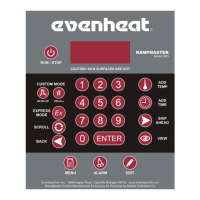
4. Press the Develop key one time. PROG is displayed along with some number.
5. Use the Numerical keys to choose. You’re choosing which of the 12 user program numbers will be used to store your heat treat program. Think of it as a
program number. Your choices are 1 thru 12.
6. Press the Enter key. SEGS is displayed along with some number.
7. Use the Numerical keys to choose. You’re choosing the total number of segments used in the program. Most heat treat programs will use only 1
segment. Your choices are 1 thru 32.
8. Press the Enter key. RA 1 is displayed along with some number.
9. Use the Numerical keys to choose. You’re programming the temperature rate (°/hr.) for this segment. Rate of temperature increase for most heat
treating is usually As Fast As Possible. If you would like to go As Fast As Possible simply type in 9999 for rate.
10. Press the Enter key. °F 1 is displayed along with some number.
11. Use the Numerical keys to choose. You’re programming the temperature set point for this segment. This is the temperature at which your metals will
harden or temper.
12. Press the Enter key. Hd 1 is displayed along with some number.
13. Use the Numerical keys to choose. You’re programming the hold time for this segment. This sets the amount of time your metals will remain at your
hardening or tempering temperature.
14. Press the Enter key. Repeat steps 9 thru 14 for all remaining segments, if you have more than 1, until the display reads ALRM.
15. Use the Numerical keys to choose alarm temperature. Choosing 9999 turns the alarm feature off.
16. Press the Enter key. The display will read CPL then STbY.
17. Press the Run/Stop key and then press the Enter key.
The Rampmaster is now running your program.


 To Next Page