Rampmaster Operating Manual
Heat Treat ver. RM3 – Feb 2017
Page 4 of 25
Use your Smart-phone to scan this QR code to watch Rampmaster how-to Programming Videos!
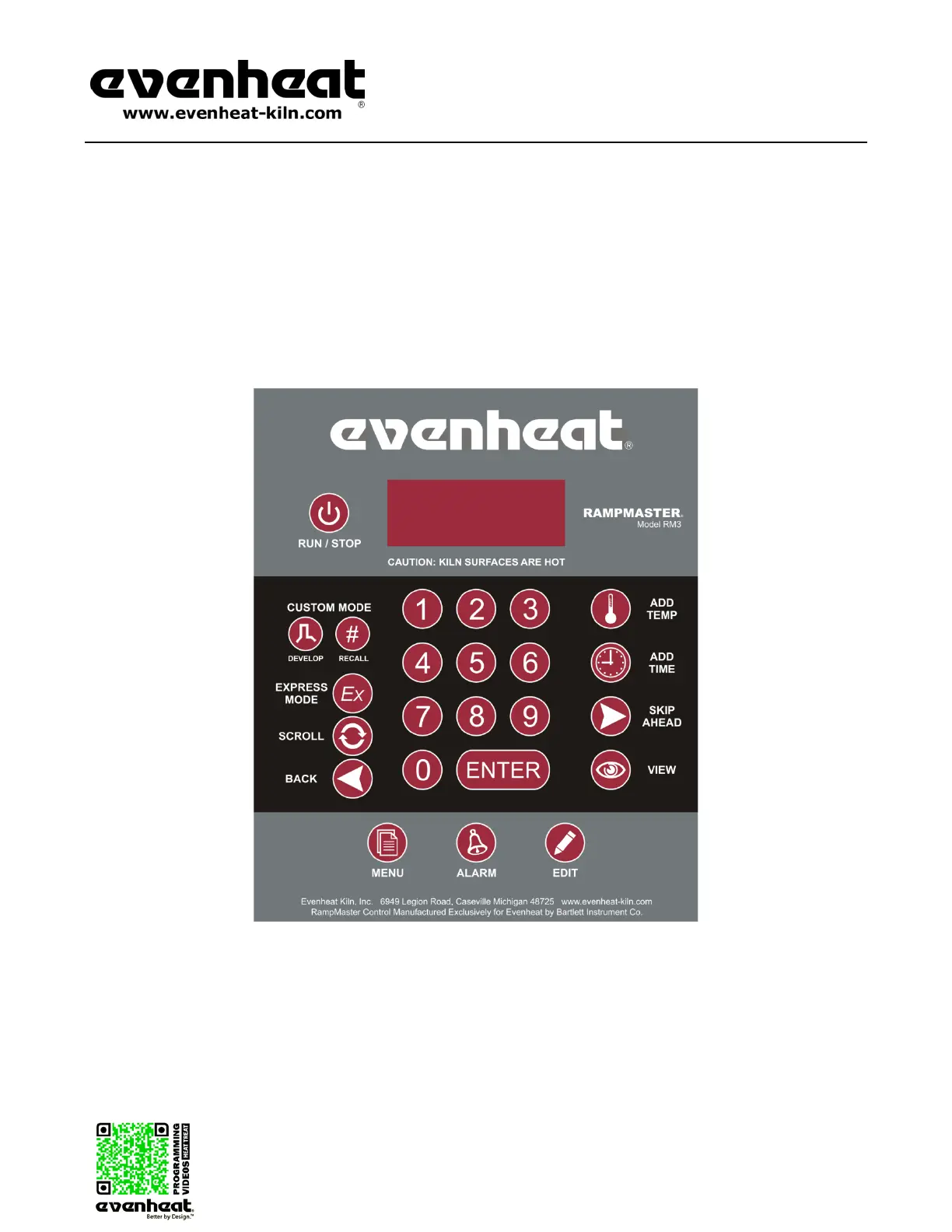
Rampmaster Key Layout
The Rampmaster key layout and key functions are designed to provide easy and uncomplicated use. All programming functions are located to the left side
while all “On-the-Fly” features are located to the right. It’s a very intuitive design that works well in the heat of battle. We’ve also minimized keystrokes by
using dedicated, single function keys where we can. Display terms are understandable and we’ve chosen key graphics to help express what’s really going
on. Check out the Rampmaster Key Descriptions on the next page, along with a Key Function Table starting on page 19, for detailed key information.
Display - Large, bright LED display
can be seen from a distance. The
display terms are understandable.
RUN/STOP - Starts and stops
the actual firing.
- Begins the Custom
RECALL - Retrieves Custom
Mode programs 1 thru 12.
EX - Begins the Express Mode
programming process.
SCROLL - Displays choices for
current programming function
- Allows you to move back
to previously entered data
for
MENU - Allows access to the Power Tame
feature as well as configuration features.
F or °C - The Rampmaster can be set to
display in either Fahrenheit or Celsius.
RAMPMASTER - Model RM3
The Rampmaster is the original multi
-
segment control and continues to set
the standard.
ADD TEMP - ”On-the-Fly” - Adds
temperature to the programmed hold
temperature. May be used on any
segment.
- ”On-the-Fly” - Adds
time to the programmed hold time.
May be used on any segment
- ”On-the-Fly” -
Moves
the firing to the next segment. Great
for moving directly to anneal but can
be used on any segment.
VIEW - ”On-the-Fly” - Allows viewing
of segment data when firing. Also
allows for reviewing of data before
running.
-
Allows for Modification and Restoration
of Express Mode Programs.
ALARM - Allows setting of the Set Point Alarm
temperature.


 To Next Page