RS700
013
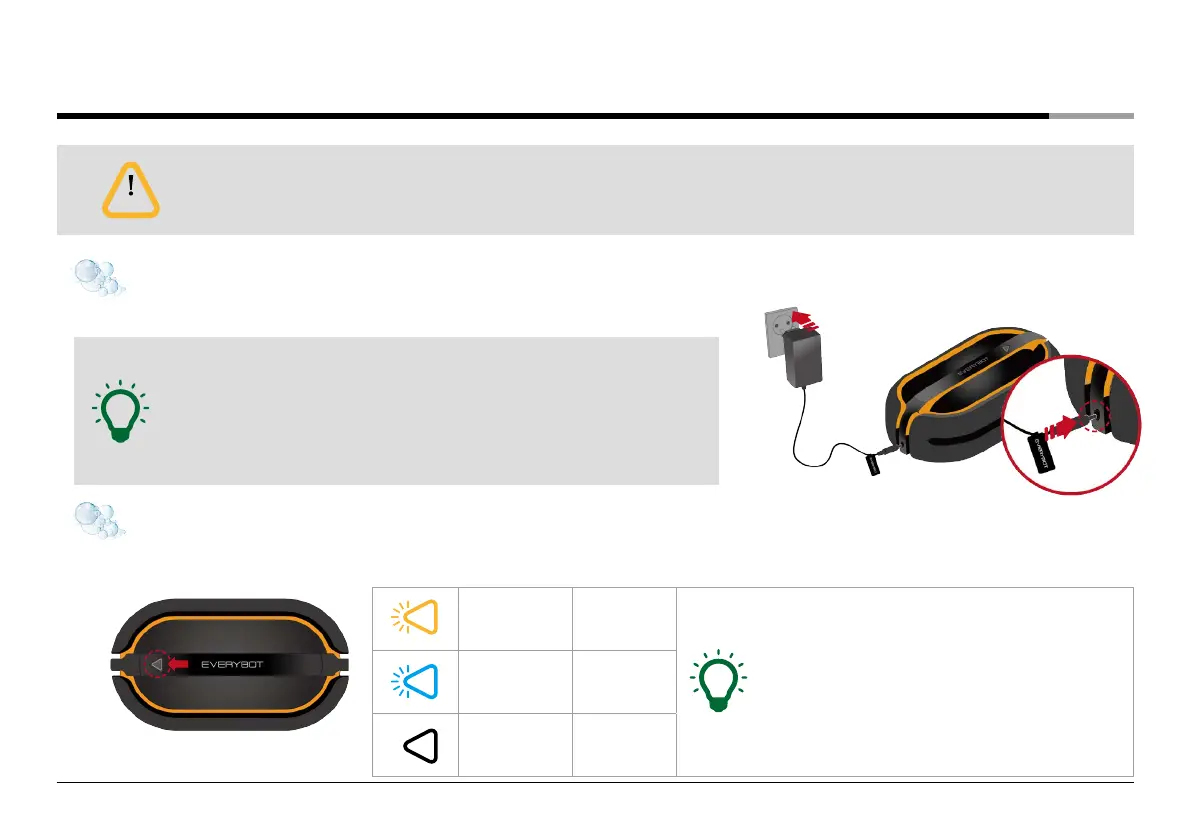
Yellow blinking Low
• Charging Time
Battery is low level: 100 minutes
Battery is completely discharged: 150 minutes
• Operating Time
Around 100 minutes. It can be changed by the floor’s
conditions.
After 50 minutes of cleaning, the main unit will stop automatically to inform
the user to change mops and put more water in the water supply mop kit.
Blue blinking Medium
LED off Full
Charging
• Do not use authorized adapters, other than the one that is included in the package.
• Make sure to use dry cloth when cleaning the power adaptor and the charging port.
• Once the adapter is connected to the main unit, the charging will start
with an alarm sound.
• When the charge is completed, the alarm sounds and the LED lamp turns off.
• When charging the battery, the button on the main unit and the remote
control does not operate.
Battery level can be checked through LED lamp.
Note
Note
Caution
How to charge
Battery Level Indication
Connect the power adaptor to the charging port on the side of the main unit.


 To Next Page