RS700
020
Handy Cleaning Mode
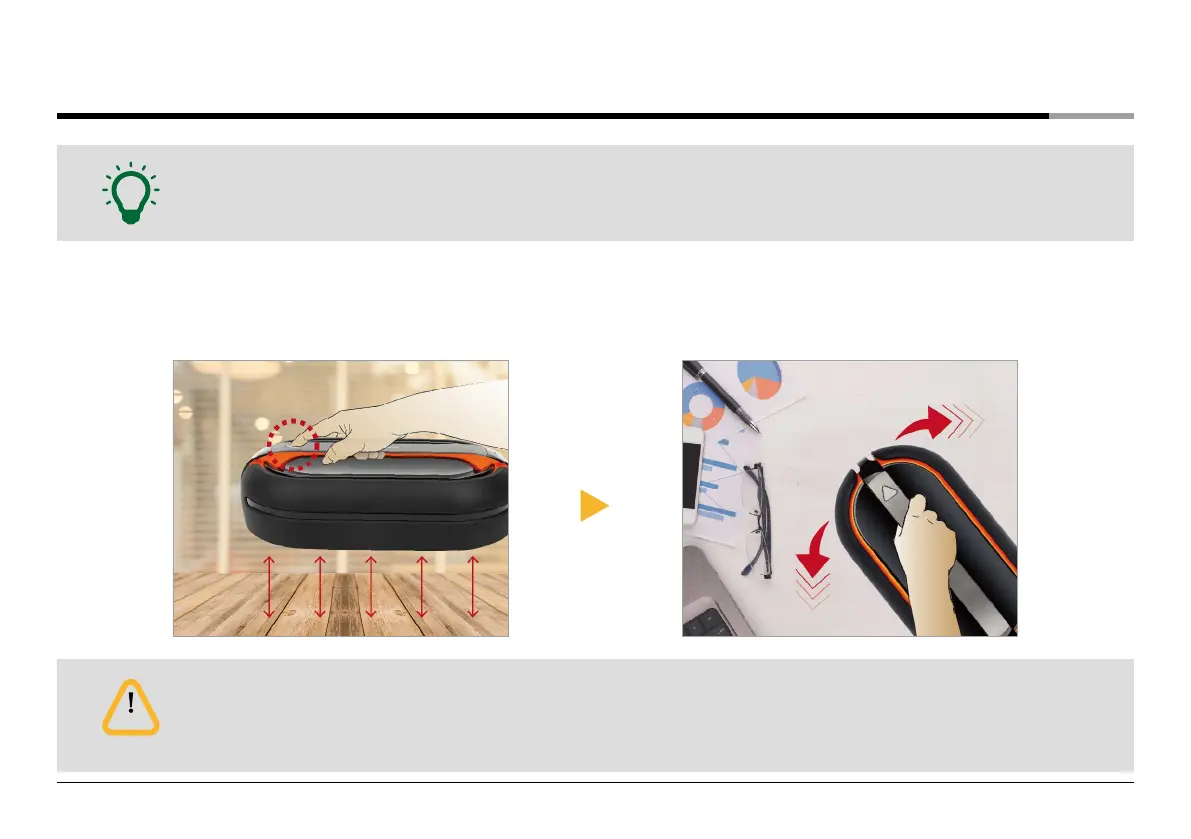
• User cleans manually by holding the handle of the main unit.
• This mode is good to clean desks, tables, glass floors, and glass windows, all of which are difficult to clean.
• In the Handy Cleaning mode, do not place the main unit on the floor.
• If you press the Operating button on the main unit or Start/Stop button on the remote control in the Handy Cleaning
mode, the cleaning mode stops.
Note
Caution
❶
Hold the handle of the main unit from the floor and
press and hold the operating button more than
2 seconds.
❷
Handy cleaning starts with the with mop guide kit turning .


 To Next Page