RS700
023
Status Indication
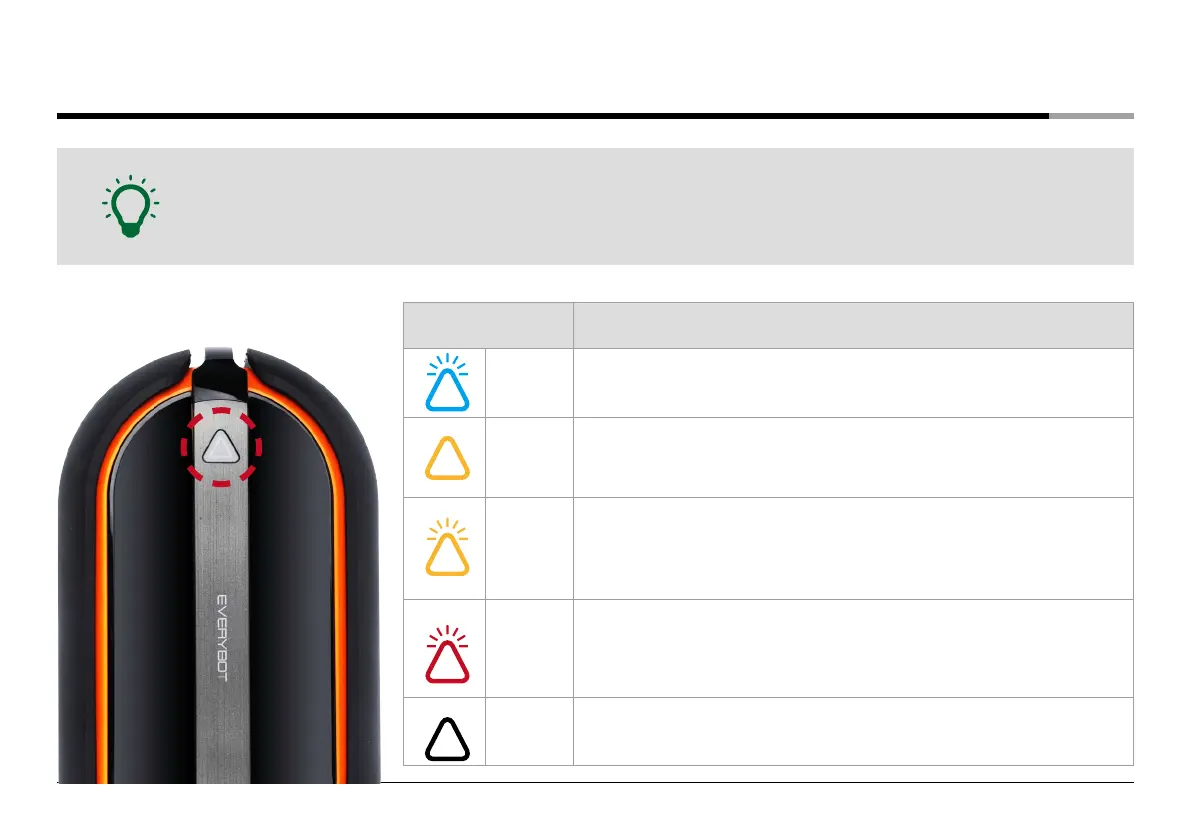
• LED lamp on the main unit and buzzer will notify the status of the main unit.
• When there is an error, the main unit will stop and sound the alarm for five minutes with LED blink.
• After ten times of alarm and LED blink, the sound and LED is off and the unit switches to the sleep mode.
Note
LED lamp Description
Blue
blinking
• After changing mops and input water in the water supply mop kit,
start the cleaning again.
Yellow on
• Recharge the battery.
※ If the battery is low while cleaning a dark place, the unit moves out to a bright place
and stops its operating.
Yellow
blinking
• Check whether the unit is stopped by obstacles.
• Check whether there is foreign substances in the mop guide kit or water
supply mop kit.
• Operate the unit in a wide place again after turning on and off the
power switch.
Red
blinking
• Check whether the authorized adapter was connected in the main unit.
• Swatch on/off the system power switch and start the cleaning again.
• If the same symptom is repeated, turn off the system power switch and
contact the customer center.
LED off
• The robot cleaner switches to the sleep mode.


 To Next Page