RS700
016
Start Cleaning
If you start cleaning without installing the water supply mop kit, the main unit may be damaged.
Caution
• If you press the operating button on the main unit or Start/Stop button on the remote control while cleaning, cleaning stops.
• If the unit does not operate for 5 minutes after power switch is on, the LED lamp turns off and the unit is automatically
switched to the power saving mode.
• If you press the operating button on the main unit or any button of the remote control while the battery is low , the main unit
will not operate and sound an alarm.
Caution
❶
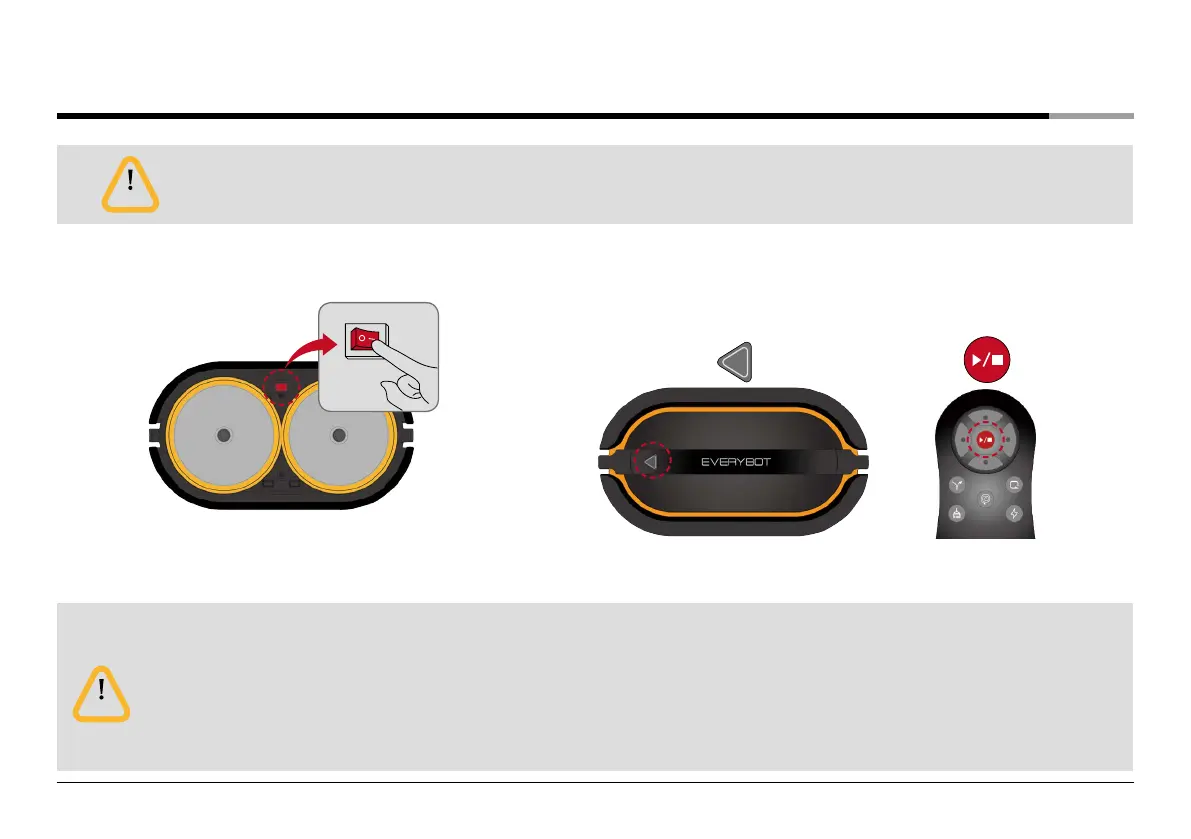
Turn on the System Power Switch.
❸
Select a desired cleaning mode using the remote control..
❷
Start cleaning by pushing the button of main unit or the start/stop
button on the remote control.
or


 To Next Page