EvoHeat Evo270 Hot Water Heat Pump Manual
6.11 Adjusting the Hydro Power Booster
If there is not enough hot water delivery due to high water usage or continued low ambient temperatures, the Hydro
Power Boost system can be adjusted to ensure a steady supply of hot water.
Press and hold for 10 seconds a single time to access the parameter menus. When the screen displays ‘000’ press
the up/down arrow keys until the number ‘066’ is displayed, then press the key.
Use the up/down arrow keys to navigate to the correct parameter value as shown in the below table, then press the
key to open that parameter value.
Change the value using the up/down arrow keys and press the X key to save changes. Press to exit the menu.
*Changing values in other parameters other than show below could affect the performance and warranty of your
Evo270 and is not advised unless instructed by an EvoHeat technician.
Enable adjusting set point of Hydro Power
Hydro Power startup delay
Hydro Power to replace heat pump
Ambient temperature when Hydro Power replaces heat pump
Ambient temperature for Hydro Power to start without delay
Ambient temperature for Hydro Power to start with delay
6.12 Adjusting the Sanitech System
Follow the same steps as with the Hydro Power Booster above, but adjust the parameters starting with a ‘g’.
To disable the Sanitech feature, simply adjust the Sanitech target temperature (g01) to a figure below the normal
water storage temperature (generally 50 degrees or lower).
*Changing these settings may lower or disable the Evo270’s ability to ensure your water is free from bacteria.
Sanitech Target Temperature
Sanitech Temperature Hold Time
Sanitech Start Time (24hour clock)
6.13 Locking the Keyboard
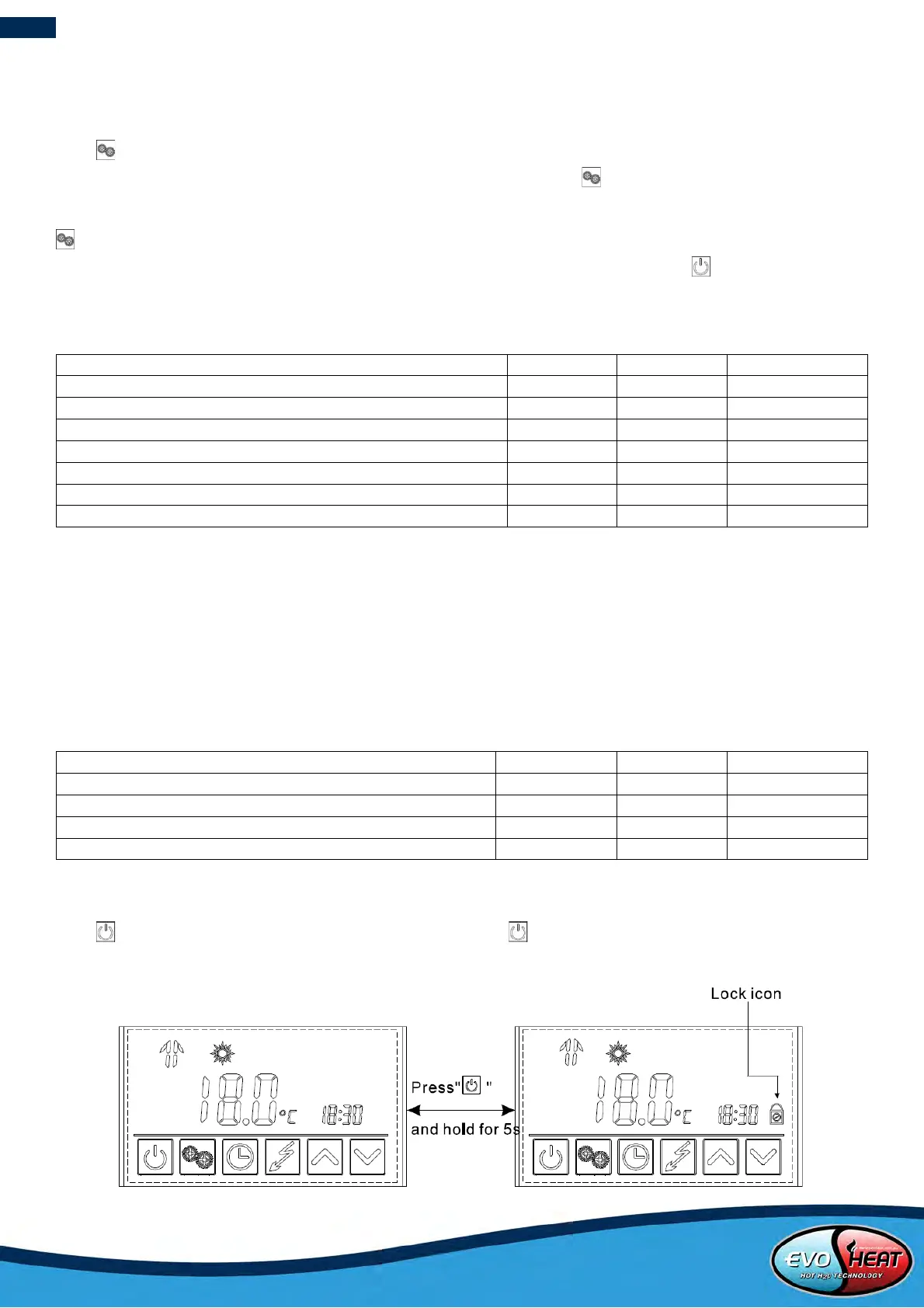
Press and hold for 5 seconds once to lock the keyboard. Press and hold for 5 seconds again to unlock the
keyboard.


 To Next Page