KC PRIME
22
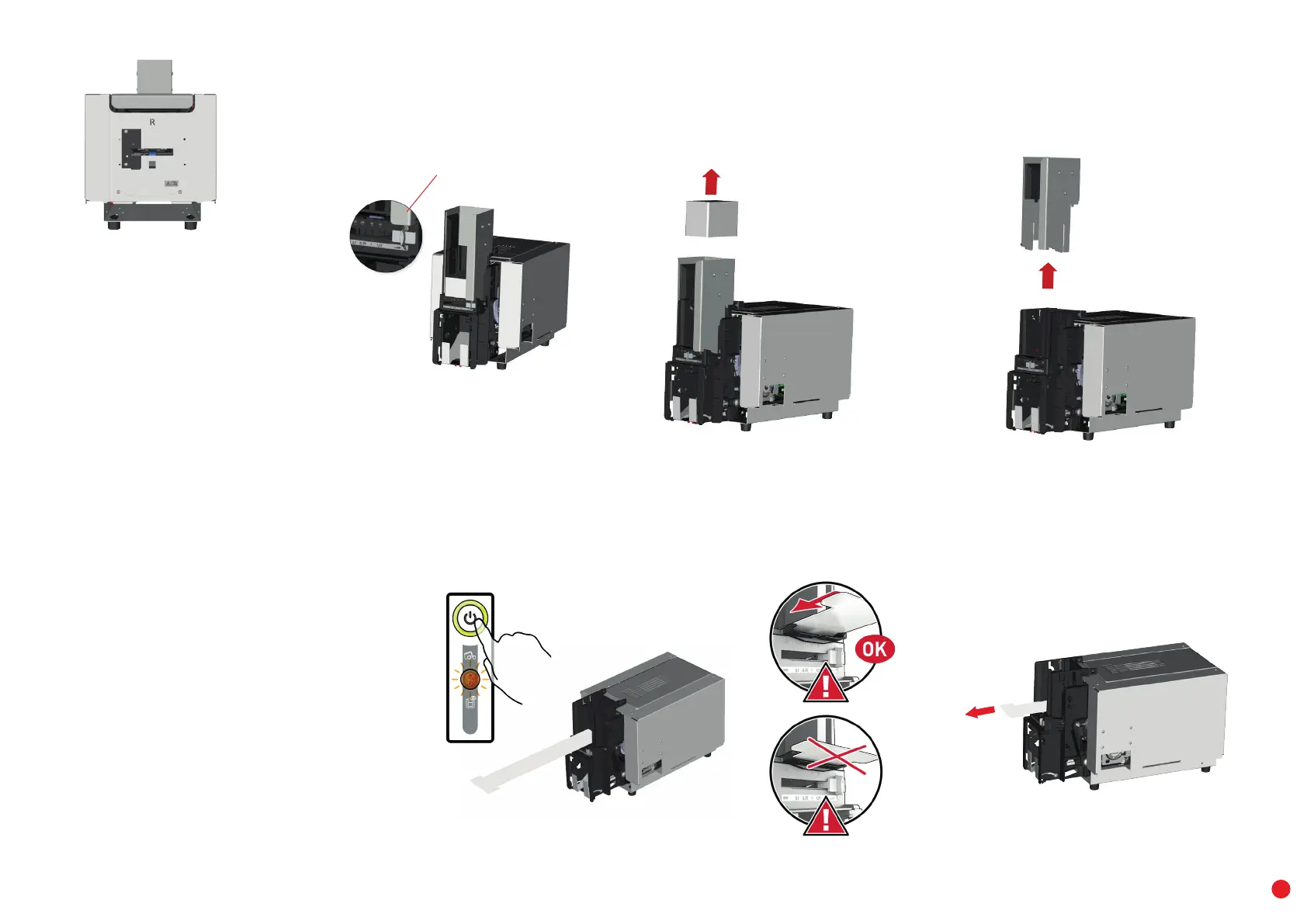
4 Using the gauge, set the card thickness to the MAX position.
5 Remove the cards from the feeder
6 Remove the 200-card feeder extension (if the printer is equipped with it).
4
7 Double click the control button, then insert the "T" shaped card in the feeder as shown. Cleaning starts.
8 Once cleaning is finished, remove the "T" shaped card.
5
7
8
MAX
X2X2
6



 To Next Page