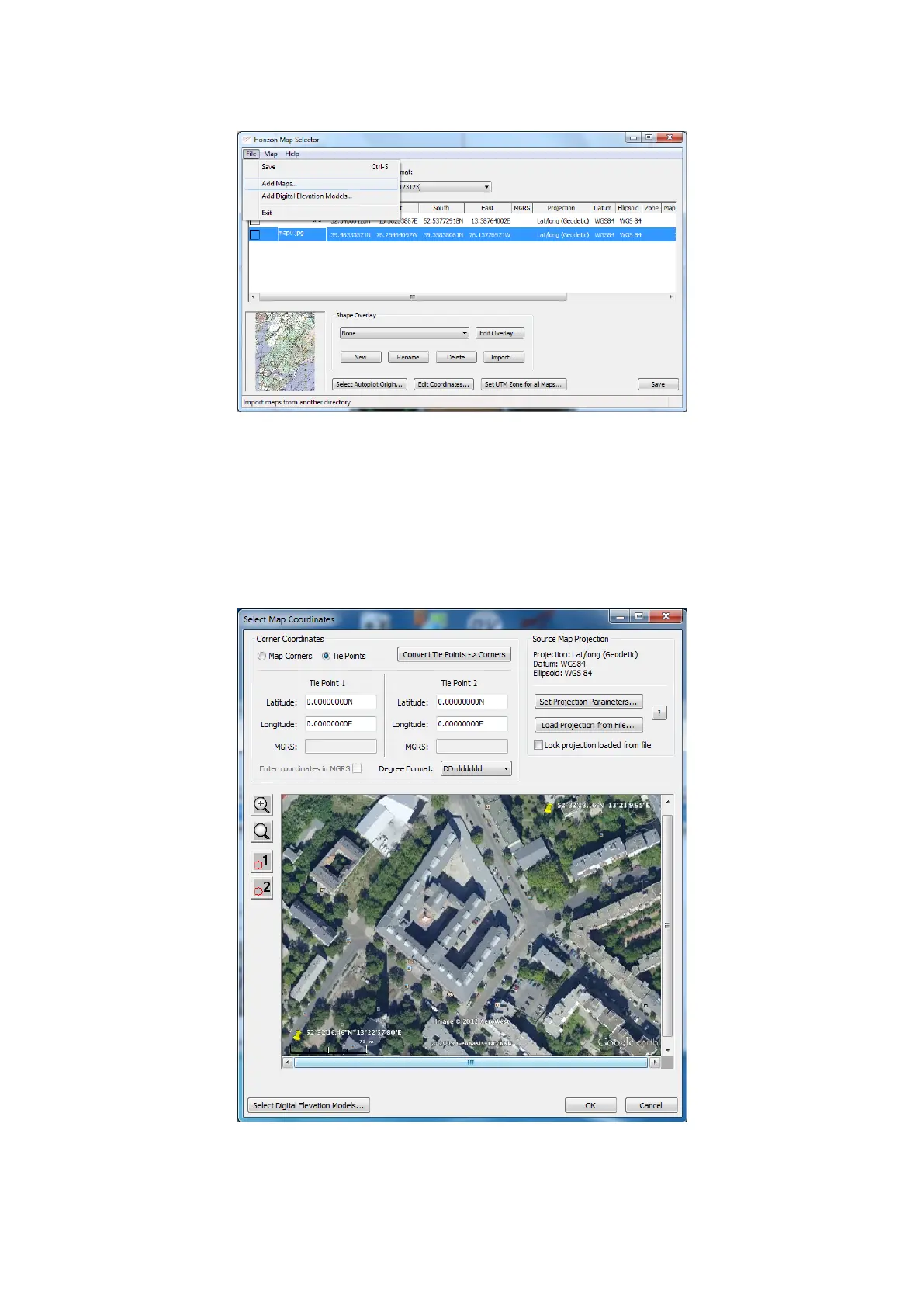
• To add a new map, go to File → Add Maps... in the Map Selector menu:
Figure 29: Horizon: Map Selector
Browse for an image file and click Open to add it as a new map. Most common image file types are accepted (see
the manufacturer’s guide for the full list). The map will appear in the Map Selector’s map list.
• To be displayed at the correct position, the map must be georeferenced.
To enter the coordinates of the map manually, double click on the map you just created in the map list to open the
Select Map Coordinates dialog. You must know the geographical coordinates of two points on the map to set up
its location in Horizon (refer to the manufacturer’s guide for more options to set map coordinates).
Figure 30: Horizon: Select Map Coordinates
26



 To Next Page