AG-Series
16
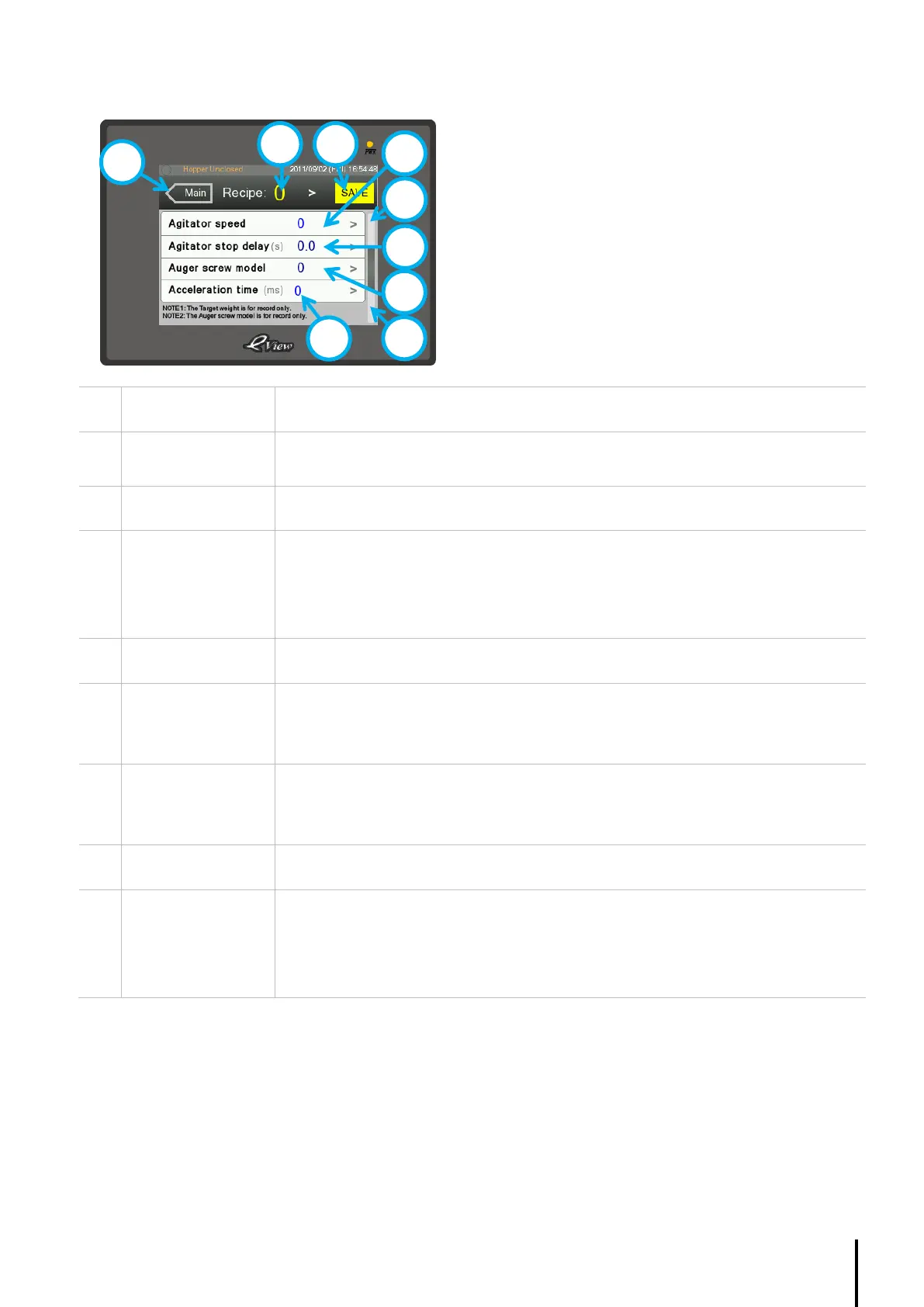
4.4.3. Recipe Page (2 of 3)
Displays the Recipe selected.
Press ‘>’ to change.
Press to save setting into the PLC’s memory.
Displays the Filling target for the according Recipe.
Press ‘>’ to change.
The purpose of this value is for reference only; filling weight is determined by the
pulse.
Shows page 1 of the Recipe page
Displays the Agitator stop delay for the according Recipe.
Press ‘>’ to change.
The time delay is used when the agitator mode is set Upon filling.
Displays the Auger screw model for the according Recipe.
Press ‘>’ to change.
The purpose of this value is for reference only.
Shows page 3 of the Recipe page
Displays the servo-motor Acceleration time for the according Recipe.
Press ‘>’ to change.
The normal setting is between 100 – 300 ms, adjust this value when the servo-motor
alarm is on. This setting is to reduce the start-up friction due to material density.



 To Next Page