AG-Series
18
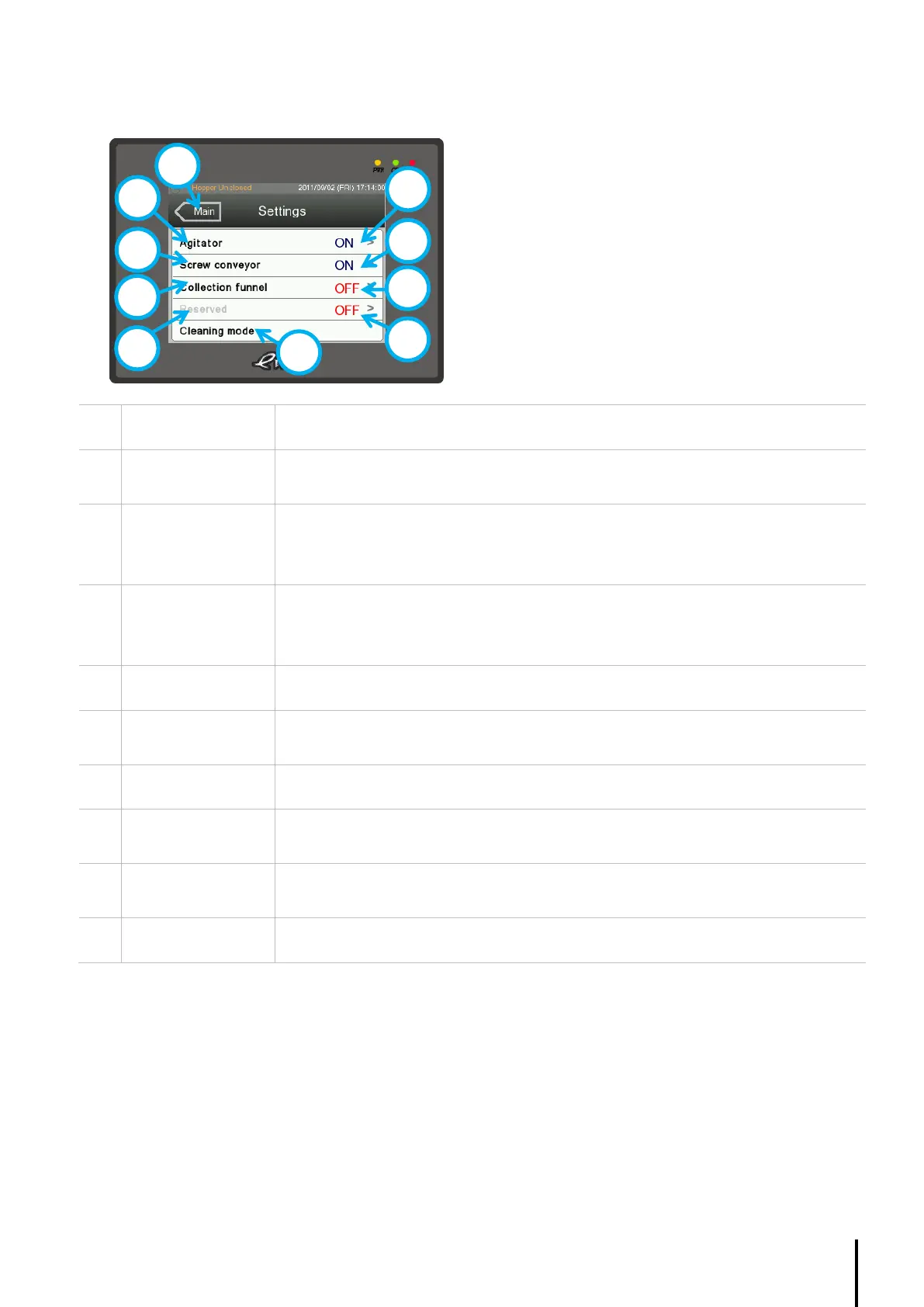
4.4.5. Setting Page
Displays the current agitator status.
Press ‘>’ to change.
Pre-requisite: Screw conveyor must be connected.
Displays the current screw conveyor status.
Press ‘>’ to change.
Pre-requisite: Collection funnel must be connected.
Displays the current collection funnel status.
Press ‘>’ to change.
Press once to activate, the auger screw will run continuously to release all remaining
material within the hopper. Press again to deactivate.
Pre-requisite: Collection funnel must be connected.
Click and hold the button to run the Collection funnel.
Pre-requisite: Screw conveyor must be connected.
Click and hold the button to run the Screw conveyor.
Click and hold the button to run the Agitator.



 To Next Page