Troubleshooting
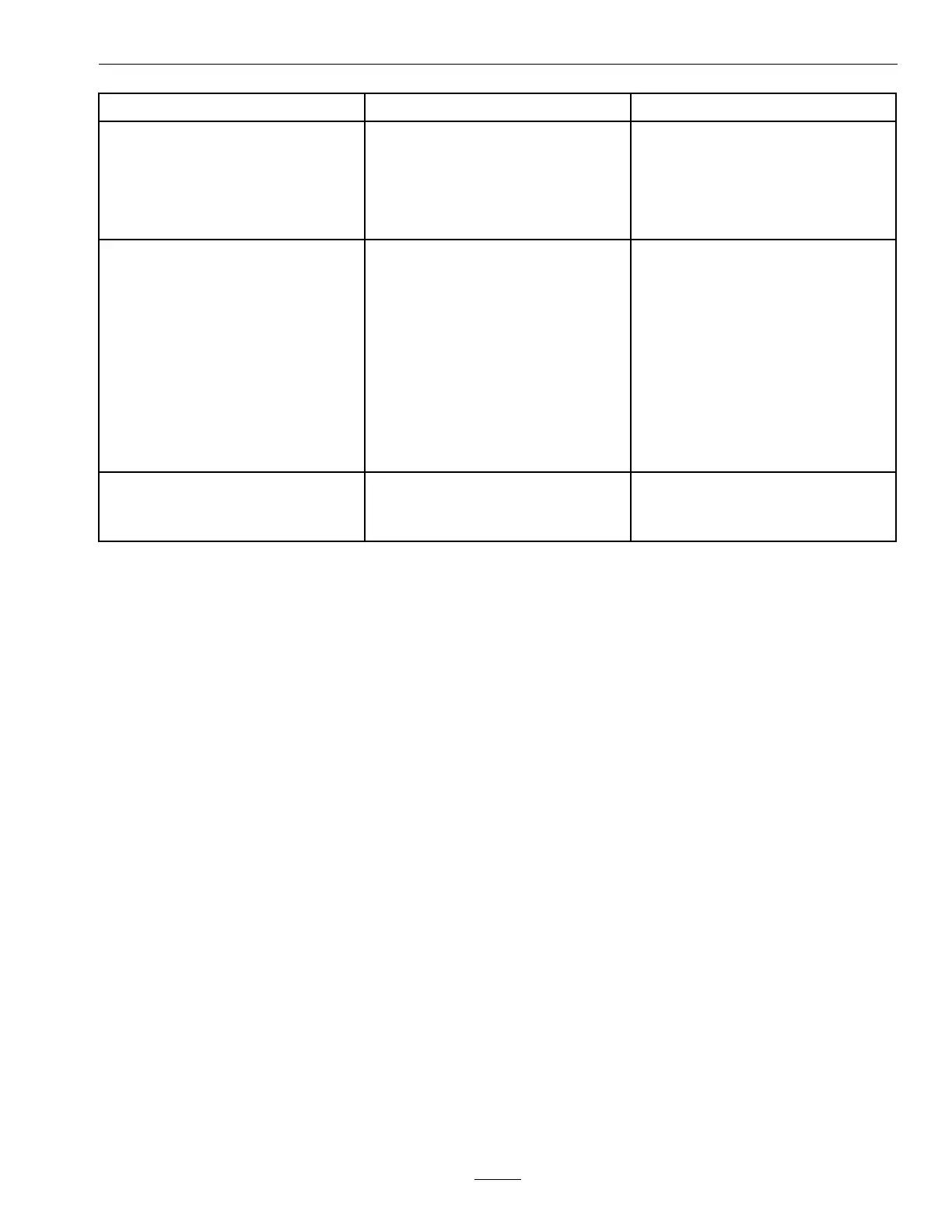
ProblemPossibleCauseCorrectiveAction
1.Deckbeltisworn,looseorbroken.1.Installnewdeckbelt.
2.Deckbeltisoffpulley.2.Installbeltonclutchanddeckpulleys,
idlers,andtensioningidlerperrouting
decalondeck.
3.Brokenormissingidlerspring.
3.Replacethespring.
Bladesdonotrotate.
4.Drivebeltnotroutedcorrectly.4.Refertobeltroutingdecalondeck.
1.Fuseisblown.
1.Replacefuse.Checkcoilresistance,
batterycharge,chargingsystem,and
wiringconnectionsandreplaceif
necessary.
2.Lowvoltagesupplyattheclutch.
2.Checkcoilresistance,batterycharge,
chargingsystem,andwiringconnections
andreplaceifnecessary.
3.Damagedcoil.
3.Replaceclutch.
4.Inadequatecurrentsupply.4.Repairorreplaceclutchleadwireor
electricalsystem.Cleanconnector
contacts.
5.Rotor/armatureairgapistoolarge.
5.Removeshimorreplaceclutch.
Clutchwillnotengage.
6.Wingdeckinterlock.6.Lowerdeckandfullyunfoldwings.
1.Operatornotinseat.1.Operatorsitinseat.
2.Keynotin“RUN”position.
2.Turnkeyto“RUN”position.
Deckwillnotraiseorlower.
3.Lowuidlevel.3.Checkuidlevel.
79






 To Next Page