Operation
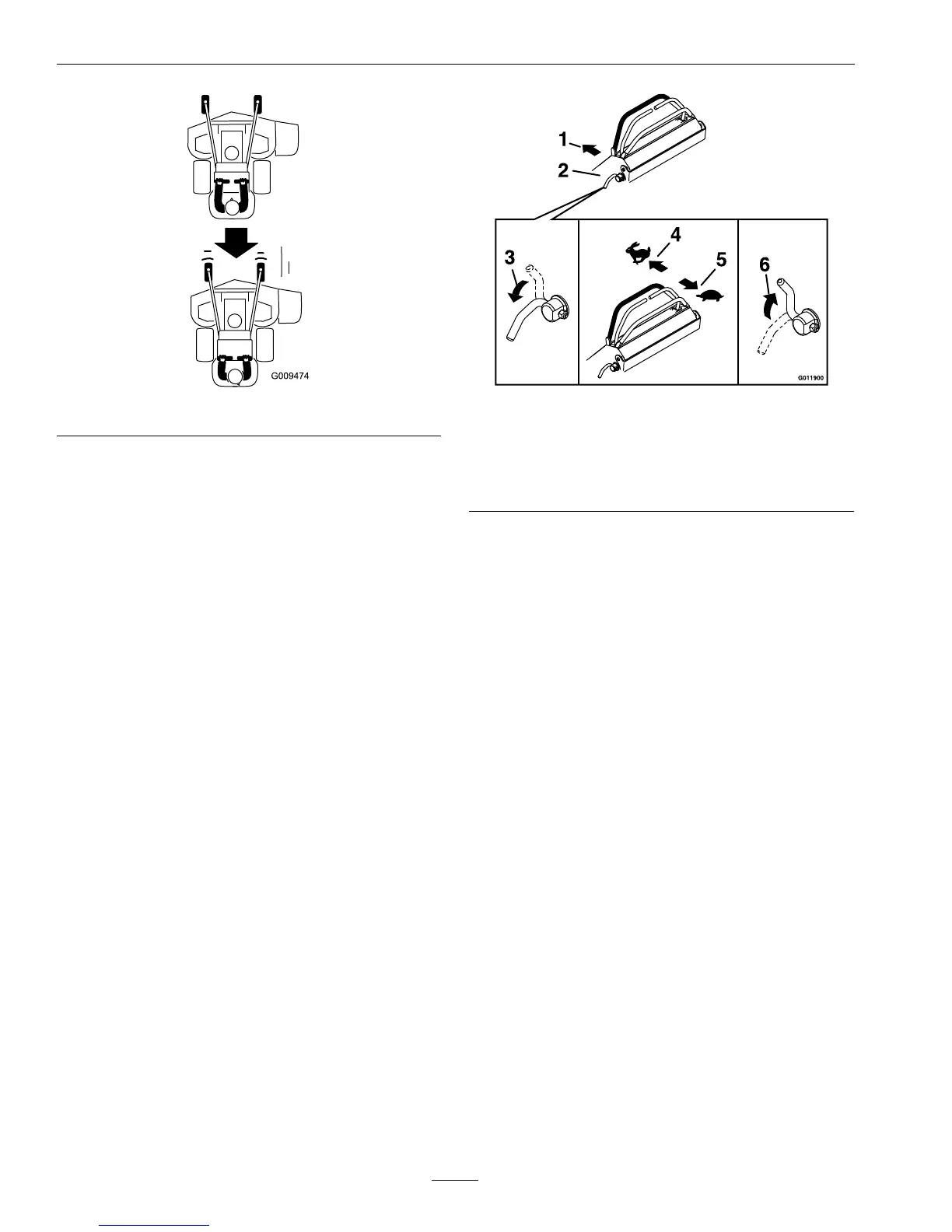
Figure10
Toturnleftorright,releasepressureonthe
motioncontrollevertowardthedesiredturn
direction.
3.Tostop,positionbothmotioncontrolleversin
theneutraloperateposition.
AdjustingtheFrontReference/Speed
ControlBar
Adjustthefrontreference/speedcontrolbarfor
desiredmaximumforwardspeed.
1.Stopthemachineandmovethemotioncontrol
leverstotheneutralposition.
2.DisengagethePTO.
3.Unlockthehandlesonbothsidesofthecontrol
towerbypullingoutward(see
Figure11).
Figure11
1.Frontofthemachine
4.Forwardposition—
faster
2.Controltower
5.Backwardposition—
slower
3.Unlock6.Lock
4.Movethebarforwardtoobtainthefastestspeed.
Movethebarbackwardtoobtaintheslowest
speed.
5.Onbothsides,rotateandpushthehandlesinward
tolockthehandlesagainstthecontroltower.
Important:Makesurethehandlesarelocked
inplacesothefrontreference/speedcontrol
bardoesnotmoveduringoperation.
OperatingthePlatform
Themachinecanbeusedwiththeplatforminthe
upordownposition.Itistheoperator’spreference
onwhichpositiontouse.
22






 To Next Page