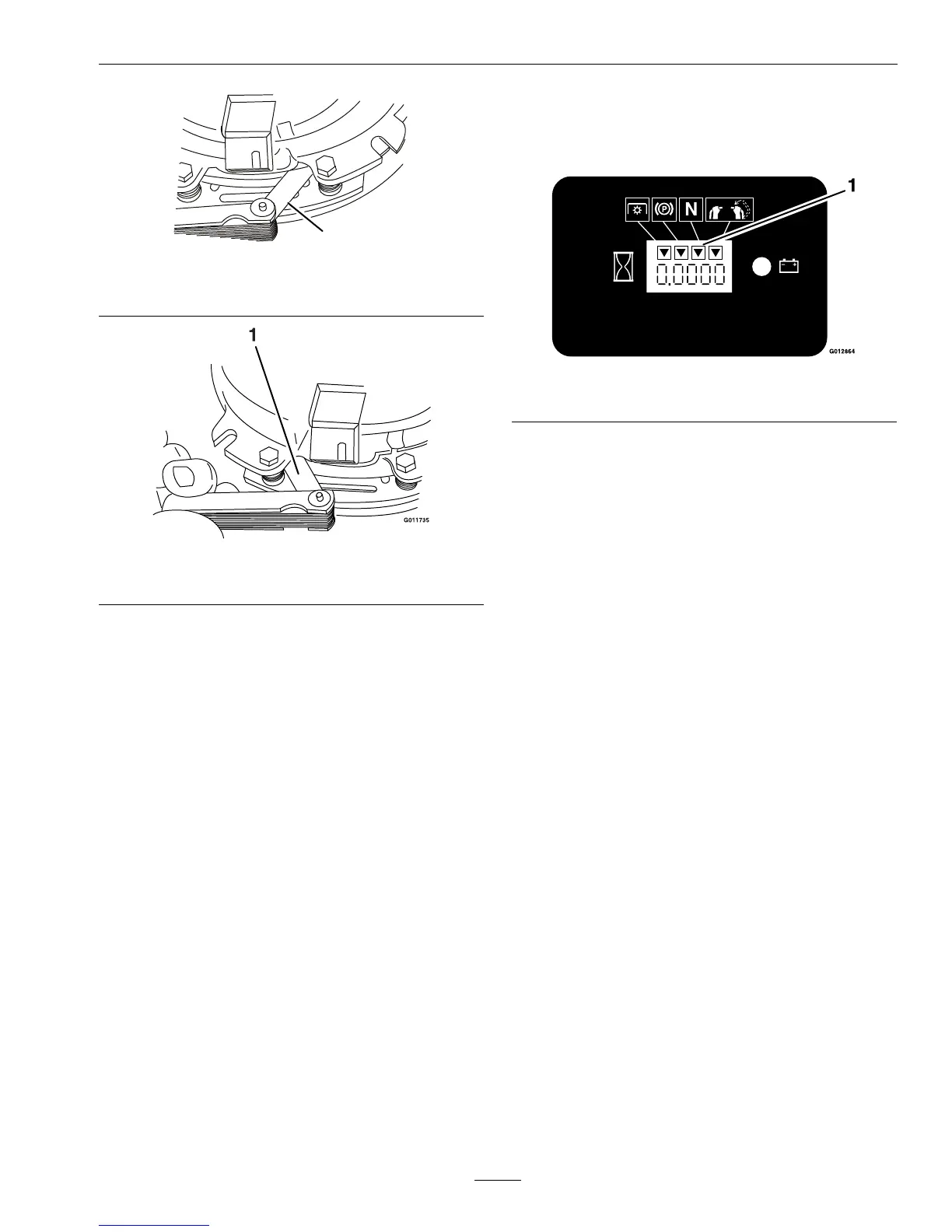
Figure34
1.Feelergauge
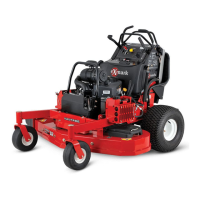
Figure35
1.Feelergauge
•Ifthegapislessthan0.010inch,then
reinstalltheshimandreferencethe
Troubleshootingsection.
•Ifthegapissufcient,proceedtothe
safetycheckinstep
F.
F.Performthefollowingsafetycheck:
a.Sitontheseatandstarttheengine.
b.MakesurethebladesDoNotengage
withthePTOswitch“off”andtheclutch
disengaged.
Iftheclutchdoesnotdisengage,
reinstalltheshimandreferencethe
Troubleshootingsection.
c.EngageanddisengagethePTOswitch
tenconsecutivetimestoensuretheclutch
isfunctioningproperly.Iftheclutch
doesnotengageproperly,referencethe
Troubleshootingsection.
MotionControlNeutral
Adjustment
Checktoseeifanadjustmentisrequired:
1.Withtheengineoff,turntheignitionswitchto
the“ON”position.
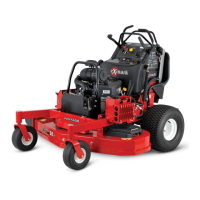
2.LocatetheLCDindicatorinthemessagedisplay.
Figure36
1.NeutralLCDindicator
3.Withthemotioncontrolleversintheneutral
position(seeFigure4)(withnoforceonthelever
eitherforwardorback),theneutralLCDindicator
shouldappear.
4.Iftheindicatorilluminates,movetheRHlever
rstforward,thenbackward,notingtheposition
ofthecontrolleverwhentheindicatordisappears.
Theamountofmovement,bothforwardand
back,shouldbeapproximatelythesame;ifnot,
gotostep
6.
5.Iftheindicatordoesnotilluminate,moveboth
motioncontrolleversforwardandthenbackward.
Continuetowatchthemessagedisplayandnote
thepositionofthecontrolswhenitappears.
6.LoosenthelocknutsontheRHmotioncontrol
linkage(asviewedfromtherearofthemachine
—seeFigure37).Withtherightmotioncontrol
inthePTOdisengageposition,holdtheLH
motioncontrolinthepositiondeterminedinstep
4or5.RotatetheadjustmentroduntiltheLCD
indicatorcomeson.
41






 To Next Page