EasyManua.ls Logo

EXP EXP180K2-FD - Chapter 4 Maintenance; 4.1 Maintenance Table; 4.2 Maintenance Operation

Default Icon
37 pages
Print Icon
To Next Page IconTo Next Page
To Previous Page IconTo Previous Page
Loading...
Chapter 4 Maintenance
4.1Maintenance table
NO.
Position
Method
Tool
Maintenance cycle
1
AC input main breaker
Eyes check
/
2 months
2
Devices and connection points
Main circuit devices (circuit breaker,
AC contactor, DC contactor, DC fuse),
copper bar, power module connector
Eyes check
Torque wrench
2 months
3
SPD
Eyes check
/
3 months
4
Charging plug
Eyes check
Brush
Daily
5
dust filter
Eyes check
Blower
36 months
6
ESD
Eyes check
/
Daily
7
Alarm information check
Eyes check
/
Daily
4.2Maintenance operation
4.2.1 AC input main breaker
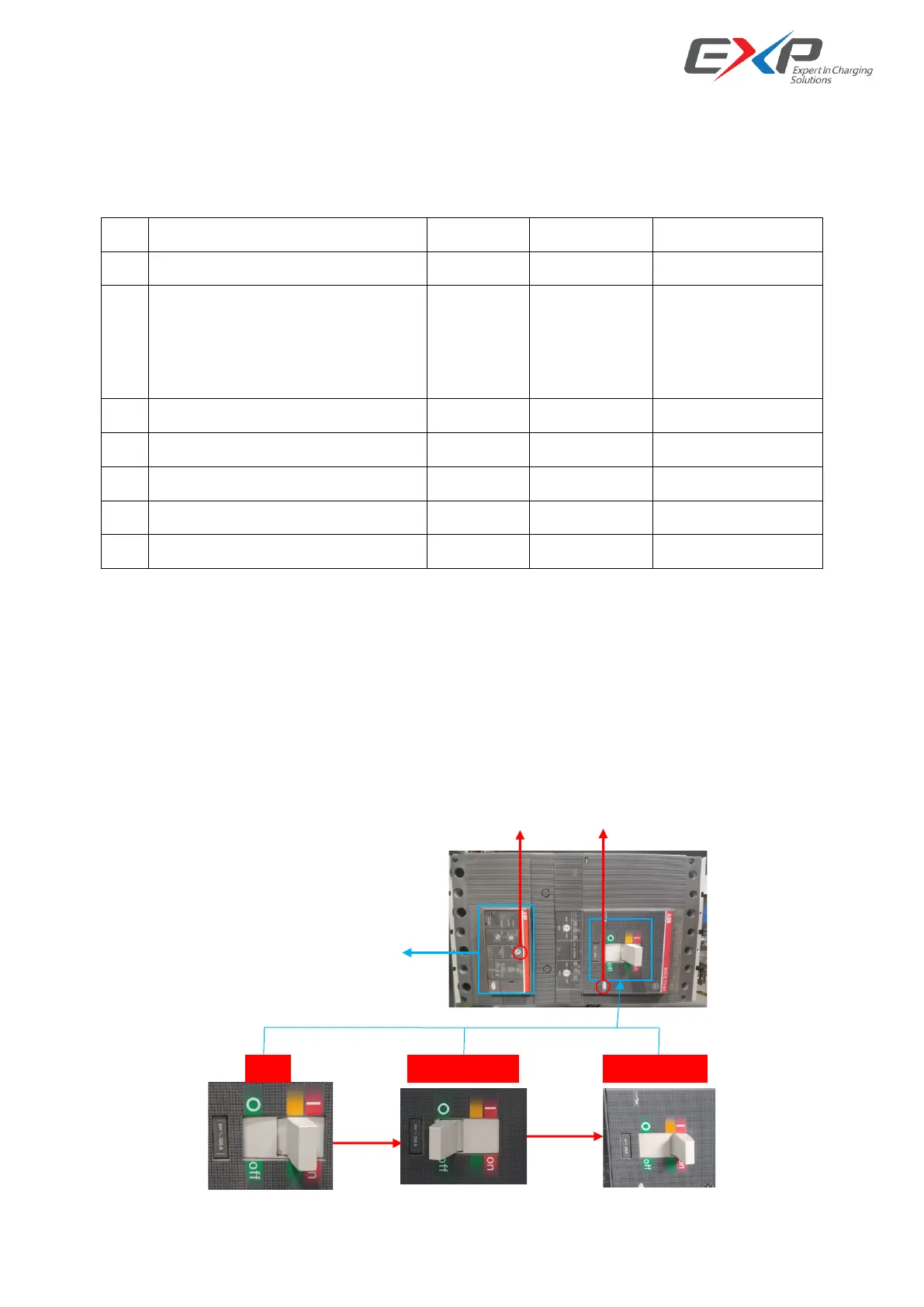
1) When the circuit breaker is in the closing state, press the insulation test knob or trip test button to test
the insulation function or trip function of the circuit breaker.
2) After the circuit breaker is released, the recovery method is as follows: first turn the circuit breaker to the
switch on state, and then turn it to the switch on state.

Leakage protection setting box
SWITCH OFF
SWITCH ON
Tri
Insulation test knob
Trip test button