Chapter 8
8 - 4
Guidelines for installing the system in a rack
There are detailed guidelines for installing the platform in a rack in Chapter
2, Installing the 6900/8900 Platform.
You will need the following tools to install the DC power supply:
• Wire stripping tool
• Small Phillips screwdriver
Small flathead screwdriver
Wiring the DC power supply wiring block
The DC power supply for the 6900/8900 platform includes a DC wiring
block. You connect the wires to the wiring block and then insert the wiring
block into the DC power supply.
To assemble the wiring block
1. Review the power supply label and determine the correct wire size
for your installation.
Note: F5 Networks recommends that you use 14 AWG copper wire.
2. Use the wire stripping tool to remove 3/8 in. (9.56 mm) of
insulation.
Important: Be sure to remove the appropriate amount of insulation
from each wire. If you remove too much insulation, exposed wire
protruding from the wiring block can create an electrical hazard. If
you do not remove enough insulation, the wire may not make proper
contact with the terminal.
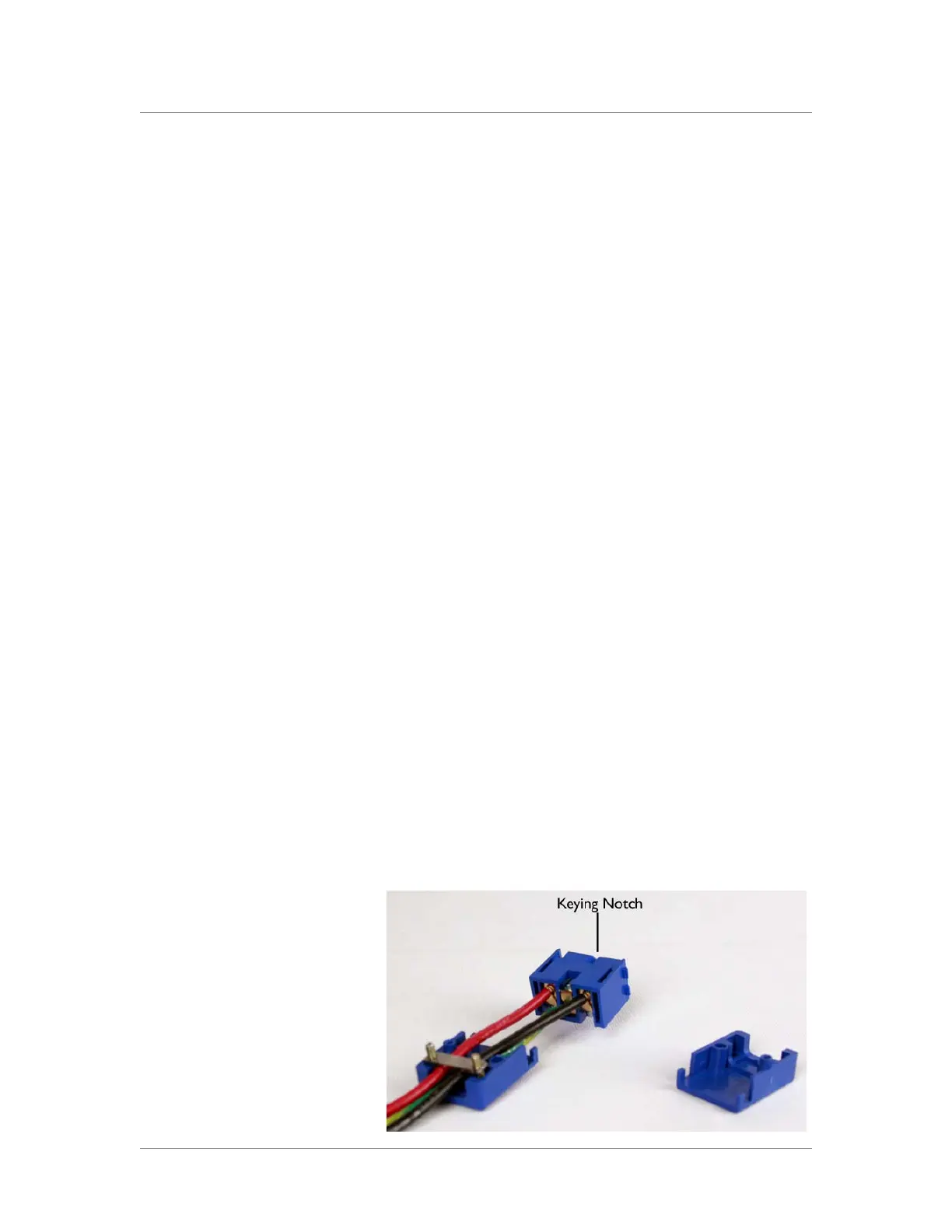
3. Thread the wires through the bottom of the wiring block, as shown
in the figure below, with the positive DC wire (typically red) on the
left, the chassis ground wire in the middle, and the negative DC wire
(typically black) on the right.
Note the orientation of the keying notch on the terminal block.
When the keying notch is up, the positive terminal is on the left.



 To Next Page