26
E1SL 34 532258 04 - Rev. B
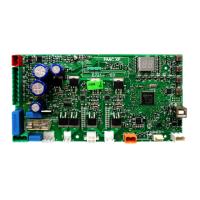
MAIN
0.0
RESET/SETUP
DL2
DL11
USB
+
-
F
ERR
BAT1
OPEN
EMERG
BAT2
SIC
_
OP
SIC
_
CL
J13
J17
T1 G
T2
R1
G R2
J9
V G 01 02 02
J22
J23J24
J25
USB
BAT1
SIC_OP
EMERG
DL2
ERR
DL11
BAT2
OPEN
SIC_CL
Translation of the original instructions
ENGLISH
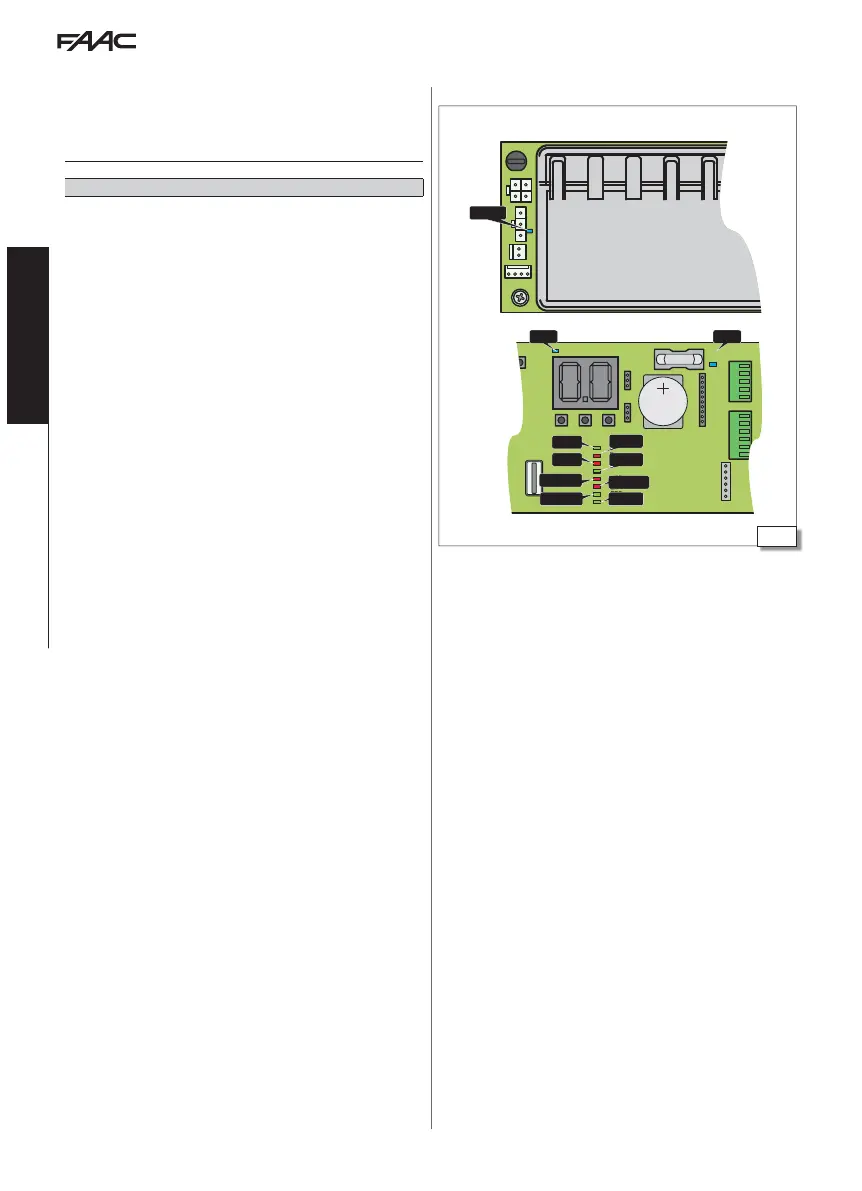
11. DIAGNOSTICS
LEDS ON THE BOARD
Key to LEDs
on off
flashing
in sleep mode: off with flashing every 5 s
() indicates the condition of the LEDs with the board powered and in standby
■ MAIN (BLUE) Main power supply unit input
main power supply ON
no main power supply
■ DL2
(BLUE) Board power +5V
board power ON
no board power
■ DL11
(BLUE) Accessories power supply (+24 V
"
)
accessories power on
no accessories power
■
USB (GREEN) USB storage device
device present
device not present
■ ERR
RED Error/Warning in progress
error
no error/warning
warning
■ BAT1 RED Battery status
battery discharged
battery charged
battery in use
battery discharged with no mains power supply
■ BAT2 (GREEN) Battery charger status
battery charger at rest
battery charger not working due to mains power failure or fault
battery charger in use
■ SIC_OP RED Safety in opening input
input active (sensors engaged)
input not active (sensors not engaged)
■ SIC_CL RED Safety in closing input
input active (sensors engaged)
input not active (sensors not engaged)
■ SIC_OP RED + SIC_CL RED Lit simultaneously = Safety Input STOP
input active (sensors engaged)
input not active (sensors not engaged)
■ EMERG (GREEN) Emergency Input
input active (door opened in emergency)
input not active
■ OPEN (GREEN) Open INPUT
input active
input not active
LEDs on the board



 To Next Page